
AWS Lambda S3 Files: Mount S3 as a File System and Kill the /tmp Copy Loop

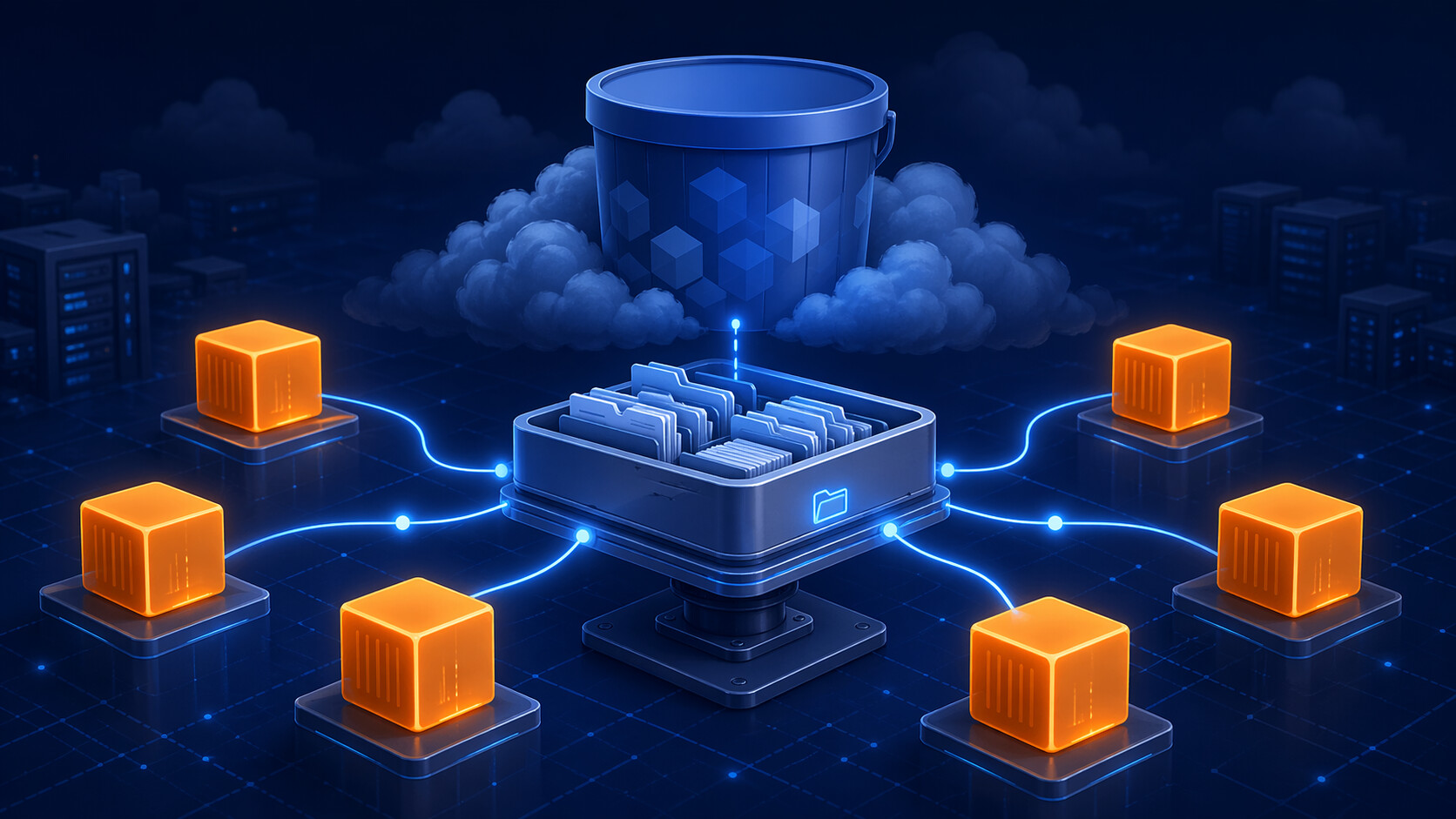
On April 21, 2026, AWS Lambda removed one of the dumbest pieces of plumbing in a lot of serverless code: the “download from S3, write to /tmp, process, upload to S3” loop. Lambda functions can now mount Amazon S3 buckets through Amazon S3 Files and use normal file operations against a local path.
That sentence sounds small until you count the wrappers sitting in real repositories. I have written this exact shape for image jobs, CSV cleanup jobs, one-off reporting jobs, and “temporary” data pipelines that somehow stayed in production for three years.
s3.download_file(bucket, key, "/tmp/input.csv")
process("/tmp/input.csv", "/tmp/output.csv")
s3.upload_file("/tmp/output.csv", bucket, result_key)
That pattern worked. It also leaked complexity everywhere: ephemeral storage sizing, retries around half-written output, duplicate object naming, cleanup under /tmp, memory pressure, and extra code just to make a file look like a file again.
With S3 Files mounted into Lambda, the code can become boring in the best way:
process(
    "/mnt/workspace/input/customer-export.csv",
    "/mnt/workspace/output/normalized-customers.csv"
)
The bucket is still S3. The function just sees a file system path.
The bigger story is not only file processing. It is stateful serverless work. AWS explicitly calls out AI and machine learning workloads where agents need persistent memory and shared state across pipeline steps. Pair S3 Files with Lambda durable functions, and Lambda starts to look less awkward for a class of workflows I used to push toward containers by default: multi-step work where the control plane checkpoints progress while workers share a real workspace.
That is the architectural shift. S3 is no longer just the object API at the edges of a Lambda pipeline. It can be the shared working directory in the middle.
What Actually Changed
AWS announced S3 Files first on April 7, 2026, then added direct Lambda support on April 21. S3 Files presents objects from a general purpose S3 bucket as files and directories through a file system interface. Lambda can now attach that file system and mount it under /mnt/....
The old Lambda/S3 pattern looked like this:
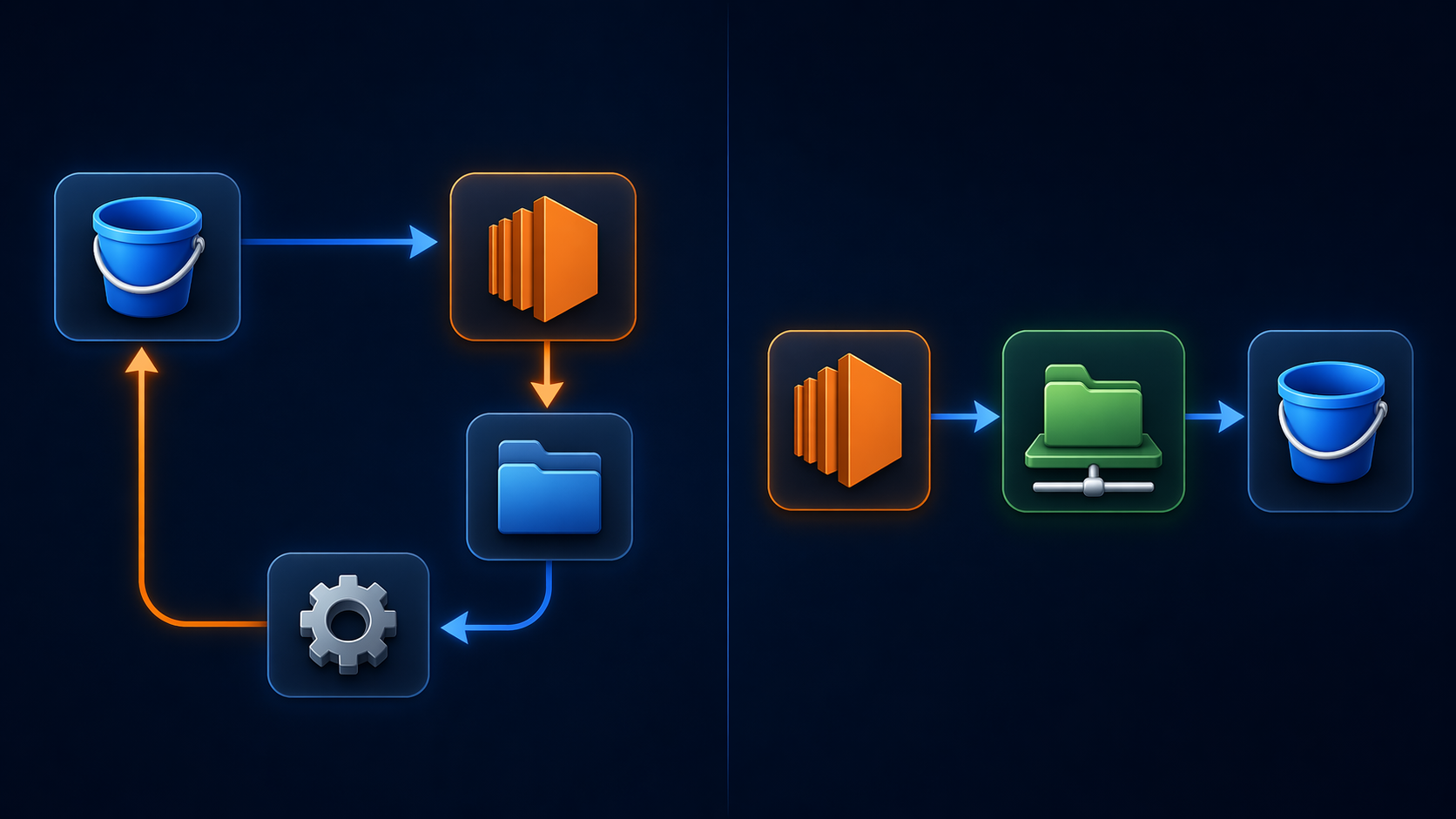
Before this feature, Lambda had three common choices when code wanted file semantics:
| Pattern | What it solved | What hurt |
|---|---|---|
| S3 API calls | Durable object storage, simple triggers, low operational burden | Application code had to translate object operations into file operations |
/tmp storage |
Local file path for libraries that expect files | Ephemeral, per-execution-environment, limited by configured size, not shared |
| EFS mount | Shared file system across functions | Separate file system lifecycle, separate storage location, more design work |
S3 Files changes the middle of that table. The authoritative data stays in S3, but Lambda code can use normal reads and writes through a mount path.
That matters for libraries and tools that are not written for object storage. Think about image libraries, PDF processors, shell tools, scanners, repository analyzers, parquet tools, local embedding pipelines, and agents that expect a workspace. You can keep using file paths instead of wrapping every operation in getObject, putObject, multipart upload code, or temporary file cleanup.
The Important Mental Model
Do not think of this as “Lambda has infinite /tmp now.” That is the wrong model.
Think of it as an S3-backed shared file system with Lambda as one of the clients. The function connects through VPC networking to S3 Files mount targets. The function’s role needs S3 Files permissions. The file system syncs changes with the linked S3 bucket. Multiple functions can mount the same file system and work against the same namespace.
That last point is where the agent architecture gets interesting.
Durable orchestrator
  clones repo -> /mnt/workspace/repos/app
  checkpoints "repo cloned"
  invokes parallel agent functions

Agent function A
  reads /mnt/workspace/repos/app/src
  writes /mnt/workspace/reports/security.json

Agent function B
  reads /mnt/workspace/repos/app/tests
  writes /mnt/workspace/reports/test-risk.json

Agent function C
  reads /mnt/workspace/repos/app/infra
  writes /mnt/workspace/reports/iac-findings.json

Durable orchestrator
  resumes after invokes complete
  reads reports
  writes final review
Before S3 Files, that pattern usually meant one of these compromises:
- Put the repo in
/tmpand make every worker clone it again. - Put the repo in EFS and build a separate file-system lifecycle around the pipeline.
- Store every intermediate artifact in S3 and write custom coordination code.
- Keep too much state inside the orchestrator payload until the workflow becomes fragile.
S3 Files gives you a different shape. One shared workspace. Object durability underneath. Normal file operations above it. Less ceremony.
Why This Is Especially Useful for AI Agents
AI agents are not just prompt calls. Useful agents read files, write files, run tools, compare outputs, retry failed steps, and leave artifacts behind.
That is why the old Lambda model felt awkward for agents. Lambda was great at short event handlers. It was not naturally good at “work in a project directory for 20 minutes while several specialized workers inspect different parts of the tree.”
S3 Files and Lambda durable functions attack different halves of that problem. One gives the workers a place to stand. The other remembers where the workflow left off.
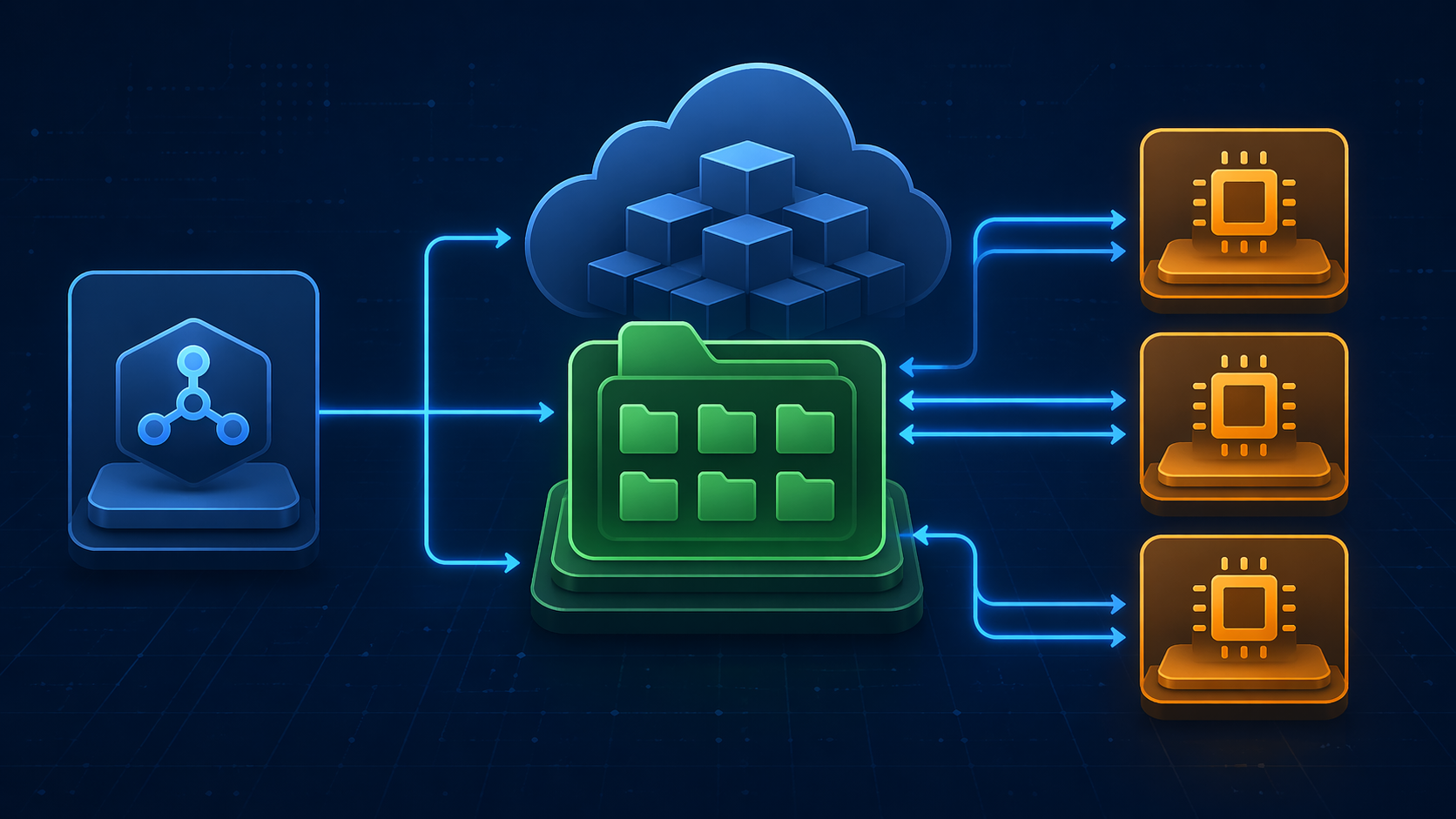
S3 Files handles shared data. Durable functions handle workflow progress.
Lambda durable functions were announced in December 2025 for multi-step applications and AI workflows. The docs describe a checkpoint and replay model: each durable operation records progress, and resumed executions replay completed operations without running their side effects again. A durable execution can span multiple Lambda invocations and can run for up to one year, while each individual Lambda invocation still has the normal 15 minute maximum.
That gives you a clean split:
| Concern | Better owner |
|---|---|
| Workflow progress | Lambda durable function |
| Shared files | S3 Files |
| Parallel work | Standard or durable Lambda workers |
| Final durable artifacts | S3 bucket behind the file system |
| External integrations | Normal AWS SDK calls inside steps |
The orchestrator should not carry a repository tarball in memory. It should carry identifiers, step state, worker results, and checkpoints. The workspace should carry files.
That is a much saner boundary.
The Old Code Versus the New Code
Here is the old Lambda shape for a CSV cleanup job:
import boto3
import csv
import os

s3 = boto3.client("s3")

def handler(event, context):
    bucket = event["bucket"]
    key = event["key"]
    output_key = key.replace("incoming/", "processed/")

    input_path = "/tmp/input.csv"
    output_path = "/tmp/output.csv"

    s3.download_file(bucket, key, input_path)

    with open(input_path, newline="") as src, open(output_path, "w", newline="") as dst:
        reader = csv.DictReader(src)
        writer = csv.DictWriter(dst, fieldnames=["email", "account_id"])
        writer.writeheader()

        for row in reader:
            writer.writerow({
                "email": row["email"].strip().lower(),
                "account_id": row["account_id"].strip()
            })

    s3.upload_file(output_path, bucket, output_key)

    try:
        os.remove(input_path)
        os.remove(output_path)
    except FileNotFoundError:
        pass

    return {"output": output_key}
That code is mostly logistics. The useful part is six lines.
With a mounted S3 Files workspace, the same function can focus on file processing:
import csv
from pathlib import Path

WORKSPACE = Path("/mnt/workspace")

def handler(event, context):
    source = WORKSPACE / event["relative_input_path"]
    target = WORKSPACE / event["relative_output_path"]

    target.parent.mkdir(parents=True, exist_ok=True)

    with source.open(newline="") as src, target.open("w", newline="") as dst:
        reader = csv.DictReader(src)
        writer = csv.DictWriter(dst, fieldnames=["email", "account_id"])
        writer.writeheader()

        for row in reader:
            writer.writerow({
                "email": row["email"].strip().lower(),
                "account_id": row["account_id"].strip()
            })

    return {"output_path": str(target)}
No download_file. No upload_file. No temporary cleanup. No special code path for a library that needs a local filename.
The real win shows up when the processing step is not a small CSV function. If the function shells out to git, ripgrep, trivy, semgrep, python, ffmpeg, imagemagick, or a PDF tool, a mounted workspace is much easier than teaching every tool to speak S3.
The Setup Details You Cannot Ignore
The announcement is simple. The deployment is not just a checkbox. This is the part I would review before letting a team replace working S3 code on a Friday.
AWS Lambda’s S3 Files documentation lists several setup requirements that matter in production:
| Requirement | Why it matters |
|---|---|
| S3 file system and mount targets must exist in the same account and Region as the function | This is a regional file-system attachment, not a global S3 shortcut |
| Lambda must run in the same VPC path as the mount target | The function connects over local networking |
| Security groups must allow NFS traffic on port 2049 | If this is wrong, the function cannot mount the file system |
Local mount path must start with /mnt/ |
You do not pick arbitrary paths like /workspace |
Execution role needs s3files:ClientMount |
Required to mount the file system |
Execution role needs s3files:ClientWrite for write access |
Skip it for read-only consumers |
Direct reads from S3 require s3:GetObject and s3:GetObjectVersion |
S3 Files can optimize reads directly from S3 |
| Direct reads require at least 512 MB function memory | A tiny 128 MB Lambda is the wrong target for this pattern |
That 512 MB note is easy to miss. AWS says S3 Files optimizes throughput by reading directly from S3, but direct reads are only supported for Lambda functions configured with 512 MB of memory or more.
For production, I would not start by mounting the whole bucket. Scope the file system to the smallest prefix the workload needs. If the pipeline works under agent-workspaces/prod/, do not expose the entire bucket just because it is convenient during testing.
Cost: Not Free, Just Less Plumbing
The “no extra cost” line needs careful wording.
AWS says the Lambda integration has no additional charge beyond standard Lambda and S3 pricing. That does not mean every S3 Files operation is free. The S3 launch blog says you pay for the portion of data stored in the S3 file system, small file reads, write operations to the file system, and S3 requests used during synchronization.
That distinction matters.
S3 Files is designed so large sequential reads can stream directly from S3, while smaller or latency-sensitive active data can live on high-performance storage behind the file system. The defaults are cost-conscious: the synchronization configuration imports metadata and stores data for files smaller than 128 KB by default, with an expiration window that removes unused data after 30 days.
For Lambda pipelines, the cost risk is usually not one big file. It is many small operations.
| Workload shape | Cost risk | Better design |
|---|---|---|
| Millions of tiny file reads | Per-operation overhead and high-performance storage churn | Batch reads, use larger IO, tune import thresholds |
| Frequent directory renames | S3 has no native directories, so renames become object rewrites/deletes | Avoid renaming large directories; write final paths directly |
| Large one-pass object scans | S3 Files may not add much value over direct S3 reads | Keep using S3 APIs or streaming reads |
| Temporary agent workspaces | Active data can stick around longer than needed | Use short expiration windows like 1-7 days |
| Shared hot project files | Repeated low-latency reads benefit from caching | Use S3 Files and tune prefix import rules |
The boring answer: model the access pattern before migrating. S3 Files reduces code and coordination overhead, but it is still a priced storage path.
Consistency and Synchronization Gotchas
S3 Files gives you a file interface. It does not erase every object-storage reality.
AWS says changes written through the file system are exported back to S3 within minutes. Changes made directly in the S3 bucket are normally visible in the file system within seconds, but can take a minute or longer.
That is fine for a lot of pipelines. It is not fine if your design quietly assumes instant bidirectional sync. If one writer is using the S3 API and another writer is using the mounted file system, slow down and draw the ownership boundary.
The best-practice rule is simple: pick a primary writer for each path.
If a Lambda worker writes /mnt/workspace/reports/security.json, do not have another process write s3://bucket/workspace/reports/security.json directly at the same time. AWS documents the conflict behavior: when a file and the corresponding S3 object are modified concurrently, S3 is treated as the source of truth and the file can be moved to lost and found.
That is a painful surprise if your agent just spent 15 minutes generating a report.
Design the workspace like this:
- One writer per file path.
- Worker outputs go to worker-specific paths.
- The orchestrator writes merge outputs after workers finish.
- Direct S3 writes land under an ingest prefix.
- File-system writers land under a workspace prefix.
- Final outputs are immutable or versioned.
If you need concurrent writes to the same logical result, use a real coordination primitive. A shared file path is not a distributed lock service.
Durable Functions Change the Orchestration Choice
Before durable functions, the default answer for multi-step serverless workflows was usually Step Functions. That is still a good answer, especially when you want a visual state machine, integrations across many AWS services, and explicit workflow definitions.
Durable functions are different. They keep the workflow inside the Lambda developer experience. You write code with durable operations such as steps, waits, and invokes. The SDK checkpoints progress and uses replay to resume safely.
For agent pipelines, that can feel more natural than a large state machine because agent logic often has loops. If you have ever tried to model “run tool, inspect output, maybe retry with a different prompt, then fan out again” as a giant state machine, you know where the JSON starts to fight back.
def handler(event, context):
    repo = context.step(lambda: clone_repo(event["repo_url"]), name="clone-repo")

    findings = context.parallel([
        lambda: invoke_agent("security-agent", repo["workspace"]),
        lambda: invoke_agent("test-agent", repo["workspace"]),
        lambda: invoke_agent("iac-agent", repo["workspace"]),
    ], name="parallel-analysis")

    report = context.step(lambda: merge_findings(findings), name="merge-report")
    return report
Treat that as pseudocode, not a copy-paste SDK example. The important design rule is where side effects live. Durable functions replay code after checkpoints, so non-deterministic work should be inside durable operations. Generating random names, reading the current time, writing files, or invoking workers outside a step is how replay bugs are born.
S3 Files makes this easier because the durable function does not need to serialize file state. It only needs to checkpoint the logical progress:
- repository cloned
- agents invoked
- reports written
- final review generated
- cleanup completed
The files stay in the mounted workspace.
Where S3 Files Beats the S3 API
Use S3 Files when file semantics are the point.
Good candidates:
- Code analysis agents that need a repository checkout.
- Media processing tools that expect local input and output paths.
- PDF, image, video, archive, and document pipelines.
- ML inference functions that read shared reference files.
- Batch jobs with many related small files.
- Workflows where multiple Lambda functions collaborate on a shared artifact set.
- Existing applications or CLI tools that are hard to rewrite around S3 APIs.
Weak candidates:
- A function that reads one object and writes one object with simple streaming.
- Event handlers that only transform JSON payloads.
- Extremely latency-sensitive API requests that should avoid VPC mount dependencies.
- Workloads that mutate the same file from many writers.
- Large data lake scans where direct S3 or analytics engines are already the right abstraction.
The S3 API is still the cleanest interface when the unit of work is an object. S3 Files is useful when the unit of work is a workspace.
S3 Files Versus EFS, FSx, Mountpoint, and Step Functions
This launch does not make every AWS storage or orchestration service obsolete.
| If you need… | Use this first | Why |
|---|---|---|
| Simple object reads/writes | S3 API | Lowest conceptual overhead for object-native code |
| Shared file paths backed by S3 data | S3 Files | Keeps S3 as the durable data hub while exposing file semantics |
| General serverless shared POSIX file storage | EFS | Mature Lambda file-system integration, independent of S3 sync concerns |
| Enterprise NAS semantics or Windows/ONTAP/OpenZFS features | FSx | Better fit for migration and protocol-specific file workloads |
| High-throughput file-like access from EC2/EKS to S3 without full file-system semantics | Mountpoint for Amazon S3 | Great for data lake style access patterns |
| Visual cross-service orchestration | Step Functions | Excellent for AWS service integrations and explicit state machines |
| Code-first long-running Lambda workflows | Lambda durable functions | Checkpointed workflow logic in Lambda code |
My default recommendation: if the workload already treats S3 objects as objects, do not migrate just because this feature exists. If the workload keeps rebuilding a working directory from S3 at the start of every invocation, test S3 Files.
A Practical Migration Plan
Do not start by rewriting code. Start by finding the places where this actually removes complexity.
Run a search like this:
rg "download_file|upload_file|get_object|put_object|/tmp|TemporaryDirectory" src/
Then classify each function:
| Function type | Migrate? | Reason |
|---|---|---|
| Object transform with streaming body | Usually no | S3 API is already simple |
| Library requires file path | Yes | S3 Files removes adapter code |
| Worker needs shared workspace | Yes | This is the best use case |
| Writes many intermediate artifacts | Probably yes | The workspace model is cleaner |
| Writes one final object | Maybe no | Direct putObject may still be simpler |
For a real migration, use this sequence. Do not treat this as a bulk search-and-replace from s3.download_file() to open(). The mount changes the failure modes.
- Pick one function with obvious
/tmppain. - Create an S3 Files file system scoped to a narrow prefix.
- Add mount targets in the Availability Zones used by the Lambda subnets.
- Attach the function to the VPC path that can reach those mount targets.
- Allow NFS 2049 between the Lambda security group and the mount target security group.
- Grant the execution role
s3files:ClientMount. - Add
s3files:ClientWriteonly if the function writes through the mount. - Keep
s3:GetObjectands3:GetObjectVersionif you want direct-read optimization. - Set memory to at least 512 MB for direct reads.
- Rewrite the file handling behind a path abstraction.
- Load test with the real file count, not a tiny sample bucket.
- Watch
PendingExportsandExportFailuresin CloudWatch. - Only then remove the old S3 copy code.
That last step matters. Do not delete the old path until you have watched sync behavior under realistic load.
Security Checklist
S3 Files adds another access path to data. Treat that seriously.
Use this checklist before production:
| Control | Recommendation |
|---|---|
| Prefix scoping | Mount only the prefix the function needs |
| IAM | Separate read-only and read-write roles |
| Security groups | Allow port 2049 only between required groups |
| Encryption | Use SSE-S3 or AWS KMS according to your data policy |
| Object access | Keep bucket policies and file-system policies aligned |
| POSIX metadata | Understand UID/GID and permissions behavior |
| Monitoring | Enable CloudWatch metrics and CloudTrail management-event visibility |
| Conflict policy | Document which systems are allowed to write each prefix |
| Cleanup | Use expiration rules for temporary workspaces |
| Secrets | Do not let agents write credentials into shared workspaces |
The agent warning is not theoretical. A coding agent with shell access can easily write logs, environment dumps, dependency caches, patch files, and generated reports. If that workspace is backed by S3, those artifacts now have a durable lifecycle.
The Limits That Will Bite People
Several S3 Files limitations are worth calling out before a team discovers them during an incident.
S3 Files does not support hard links. It does not preserve custom user-defined S3 object metadata after file-system changes. Objects in Glacier Flexible Retrieval, Glacier Deep Archive, or archive tiers of Intelligent-Tiering must be restored before access through the file system. Full S3 object keys still have the 1,024 byte limit. A single file can be as large as 48 TiB, but that does not mean every Lambda workload should push files anywhere near that size.
Directory rename is another trap. S3 does not have native directories. AWS recommends scoping file systems to the smallest prefix your workload needs because moving or renaming a directory can require writing new keys and deleting old keys for every file under that directory.
That is exactly the kind of operation that looks harmless in code:
Path("/mnt/workspace/run-123").rename("/mnt/workspace/complete/run-123")
If run-123 has ten files, fine. If it has ten million, you just created a very expensive “rename.”
Write final output paths directly. Use manifests for completion state. Do not use giant directory renames as workflow commits.
The Architecture I Would Use for Multi-Agent Lambda
For a production multi-agent code-analysis pipeline, I would design the first version like this:
s3://agent-workspaces/
  incoming/
    requests/request-123.json
  workspaces/
    request-123/
      repo/
      agent-output/
        security.json
        tests.json
        iac.json
      final/
        report.md
        summary.json
  archive/
The Lambda durable function owns orchestration:
- Validate the request.
- Create a workspace ID.
- Clone or unpack the repository into
workspaces/request-123/repo/. - Invoke specialized worker functions in parallel.
- Wait for checkpointed results.
- Merge worker reports.
- Write final artifacts.
- Emit an event or notification.
- Apply cleanup or retention policy.
Each worker writes only to its own output file. No worker writes the final report. No worker mutates another worker’s result. The orchestrator is the only process that merges. Boring, yes. That is the point. Boring ownership rules are what keep shared workspaces from turning into shared trash cans.
That structure avoids most of the ugly failure modes:
- A failed worker can retry without deleting another worker’s output.
- The orchestrator can resume after a checkpoint and inspect files that already exist.
- Final output can be made immutable.
- Cleanup can target one workspace prefix.
- Cost attribution can be tied to workspace IDs.
If the same pattern grows beyond Lambda, the storage layout can still survive. ECS, EKS, EC2, and Lambda can all work with S3 Files. That gives you an escape hatch if one agent eventually needs longer runtime, GPU, or a container shape that standard Lambda should not handle.
What This Does Not Solve
This feature removes plumbing. It does not remove architecture. If an outage happens, the incident channel will not care that the code looked cleaner.
It does not make concurrent writes safe. It does not make S3 an instant local disk. It does not mean you can ignore VPC networking. It does not mean every object workload should become a file workload. It does not remove the need for idempotency, retries, metrics, or cleanup.
It also does not kill Step Functions. Durable functions are attractive when you want code-first checkpointed workflows inside Lambda. Step Functions remains excellent when your workflow spans many AWS services, needs visual inspection, or benefits from Amazon States Language as an explicit contract.
The best architecture may combine both. For example, Step Functions can own the business process, while a durable Lambda owns a complex agent subroutine that uses S3 Files as its workspace.
Bottom Line
The important part of Lambda S3 Files is not that a function can read /mnt/workspace/file.txt. The important part is that serverless workflows can now share a durable, S3-backed working directory without turning every file operation into custom object-storage code.
For normal object transforms, keep using the S3 API.
For file-heavy tools, batch processors, AI agents, repository analysis, and workflows that keep rebuilding /tmp from S3, this is a real simplification.
The boring plumbing is not completely gone. You still need VPC networking, IAM, sync monitoring, cost modeling, and sane writer boundaries. But the old ritual of “download, process, upload, clean up” is no longer the only default.
That is a big Lambda change.
Sources
- AWS Lambda functions can now mount Amazon S3 buckets as file systems with S3 Files
- Launching S3 Files, making S3 buckets accessible as file systems
- Configuring Amazon S3 Files access for AWS Lambda
- S3 Files best practices
- Customizing synchronization for S3 Files
- S3 Files unsupported features, limits, and quotas
- AWS Lambda durable functions announcement
- Lambda durable functions basic concepts
Explore more like this

Cloud IoT Security: Zero Trust, Identity, and Signed Updates
On September 11, 2026, the Cyber Resilience Act’s incident-reporting rules start applying in the European Union. That is 22 days after this article’s publication date. A manufacturer that learns of...

Kill the Docker Hub Token: OIDC Trust for GitHub Actions
On July 31, 2026, Docker shipped OIDC connections for GitHub Actions to any organization on a Docker Team, Docker Business, or Docker Hardened Images subscription, plus organizations in the Docker-Sponsored...

Bedrock Web Search: Grounding an Agent Without Building a Scraper
On August 4, 2026, AWS made Web Search on Amazon Bedrock generally available, and the entire integration surface is one JSON object: {"type": "web_search"}. That is the whole change from...

Comments