
AWS Secrets Manager Auto-Rotation with Lambda in 2026

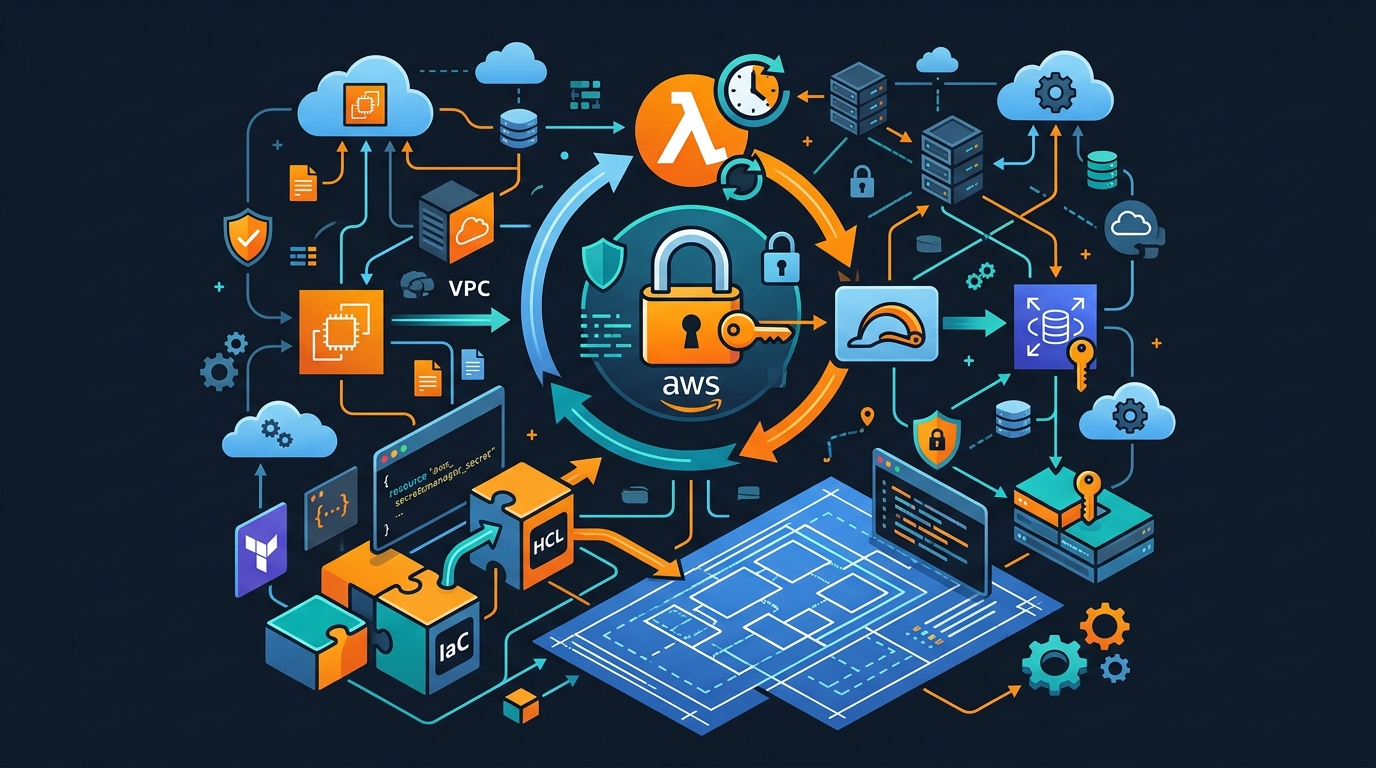
I learned the hard way that static credentials are ticking time bombs. A contractor leaves, a key leaks through a misconfigured S3 bucket policy, a developer accidentally commits a .env file — and you have no way of knowing how long that credential has been circulating. I spent three days rotating credentials across thirty services after one of those incidents. Three days of scheduled downtime, coordination calls, and crossed fingers. After that, I went all-in on automated rotation with AWS Secrets Manager, and I haven’t looked back.
This post covers everything I wish I’d known before building rotation pipelines: how RDS rotation works under the hood, how to write a custom Lambda rotator for API keys, how to wire it all up with Terraform, and how to avoid the failure modes that will ruin your Monday morning.
Why Rotation Matters More Than You Think
The compliance argument is the easy one. SOC 2, PCI DSS, HIPAA — they all require periodic credential rotation. If you’re not automating it, you’re either doing it manually (which means it’s not happening on schedule) or you’re failing your audit.
But compliance is the floor, not the ceiling. The real benefit is breach radius reduction. When credentials rotate every 30 days, a leaked credential has a natural expiry. An attacker who exfiltrates your database password in week one loses access in week four without ever triggering an alert. Combine rotation with short TTLs and you turn a potential long-term compromise into a short, bounded incident.
There’s also the zero-trust angle. Zero-trust assumes breach. It’s not enough to protect credentials at rest — you have to assume that any given credential is already compromised and design accordingly. Rotation operationalizes that assumption. You don’t wait to rotate after a breach; you rotate before one matters.
AWS Secrets Manager makes this feasible at scale. Without it, rotation means writing custom schedulers, handling the version transition atomically, updating every downstream consumer, and praying nothing breaks during the switchover. Secrets Manager handles that orchestration. Your job is to write the rotation logic.
How RDS Rotation Works Under the Hood
AWS provides managed rotation functions for RDS, Aurora, Redshift, and DocumentDB. When you enable rotation for an RDS secret, Secrets Manager creates a Lambda function in your account and wires it to the secret. You don’t write any code. You pick a rotation schedule, and it runs.
What happens during that rotation is worth understanding. Secrets Manager uses a two-user rotation strategy by default for RDS. It maintains two database users — a current user and an alternating user — and swaps between them on each rotation cycle. At any point in time, the active secret points to the user with the current valid password.
The reason for two users is atomicity. If you simply changed the password for the active user, there’s a window between when the password changes in the database and when your application picks up the new secret — during which every connection attempt fails. With two users, the new password is fully configured and tested before traffic switches to it. The transition is seamless.
For Aurora serverless or scenarios where you want a single-user rotation (when you can’t create a second database user, for example), AWS also provides a single-user strategy. It’s riskier — there’s a brief window where connections using the old password fail — but it works when the two-user approach isn’t an option.
The 4 Rotation Steps
Every rotation Lambda function — whether AWS-managed or custom — implements four steps. Secrets Manager calls your Lambda with an event containing the step name and the secret ARN. Your function handles each step in turn, and Secrets Manager coordinates the overall state machine.
createSecret: Generate new credential material and store it as a new version of the secret with the staging label AWSPENDING. This version exists in parallel with the current version (AWSCURRENT) until rotation completes. Nothing in production reads AWSPENDING yet.
setSecret: Apply the pending credential in the target system. For RDS, this means updating the database user’s password. For an API key, it means calling the upstream API to create a new key. The secret is now valid in both the target system and Secrets Manager, but no application is using it yet.
testSecret: Validate that the pending credential actually works. Connect to the database with the new password. Call the API with the new key. If this step fails, the rotation aborts and AWSCURRENT stays in place — your applications never saw a bad credential.
finishSecret: Promote AWSPENDING to AWSCURRENT and demote the old AWSCURRENT to AWSPREVIOUS. From this point on, applications reading the secret get the new credential. The previous version is retained for a short grace period in case anything is slow to update.
This four-step model gives you safe rollback at every stage. Failures before finishSecret leave production untouched.
Custom Rotation Lambda: API Key Example
AWS doesn’t provide a managed rotator for third-party APIs. When you need to rotate a Stripe key, a GitHub token, or any other external credential, you write your own. Here’s a complete Python example:
import boto3
import json
import logging
import os
import requests

logger = logging.getLogger()
logger.setLevel(logging.INFO)

sm = boto3.client("secretsmanager")


def lambda_handler(event, context):
    arn = event["SecretId"]
    token = event["ClientRequestToken"]
    step = event["Step"]

    metadata = sm.describe_secret(SecretId=arn)
    if not metadata["RotationEnabled"]:
        raise ValueError(f"Secret {arn} is not enabled for rotation")

    versions = metadata.get("VersionIdsToStages", {})
    if token not in versions:
        raise ValueError(f"Secret version {token} has no stage for secret {arn}")

    if "AWSCURRENT" in versions[token]:
        logger.info("Version %s is already AWSCURRENT — nothing to do", token)
        return
    elif "AWSPENDING" not in versions[token]:
        raise ValueError(f"Secret version {token} is not AWSPENDING")

    if step == "createSecret":
        create_secret(arn, token)
    elif step == "setSecret":
        set_secret(arn, token)
    elif step == "testSecret":
        test_secret(arn, token)
    elif step == "finishSecret":
        finish_secret(arn, token)
    else:
        raise ValueError(f"Unsupported step: {step}")


def create_secret(arn, token):
    try:
        sm.get_secret_value(SecretId=arn, VersionStage="AWSPENDING")
        logger.info("AWSPENDING already exists, skipping createSecret")
        return
    except sm.exceptions.ResourceNotFoundException:
        pass

    current = json.loads(
        sm.get_secret_value(SecretId=arn, VersionStage="AWSCURRENT")["SecretString"]
    )
    # Generate a new API key via the upstream service
    new_key = provision_new_api_key(current["account_id"], current["api_endpoint"])
    new_secret = {**current, "api_key": new_key}

    sm.put_secret_value(
        SecretId=arn,
        ClientRequestToken=token,
        SecretString=json.dumps(new_secret),
        VersionStages=["AWSPENDING"],
    )
    logger.info("Stored new API key as AWSPENDING")


def set_secret(arn, token):
    # For most API key scenarios, provisioning already happened in createSecret.
    # If your API requires a separate activation step, do it here.
    logger.info("setSecret: nothing additional required for this API")


def test_secret(arn, token):
    pending = json.loads(
        sm.get_secret_value(SecretId=arn, VersionStage="AWSPENDING")["SecretString"]
    )
    endpoint = pending["api_endpoint"]
    key = pending["api_key"]

    resp = requests.get(
        f"{endpoint}/health",
        headers={"Authorization": f"Bearer {key}"},
        timeout=5,
    )
    if resp.status_code != 200:
        raise RuntimeError(f"New API key test failed: HTTP {resp.status_code}")
    logger.info("New API key validated successfully")


def finish_secret(arn, token):
    metadata = sm.describe_secret(SecretId=arn)
    current_version = next(
        v
        for v, stages in metadata["VersionIdsToStages"].items()
        if "AWSCURRENT" in stages
    )
    if current_version == token:
        logger.info("Version %s is already AWSCURRENT", token)
        return

    sm.update_secret_version_stage(
        SecretId=arn,
        VersionStage="AWSCURRENT",
        MoveToVersionId=token,
        RemoveFromVersionId=current_version,
    )
    logger.info("Promoted %s to AWSCURRENT", token)


def provision_new_api_key(account_id, endpoint):
    # Replace with your upstream API call
    resp = requests.post(
        f"{endpoint}/api-keys",
        json={"account_id": account_id},
        headers={"X-Admin-Token": os.environ["ADMIN_TOKEN"]},
        timeout=10,
    )
    resp.raise_for_status()
    return resp.json()["key"]
The guard at the top of lambda_handler — checking whether the version is already AWSCURRENT before doing anything — is essential. Secrets Manager may call your Lambda multiple times for the same token if a step times out and retries. Without that guard, you’ll double-provision keys and confuse yourself.
Terraform Setup
This Terraform configuration provisions the secret, the rotation Lambda, and the IAM roles:
resource "aws_secretsmanager_secret" "api_key" {
  name                    = "prod/myservice/api-key"
  recovery_window_in_days = 7

  tags = {
    Environment = "production"
    Team        = "platform"
  }
}

resource "aws_secretsmanager_secret_rotation" "api_key" {
  secret_id           = aws_secretsmanager_secret.api_key.id
  rotation_lambda_arn = aws_lambda_function.rotator.arn

  rotation_rules {
    automatically_after_days = 30
  }
}

resource "aws_lambda_permission" "allow_secretsmanager" {
  statement_id  = "AllowSecretsManagerInvocation"
  action        = "lambda:InvokeFunction"
  function_name = aws_lambda_function.rotator.function_name
  principal     = "secretsmanager.amazonaws.com"
}

resource "aws_iam_role" "rotator" {
  name = "secrets-rotator-lambda"

  assume_role_policy = jsonencode({
    Version = "2012-10-17"
    Statement = [{
      Effect    = "Allow"
      Principal = { Service = "lambda.amazonaws.com" }
      Action    = "sts:AssumeRole"
    }]
  })
}

resource "aws_iam_role_policy" "rotator" {
  role = aws_iam_role.rotator.id

  policy = jsonencode({
    Version = "2012-10-17"
    Statement = [
      {
        Effect = "Allow"
        Action = [
          "secretsmanager:GetSecretValue",
          "secretsmanager:PutSecretValue",
          "secretsmanager:UpdateSecretVersionStage",
          "secretsmanager:DescribeSecret",
        ]
        Resource = aws_secretsmanager_secret.api_key.arn
      },
      {
        Effect   = "Allow"
        Action   = ["logs:CreateLogGroup", "logs:CreateLogStream", "logs:PutLogEvents"]
        Resource = "arn:aws:logs:*:*:*"
      }
    ]
  })
}

resource "aws_lambda_function" "rotator" {
  function_name = "api-key-rotator"
  role          = aws_iam_role.rotator.arn
  handler       = "rotator.lambda_handler"
  runtime       = "python3.12"
  timeout       = 30
  filename      = data.archive_file.rotator.output_path

  environment {
    variables = {
      ADMIN_TOKEN = var.admin_token
    }
  }
}
One thing to get right: the Lambda timeout. Thirty seconds is a reasonable default. If your rotation involves a slow upstream API or a database migration step, increase it to 60 or 120. Secrets Manager has its own timeout for the rotation call, and if Lambda times out first you’ll get partial rotations that are hard to recover from.
EventBridge Integration
Rotation events emit to EventBridge automatically. This is useful for two things: alerting on rotation failures before they become incidents, and triggering downstream automation when credentials change.
resource "aws_cloudwatch_event_rule" "rotation_failed" {
  name        = "secrets-rotation-failed"
  description = "Alert when secret rotation fails"

  event_pattern = jsonencode({
    source      = ["aws.secretsmanager"]
    detail-type = ["AWS API Call via CloudTrail"]
    detail = {
      eventName    = ["RotationFailed"]
    }
  })
}

resource "aws_cloudwatch_event_target" "rotation_failed_sns" {
  rule      = aws_cloudwatch_event_rule.rotation_failed.name
  target_id = "rotation-failed-sns"
  arn       = aws_sns_topic.alerts.arn
}
For successful rotations, subscribe to the RotationSucceeded event and use it to trigger cache invalidation in your services. If your application caches the secret value in memory, it won’t pick up new credentials until it re-fetches. A Lambda triggered on rotation success can push a notification to your services — via SNS, SQS, or a direct API call — telling them to flush their credential cache.
See EventBridge + Secrets Manager for a detailed walkthrough of the event schema and filtering patterns.
Multi-Region Secret Replication
If you run services in multiple AWS regions, you have two options for secrets: maintain separate secrets per region (simple but operationally heavy) or use Secrets Manager replication (one primary, multiple replicas).
Replication is straightforward to configure:
resource "aws_secretsmanager_secret" "api_key" {
  name = "prod/myservice/api-key"

  replica {
    region = "us-west-2"
  }

  replica {
    region = "eu-west-1"
  }
}
The catch: rotation only runs in the primary region. Replicas are read-only copies that stay in sync automatically after the primary rotates. If your services in us-west-2 read from the replica, they’ll see the new value within seconds of the primary completing rotation.
One thing to watch: VPC endpoint coverage. If you’re using VPC endpoints for Secrets Manager (which you should be in production), you need endpoints in every region where replicas exist. Missing endpoints in a replica region means Lambda rotators — if you ever move the primary — can’t reach Secrets Manager, and your services in that region get throttled on API calls.
Common Failures and How to Fix Them
Lambda timeout during rotation. The most common failure mode. Your Lambda hits its timeout limit mid-step. Secrets Manager marks the rotation as failed, but the secret may be partially updated. Check CloudWatch Logs for the last successful step, then manually re-invoke the rotation. If AWSPENDING exists and was fully applied, you can manually call UpdateSecretVersionStage to promote it without going through the full rotation cycle again.
VPC connectivity. Rotation Lambdas run inside a VPC when they need to reach RDS. If you deploy the Lambda in a private subnet, it needs either a NAT gateway or VPC endpoints to reach Secrets Manager and any other AWS APIs. I’ve seen this failure mode more than any other — the Lambda starts, tries to call Secrets Manager to fetch the pending secret, gets a timeout, and the entire rotation fails with an unhelpful error. Check VPC flow logs before assuming the Lambda code is wrong.
IAM permission gaps. The Lambda role needs secretsmanager:GetSecretValue, secretsmanager:PutSecretValue, secretsmanager:UpdateSecretVersionStage, and secretsmanager:DescribeSecret on the specific secret ARN. A common mistake is granting these on * in dev and then scoping them down in prod but forgetting one action. The error won’t surface until that specific step runs, which might be finishSecret — meaning you’ve successfully rotated the credential but can’t promote it.
KMS key access. If your secret is encrypted with a customer-managed KMS key (which it should be for anything sensitive), the Lambda role also needs kms:Decrypt and kms:GenerateDataKey on that key. See AWS KMS vs CloudHSM for guidance on key configuration.
Resource not found on re-invocation. If Secrets Manager retries a failed step, the createSecret step may try to create an AWSPENDING version that already exists. This is why the guard clause checking for an existing AWSPENDING is not optional — it’s the difference between idempotent rotation and cascading failures.
Downstream caches. Applications that cache credentials in memory — connection pools, HTTP clients, token caches — won’t pick up rotated secrets until they reconnect. Set a sensible TTL on any secret cache (5–15 minutes is usually fine), and implement a fallback that re-fetches and retries on auth failures. Zero-trust credential design assumes that any request might fail on an auth error and that retrying with a fresh credential is the correct response. Related patterns in API Gateway + WAF Zero Trust.
Cost Breakdown
AWS Secrets Manager pricing in 2026 is $0.40 per secret per month. For a secret with 30-day rotation, you’re paying roughly $0.013 per rotation cycle in storage alone.
Lambda invocations for rotation are billed at standard Lambda rates. Each rotation runs the Lambda four times (one per step). At typical execution times of 2–5 seconds per step with 256MB memory, you’re looking at fractions of a cent per rotation. For 100 secrets rotating monthly, the total Lambda cost is under $0.10 per month.
The one cost that catches people off-guard is Secrets Manager API calls. Every time your application calls GetSecretValue, that’s a billable API call at $0.05 per 10,000 calls. If you’re calling GetSecretValue on every request in a high-throughput service, this adds up. Cache the secret value in memory with a reasonable TTL. The GitLab CI Variables guide covers a similar caching pattern for CI/CD pipelines — the principle applies here too.
For multi-region replication, you pay $0.40 per replica per month. Three-region replication for 100 secrets costs $120/month. That’s the cost of not having a single-region failure take down your secret access — cheap insurance for production workloads.
At scale, Secrets Manager is one of the cheapest security controls you can operate. The ROI calculation isn’t against the cost of the service — it’s against the cost of a credential-based breach, which averages in the millions.
The Operational Reality
The hardest part of secret rotation isn’t the Lambda code or the Terraform. It’s cultural adoption. Teams that have lived with static credentials for years will push back on rotation because it introduces change events. Every rotation is a potential outage if something in the chain breaks.
The answer is testing. Build rotation into your staging environment and run it weekly. Force your application through a rotation cycle in CI before every deploy. If rotation fails in staging, it fails safely. If you discover that your application doesn’t handle credential refresh correctly, you discover it before production.
Start with the lowest-risk secrets — internal service-to-service API keys, test environment credentials. Build confidence in the rotation pipeline. Then move to production database credentials. The mechanics are the same; the stakes are higher.
Rotation is not a one-time setup. It’s an ongoing practice. Treat rotation failures as incidents. Alert on them, respond to them, find the root cause. An unexamined rotation failure is a security gap masquerading as an ops issue.
Related: EventBridge + Secrets Manager, KMS vs CloudHSM, API Gateway + WAF Zero Trust, GitLab CI Variables.
Explore more like this

Aurora Serverless v2 + Bedrock: AI Database Queries in 2026
I connected Bedrock to our Aurora cluster last month. The first thing I asked it was “show me all customers who churned in Q1 but came back in Q2” —...

Lambda Container Images: Build on GitLab CI, Deploy to ECR
Container images solved my biggest Lambda frustration: the 250MB zip limit.

AWS WAF Rules Deep Dive: Rate-Based, Geo, and Custom Rules
WAF is one of those services where the default managed rules get you 80% of the way there. The last 20% is where it gets interesting.

Comments