
Crossplane vs Terraform in 2026: Which IaC Approach Wins?

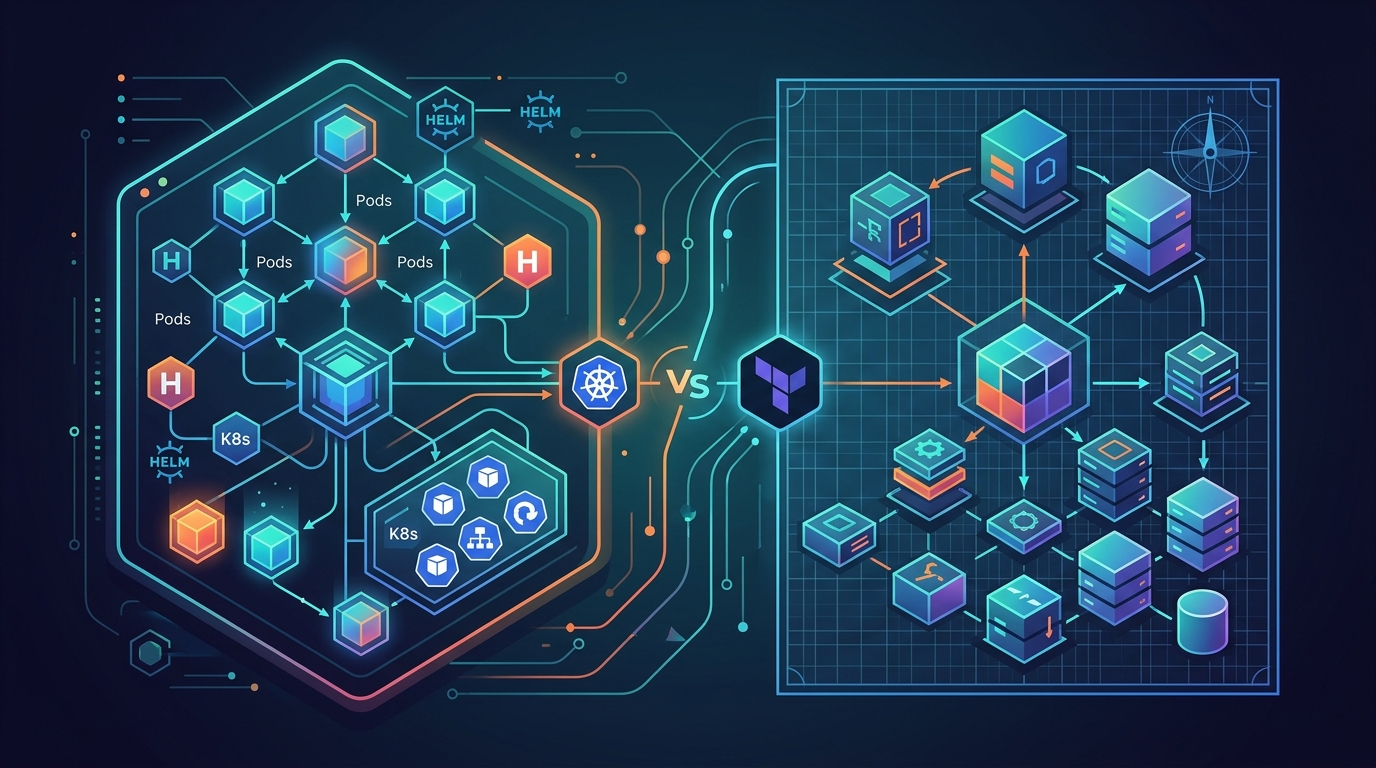
I’ve been running Crossplane alongside Terraform for six months. Here’s my honest take on where each one shines.
We started with a specific pain point: our platform team was managing RDS instances, S3 buckets, and SQS queues for about a dozen product teams. They’d open a Jira ticket, someone on platform would write or update a Terraform module, run the pipeline, and close the ticket. That loop took anywhere from two hours to two days depending on who was available and how complicated the request was. We wanted product teams to provision their own cloud resources the same way they create Kubernetes deployments—through manifests, reviewed in a pull request, merged and reconciled automatically. No tickets. No waiting.
That’s the promise of Crossplane. Six months in, it’s delivered on that promise in specific places and created new problems in others. Terraform is still running more of our infrastructure than Crossplane is. I don’t think that’s temporary—I think both tools have legitimate long-term roles.
What Crossplane Actually Is
Crossplane is a Kubernetes operator that extends the Kubernetes API to manage cloud resources. You install it into your cluster, install providers for AWS, GCP, or Azure, and then cloud resources become Kubernetes custom resources. An RDS instance is a RDSInstance object. An S3 bucket is a Bucket object. You describe what you want in YAML, commit it to git, and Crossplane’s control loop reconciles reality to match.
The key insight is that Kubernetes is already a control plane. It watches desired state, compares it to actual state, and acts on the difference. Crossplane re-uses that machinery for cloud resources instead of just workloads. etcd becomes your state store. kubectl get works on cloud resources. RBAC governs who can create an RDS instance. The entire Kubernetes ecosystem—GitOps tools, audit logging, policy engines like OPA—applies to your cloud infrastructure.
This is architecturally different from Terraform. Terraform is a CLI tool that runs a plan-apply cycle. You invoke it, it creates a state file that records what it created, and the next time you run it, it reconciles against that state file. Between runs, Terraform doesn’t know what changed in the real world. If someone manually modifies a resource in the AWS console, Terraform won’t detect it until the next terraform plan.
Crossplane runs continuously. It checks every resource it manages on a reconciliation loop. If someone modifies the RDS instance configuration in the console, Crossplane detects the drift and either reverts it or alerts on it depending on your policy. This isn’t just a feature difference—it reflects fundamentally different architectural assumptions about how infrastructure should be managed.
How Crossplane Works: Providers, Compositions, and XRDs
There are three layers you interact with in Crossplane.
Providers are the integrations. provider-aws, provider-gcp, provider-azure map every cloud resource type to a Kubernetes CRD. The AWS provider alone has CRDs for hundreds of resource types. You install a provider like this:
apiVersion: pkg.crossplane.io/v1
kind: Provider
metadata:
  name: upbound-provider-aws-rds
spec:
  package: xpkg.upbound.io/upbound/provider-aws-rds:v1.14.0
  installPolicy: Automatic
  revisionActivationPolicy: Automatic
Once installed, you have a RDSInstance CRD available. You can create an RDS instance directly with a RDSInstance manifest. But most teams don’t expose raw provider resources to developers. That’s where Compositions come in.
Compositions are templates. They take a high-level input—”I want a PostgreSQL database with 10GB of storage and automated backups”—and compose it into the actual cloud resources that implement that request. A single developer request might create an RDS instance, a parameter group, a subnet group, a security group, and a Secrets Manager secret. The developer doesn’t see that complexity. They see a PostgreSQLInstance with a few fields.
apiVersion: apiextensions.crossplane.io/v1
kind: Composition
metadata:
  name: postgresql-aws
spec:
  compositeTypeRef:
    apiVersion: platform.example.com/v1alpha1
    kind: PostgreSQLInstance
  resources:
    - name: rdsinstance
      base:
        apiVersion: rds.aws.upbound.io/v1beta1
        kind: Instance
        spec:
          forProvider:
            region: us-east-1
            dbInstanceClass: db.t3.medium
            engine: postgres
            engineVersion: "15.4"
            allocatedStorage: 20
            autoMinorVersionUpgrade: true
            backupRetentionPeriod: 7
            deletionProtection: true
            storageEncrypted: true
      patches:
        - type: FromCompositeFieldPath
          fromFieldPath: spec.parameters.storageGB
          toFieldPath: spec.forProvider.allocatedStorage
        - type: FromCompositeFieldPath
          fromFieldPath: spec.parameters.instanceClass
          toFieldPath: spec.forProvider.dbInstanceClass
Composite Resource Definitions (XRDs) define the schema for your platform’s higher-level abstractions. They’re like a CRD for your CRD—they define what fields a PostgreSQLInstance accepts and what a developer is allowed to configure.
apiVersion: apiextensions.crossplane.io/v1
kind: CompositeResourceDefinition
metadata:
  name: postgresqlinstances.platform.example.com
spec:
  group: platform.example.com
  names:
    kind: PostgreSQLInstance
    plural: postgresqlinstances
  versions:
    - name: v1alpha1
      served: true
      referenceable: true
      schema:
        openAPIV3Schema:
          type: object
          properties:
            spec:
              type: object
              properties:
                parameters:
                  type: object
                  properties:
                    storageGB:
                      type: integer
                      minimum: 10
                      maximum: 1000
                    instanceClass:
                      type: string
                      enum:
                        - db.t3.medium
                        - db.t3.large
                        - db.r6g.large
                  required:
                    - storageGB
Once you’ve defined this XRD and linked it to the Composition, a developer can claim a PostgreSQL database without knowing anything about RDS subnet groups or parameter groups:
apiVersion: platform.example.com/v1alpha1
kind: PostgreSQLInstance
metadata:
  name: my-app-db
  namespace: my-team
spec:
  parameters:
    storageGB: 50
    instanceClass: db.t3.large
  writeConnectionSecretToRef:
    name: my-app-db-connection
That YAML goes into a pull request, gets reviewed, merged, and ArgoCD syncs it to the cluster. Crossplane sees the new object, runs the Composition, creates the RDS instance and all its dependencies. The connection string ends up in the my-app-db-connection Secret in the my-team namespace. No tickets. No Terraform pipeline.
Architecture Comparison: State File vs etcd
This is the most fundamental difference between the two tools.
Terraform maintains a state file—a JSON snapshot of everything it has created. That state file is the source of truth for what Terraform owns. It stores resource IDs, attributes, dependencies, and metadata. When you run terraform plan, Terraform reads the state file, reads your HCL configuration, queries the provider APIs for actual current state, and computes a diff.
The state file creates a management problem. It can drift from reality if someone modifies resources outside Terraform. It can become corrupted or get out of sync if multiple people run Terraform concurrently without proper locking. It contains sensitive data—database passwords, connection strings—that you need to handle carefully. Teams using S3 with DynamoDB locking handle this reasonably well, but it’s infrastructure you have to manage to manage your infrastructure.
Crossplane uses etcd because it runs in Kubernetes. Your cloud resource objects live in etcd alongside your Pods and Services. etcd is already battle-hardened for distributed consensus, high availability, and consistent reads. Your cloud resources get all the Kubernetes machinery: watches, informers, admission webhooks, RBAC, audit logs. If you’re already running a production Kubernetes cluster, you’re already running etcd. There’s no separate state store to manage.
The trade-off is that you’re now dependent on your Kubernetes cluster for infrastructure management. If your cluster goes down, Crossplane can’t reconcile your cloud resources. With Terraform, the state file lives in S3 and is accessible from anywhere. For most teams running highly available EKS clusters, this is a non-issue. For teams with less mature Kubernetes setups, it’s a real consideration.
GitOps Fit: Crossplane + ArgoCD vs Terraform + Atlantis
If your team has committed to GitOps on EKS with ArgoCD, Crossplane fits naturally. You store your infrastructure manifests in the same git repository as your application manifests or in a dedicated infrastructure repository. ArgoCD syncs them to the cluster. Crossplane reconciles them to cloud resources. The same pull request workflow, the same approval process, the same audit trail covers both application deployments and infrastructure provisioning.
Developer opens PR with PostgreSQLInstance manifest
→ Review and approval in GitLab/GitHub
→ Merge to main
→ ArgoCD detects change in config repo
→ ArgoCD applies PostgreSQLInstance to cluster
→ Crossplane creates RDS instance + dependencies
→ Connection secret available in namespace
The entire chain is driven by git. No human runs a CLI command. No pipeline needs AWS credentials exported from a CI environment. ArgoCD and Crossplane both use IAM roles for service accounts (IRSA) to authenticate with AWS. Credentials never leave the cluster.
Terraform’s GitOps story requires Atlantis or a Terraform-native pipeline. Atlantis is solid—it watches pull requests, runs terraform plan on changes, posts the plan output as a PR comment, and applies after merge. It works well. But it’s another service to run and maintain, it needs AWS credentials available to the Atlantis pod, and the workflow feels slightly off from native Kubernetes GitOps.
Developer opens PR with .tf changes
→ Atlantis runs terraform plan, posts comment
→ Review and approval
→ Merge to main
→ Atlantis runs terraform apply
→ State file updated in S3
For teams already invested in ArgoCD and Kubernetes-native tooling, Crossplane’s GitOps integration is cleaner. For teams running Terraform pipelines in GitLab CI or GitHub Actions, Atlantis or a GitLab CI IaC pipeline works fine.
Provider Ecosystem: Where Terraform Still Has the Edge
Terraform’s provider ecosystem is mature in a way Crossplane’s isn’t yet.
The AWS Terraform provider covers essentially every AWS service with deep attribute support. Edge cases are documented. Stack Overflow has answers for unusual configurations. Provider bugs are usually found and fixed quickly because millions of teams use the same provider. If you’re doing something unusual—a specific Aurora configuration, an unusual CloudFront distribution setup, a niche SQS feature—there’s probably a Terraform example for it.
Crossplane’s AWS provider (provider-aws from Upbound) covers a wide surface area and is actively developed. For the most common services—EC2, RDS, S3, IAM, VPC, EKS—coverage is comprehensive and production-ready. But Crossplane providers are auto-generated from AWS service schemas, which means attribute names and configurations sometimes differ slightly from what you’d expect if you’re coming from the Terraform provider. The documentation is improving but still lags Terraform’s in depth and community examples.
The GCP and Azure providers follow the same pattern. Crossplane has reasonable coverage of the major resource types; Terraform has better coverage of the long tail.
For teams standardizing on AWS with common resource types, this gap matters less than it used to. For teams with unusual configurations or heavy multi-cloud usage, Terraform’s provider depth is still an advantage.
Decision Framework: When Each Tool Wins
Crossplane wins when:
You’re running Kubernetes as your primary platform and your team lives in kubectl. If developers already interact with the cluster to deploy applications, giving them a consistent interface to provision databases and queues reduces context switching. They write YAML. They open PRs. They don’t need to learn HCL or understand Terraform state.
You need real-time drift detection. Crossplane’s continuous reconciliation loop catches and corrects configuration drift immediately. If your infrastructure compliance requirements demand that cloud resources always match their declared state, Crossplane enforces this continuously rather than at pipeline run time.
You’re building an internal developer platform where product teams self-serve infrastructure. Crossplane’s Compositions and XRDs let you build opinionated abstractions—”PostgreSQL database,” “Redis cache,” “message queue”—that hide provider complexity and enforce organizational standards. Product teams consume a clean API. Platform teams control what’s configurable. This is exactly the kind of platform engineering layer that Backstage can surface in a developer portal.
You want to unify application and infrastructure management under one control plane. A single ArgoCD ApplicationSet can manage both application workloads and the Crossplane resources those workloads depend on. One place to look for state, one tool for sync status, one audit trail.
Terraform wins when:
Your team doesn’t run Kubernetes or runs it only for application workloads. Requiring a Kubernetes cluster to provision S3 buckets and IAM roles is heavy overhead. Terraform’s CLI approach has no runtime dependency.
You’re managing foundational infrastructure that predates and underlies your Kubernetes cluster—VPCs, account-level IAM, transit gateways, organizational SCPs. Crossplane runs inside the cluster, so it can’t manage the infrastructure the cluster depends on without careful bootstrap ordering. Terraform handles foundational, account-level, and cross-account infrastructure cleanly. The Terraform module ecosystem for this layer is deep and battle-tested.
You need the ecosystem. Terraform Cloud, Sentinel policies, cost estimation, team-level access controls, the Terraform registry—these are mature products with no Crossplane equivalent. If your organization is invested in HCP Terraform, there’s no reason to introduce Crossplane.
Your team is non-Kubernetes. If your infrastructure team manages mostly serverless workloads, traditional EC2 deployments, or a hybrid cloud environment, Terraform’s HCL is a simpler entry point than learning Kubernetes operators and CRD patterns.
Creating an RDS Instance: A Real Comparison
Here’s the same PostgreSQL RDS instance in both tools to make the differences concrete.
Terraform:
resource "aws_db_subnet_group" "main" {
  name       = "my-app-db-subnet-group"
  subnet_ids = var.private_subnet_ids

  tags = {
    Name = "my-app-db-subnet-group"
  }
}

resource "aws_security_group" "rds" {
  name_prefix = "my-app-rds-"
  vpc_id      = var.vpc_id

  ingress {
    from_port       = 5432
    to_port         = 5432
    protocol        = "tcp"
    security_groups = [var.app_security_group_id]
  }
}

resource "aws_db_instance" "main" {
  identifier             = "my-app-db"
  engine                 = "postgres"
  engine_version         = "15.4"
  instance_class         = "db.t3.large"
  allocated_storage      = 50
  max_allocated_storage  = 200
  storage_encrypted      = true
  db_name                = "myapp"
  username               = "dbadmin"
  password               = var.db_password
  db_subnet_group_name   = aws_db_subnet_group.main.name
  vpc_security_group_ids = [aws_security_group.rds.id]
  backup_retention_period = 7
  deletion_protection    = true
  skip_final_snapshot    = false
  final_snapshot_identifier = "my-app-db-final"

  tags = {
    Environment = var.environment
    ManagedBy   = "terraform"
  }
}
You run terraform plan, review the output, run terraform apply. The state file records the RDS instance ID and all its attributes. The next terraform plan queries AWS and compares against state.
Crossplane (developer claim, after platform setup):
apiVersion: platform.example.com/v1alpha1
kind: PostgreSQLInstance
metadata:
  name: my-app-db
  namespace: my-team
spec:
  parameters:
    storageGB: 50
    instanceClass: db.t3.large
    environment: production
  writeConnectionSecretToRef:
    name: my-app-db-connection
The developer writes eight lines of YAML. The Composition handles subnet groups, security groups, parameter groups, and encryption. The connection secret is populated in their namespace automatically.
The Terraform version requires the platform team’s involvement—the developer can’t write this without knowing VPC IDs, subnet IDs, security group IDs. The Crossplane version abstracts all of that. The platform team wrote the Composition once. Now any developer in any namespace can claim a PostgreSQL instance without understanding RDS internals.
The flip side: writing the Composition is significantly more complex than writing the Terraform code. Someone on the platform team spent real time getting the Composition right, wiring patches correctly, handling the security group and subnet group dependencies. Terraform’s version, while longer, is more explicit and easier to debug when something goes wrong.
Limitations Worth Knowing
Crossplane limitations:
Debugging failed resources is harder than Terraform. When a Crossplane-managed resource fails to create, you’re digging through kubectl describe output, Crossplane controller logs, and provider logs to find out why. Terraform’s error output from terraform apply is usually more direct. The error surface is larger with Crossplane because failures can happen at the Composition layer, the provider layer, or the cloud API layer.
Compositions can become complex quickly. A production-ready PostgreSQL Composition that handles multi-AZ, parameter groups, enhanced monitoring, and automated backup export will be several hundred lines of YAML with non-obvious patch syntax. Terraform’s equivalent is more readable for developers who aren’t Kubernetes-native.
You need a running Kubernetes cluster to do anything. For foundational infrastructure that creates the cluster itself, Crossplane isn’t the right tool. You can’t use Crossplane to bootstrap the EKS cluster it’s running on without a chicken-and-egg workaround.
Crossplane’s version ecosystem is less mature. Provider versions sometimes lag new AWS service features by weeks or months. The Terraform AWS provider is typically faster to ship new resource support.
Terraform limitations:
Terraform doesn’t detect drift between runs. If someone modifies an RDS instance in the AWS console on Monday and you don’t run terraform plan until Friday, that drift is invisible for four days. Tools like Terraform MCP integration and drift detection workflows help, but it’s not continuous reconciliation.
The HCL learning curve is real for teams coming from Kubernetes backgrounds. If your developers and platform engineers think in YAML and Kubernetes objects, forcing them to learn HCL, variable files, module structures, and workspace conventions adds friction.
State file management is operational overhead. S3 with DynamoDB locking is the standard and works reliably, but it’s a system you maintain. State file corruption, though rare, is devastating. State import for resources not created by Terraform requires careful manual work.
Terraform struggles at certain scales. Managing thousands of resources in a single state file gets slow. Splitting state into modules and separate state files helps but adds complexity to dependency management.
The “Use Both” Pattern
The most pragmatic setup for Kubernetes-native teams is using both tools with clearly defined boundaries.
Terraform handles:
- Account-level resources (Organizations, SCPs, Control Tower)
- Networking foundations (VPCs, subnets, transit gateways, Route 53 zones)
- The EKS cluster itself (cluster, node groups, IRSA roles)
- Shared services that predate Kubernetes (older RDS instances, legacy S3 buckets)
- Resources across multiple accounts or regions that don’t map cleanly to a cluster
Crossplane handles:
- Application-level cloud resources that developers self-serve
- Databases, caches, queues that belong to specific teams or namespaces
- Infrastructure that needs to be provisioned alongside application deployments
- Resources whose lifecycle is tied to a Kubernetes namespace or application
This isn’t a compromise—it’s a clean architecture. Terraform lays the foundation. The EKS cluster comes up. Crossplane installs into the cluster. From that point forward, product teams use Crossplane for their cloud resource needs. The platform team maintains Compositions. No tickets for routine provisioning.
We bootstrapped Crossplane in our cluster with Terraform:
resource "helm_release" "crossplane" {
  name             = "crossplane"
  repository       = "https://charts.crossplane.io/stable"
  chart            = "crossplane"
  namespace        = "crossplane-system"
  create_namespace = true
  version          = "1.17.1"

  set {
    name  = "args"
    value = "{--enable-composition-functions}"
  }
}
Terraform creates the cluster and installs Crossplane. Crossplane takes over from there for application infrastructure.
Migration Path: Running Both During Transition
If you’re evaluating Crossplane alongside an existing Terraform setup, run them in parallel before committing.
Start with a single low-stakes resource type—SQS queues or S3 buckets are good candidates. Write a Composition for that resource type. Have one team claim it through Crossplane for a non-production environment. Keep Terraform managing production.
The migration doesn’t require moving existing resources. Terraform-managed resources can continue as-is. New resources provisioned through Crossplane are net-new objects—Crossplane creates them, owns their lifecycle, reconciles them. There’s no migration of state or resource ownership required unless you choose to import existing resources.
Crossplane does support importing existing resources into its management, but the process is manual and worth avoiding unless you have a specific reason to consolidate. Running Terraform for existing resources and Crossplane for new resources is operationally clean.
What you’ll discover in the trial period is usually this: teams that spend most of their time in kubectl and YAML adopt Crossplane quickly. Teams that are Terraform-native find Crossplane’s debugging story frustrating and the Composition authoring overhead too high for modest benefits. That real-world signal is worth more than any comparison I can write.
Where Things Stand in 2026
Crossplane has matured significantly. The Upbound provider ecosystem is production-quality for major AWS services. Composition Functions—a newer feature that lets you use general-purpose logic (Python, Go) inside Compositions instead of just patch operations—have made complex use cases tractable that previously required workarounds. The community is active, the documentation is better than it was a year ago, and there are real reference implementations to learn from.
Terraform isn’t going anywhere. The OpenTofu fork kept open-source Terraform viable after the license change. HCP Terraform has a large installed base. The provider ecosystem is unmatched in breadth.
The tools answer different questions. Terraform answers: “How do I provision and manage cloud infrastructure with a reliable, well-understood CLI workflow?” Crossplane answers: “How do I make cloud infrastructure a first-class citizen of my Kubernetes platform?” If you’re asking the second question—and you’re running Kubernetes at the center of your platform strategy—Crossplane is worth the investment. If you’re asking the first question, Terraform is still the right answer.
For teams doing serious platform engineering work, the answer in 2026 is almost certainly both.
Explore more like this

Terraform State Locking with S3 and DynamoDB in 2026
The moment two engineers run terraform apply at the same time without state locking, you have a race condition that can corrupt your entire infrastructure state. Both processes read the...

GitLab CI Environments and Review Apps in 2026
Review apps changed how my team does code review. Instead of reading diffs, reviewers click a link and see the actual change running. The designer can verify spacing on the...
Scrum + Team Topologies: Why Your DevOps Team Structure Might Be Slowing You Down
I spent three years at a company that spent $4 million on “DevOps transformation.” New tools, new cloud infrastructure, training budgets, the works. The velocity of the platform stayed flat....

Comments