
GitLab + ArgoCD: GitOps Deployments on EKS in 2026

I spent three years pushing changes to Kubernetes with kubectl apply inside CI/CD pipelines. Every deployment required cluster credentials in GitLab. Every pipeline failure left the cluster in an unknown state. One Tuesday morning, a misconfigured webhook redeployed stale manifests while we slept. We woke up debugging why production was running last month’s code. That’s when I understood what GitOps actually means—and it has nothing to do with storing your config files on git.
GitOps is not “put your Kubernetes manifests in a git repository.” That’s version control. That’s basic hygiene. GitOps is “git is the single source of truth for your cluster’s desired state, and a controller continuously reconciles reality to match.” The controller runs inside the cluster. It watches git. It doesn’t need credentials leaving the cluster. It doesn’t require human intervention to compare intended state with actual state. It detects drift automatically and either alerts you or self-heals, depending on your policy.
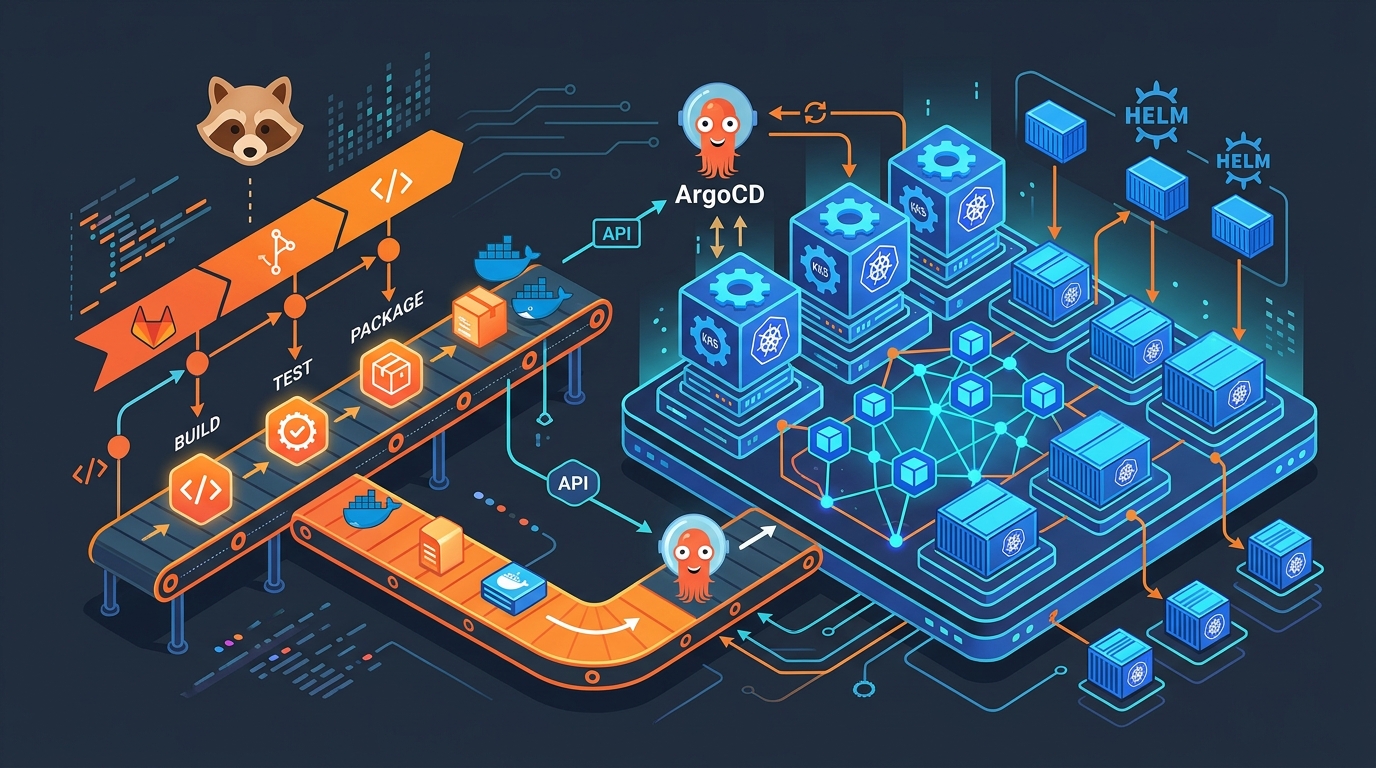
ArgoCD is that controller. It’s a Kubernetes operator that runs in your cluster, watches a git repository of manifests, and syncs your EKS cluster to match. GitLab is the pipeline that builds your application image and updates those manifests. You own two repositories: one for code (your application), one for infrastructure (your Kubernetes configs). They’re separate because they change at different rates. Your app deploys ten times a day. Your infrastructure deploys twice a month.
Push-based deployment—the old way—puts cluster credentials in your CI/CD system. GitLab holds secrets. Secrets can leak. Credentials can be exploited. Even if they’re rotated daily, they’re still moving through systems. Someone’s pipeline logs them by accident. A junior engineer grabs a credential thinking it’s safe.
Pull-based deployment is different. ArgoCD runs inside the cluster. It has permissions to modify workloads. But those permissions are tied to the Kubernetes RBAC system, not external secrets. ArgoCD checks git every three minutes. If the manifest changed, it applies the change. If the cluster state drifted from the manifest, it detects it and syncs. All the logic lives in one place. All the audit trail lives in git and in ArgoCD’s logs.
This post walks through the entire pattern. I’ll show you how GitLab CI builds your image, how it updates the Kubernetes manifest in a separate repository, how ArgoCD syncs it, and how everything hangs together on EKS. The code here runs in production. The mistakes I’ll point out are ones I’ve made or fixed.
The Two-Repository Pattern
This is non-negotiable. Your application repository has your source code and Dockerfile. Your configuration repository has your Kubernetes manifests. They’re separate.
Why separate? Your app repository moves fast. Developers push feature branches constantly. You don’t want every commit triggering a Kubernetes deployment. Your config repository moves at the pace of infrastructure changes. You update image tags when you deploy. You change replicas or resource limits occasionally. You don’t commit config changes every time someone pushes code.
Application repository structure:
app-repo/
├── src/
├── Dockerfile
├── .gitlab-ci.yml
└── README.md
Configuration repository structure:
config-repo/
├── base/
│   ├── deployment.yaml
│   ├── service.yaml
│   └── kustomization.yaml
├── overlays/
│   ├── dev/
│   │   ├── kustomization.yaml
│   │   └── patch-replicas.yaml
│   └── prod/
│       ├── kustomization.yaml
│       └── patch-replicas.yaml
└── README.md
The base directory has your core manifests. The overlays customize them per environment. Kustomize merges base with overlays to produce the final manifests. ArgoCD watches the config repository and syncs the overlays that match your environment.
The GitLab Pipeline: Build, Push, Update
Your GitLab CI pipeline does four things: build the application image, push it to ECR, update the image tag in the config repository, and commit that change.
stages:
  - build
  - push
  - update_config

variables:
  AWS_REGION: us-east-1
  ECR_REGISTRY: "123456789.dkr.ecr.${AWS_REGION}.amazonaws.com"
  APP_NAME: my-app
  CONFIG_REPO: [email protected]:mycompany/config-repo.git

build:
  stage: build
  image: docker:latest
  services:
    - docker:dind
  script:
    - docker build -t ${APP_NAME}:${CI_COMMIT_SHA} .
    - docker build -t ${APP_NAME}:latest .
  artifacts:
    reports:
      dotenv: build.env
  script:
    - echo "IMAGE_TAG=${CI_COMMIT_SHA}" >> build.env

push:
  stage: push
  image: amazon/aws-cli:latest
  services:
    - docker:dind
  before_script:
    - apk add --no-cache docker-cli
    - aws ecr get-login-password --region ${AWS_REGION} | docker login --username AWS --password-stdin ${ECR_REGISTRY}
  script:
    - docker tag ${APP_NAME}:${CI_COMMIT_SHA} ${ECR_REGISTRY}/${APP_NAME}:${CI_COMMIT_SHA}
    - docker tag ${APP_NAME}:latest ${ECR_REGISTRY}/${APP_NAME}:latest
    - docker push ${ECR_REGISTRY}/${APP_NAME}:${CI_COMMIT_SHA}
    - docker push ${ECR_REGISTRY}/${APP_NAME}:latest
  dependencies:
    - build

update_config:
  stage: update_config
  image: alpine:latest
  before_script:
    - apk add --no-cache git curl jq
    - mkdir -p /root/.ssh
    - echo "${CONFIG_REPO_SSH_KEY}" > /root/.ssh/id_rsa
    - chmod 600 /root/.ssh/id_rsa
    - ssh-keyscan -H gitlab.com >> /root/.ssh/known_hosts
    - git config --global user.email "[email protected]"
    - git config --global user.name "GitLab CI"
  script:
    - git clone ${CONFIG_REPO} config-repo
    - cd config-repo
    - |
      for env in dev prod; do
        sed -i "s|image:.*${APP_NAME}:.*|image: ${ECR_REGISTRY}/${APP_NAME}:${CI_COMMIT_SHA}|g" overlays/${env}/kustomization.yaml
      done
    - git add overlays/*/kustomization.yaml
    - |
      if git diff --cached --quiet; then
        echo "No config changes needed"
      else
        git commit -m "Update ${APP_NAME} image to ${CI_COMMIT_SHA}"
        git push origin main
      fi
  only:
    - main
Walk through this carefully. The build stage uses Docker to build your image and tags it with the commit SHA. The push stage authenticates to ECR with OIDC or temporary credentials (don’t hardcode AWS keys), then pushes both the SHA-tagged version and latest.
The update_config stage is the critical piece. It clones the config repository, finds every mention of your app’s image tag in the Kustomize files, updates it to the new commit SHA, commits that change, and pushes it. It only runs on main—you don’t want every feature branch updating the config repo. You’d have merge conflicts and chaos.
The CONFIG_REPO_SSH_KEY is a deploy key added to the config repository. It has write access. You add it to GitLab as a protected variable so it’s only available on the main branch.
Tag the image with the commit SHA, not with latest. The commit SHA is immutable. If you ever need to know exactly what code is running in production, you check the git history of the commit that deployed that SHA. With latest, that information is lost. Someone will push new code, the image gets rebuilt and retagged as latest, and now you don’t know what revision is running.
ArgoCD Application: Watch, Sync, Report
ArgoCD runs in your cluster. It watches the config repository. When it detects a change, it syncs the cluster to match.
First, you need an ArgoCD Application resource. This tells ArgoCD: watch this repository, in this path, apply these manifests to this cluster, in this namespace.
apiVersion: argoproj.io/v1alpha1
kind: Application
metadata:
  name: my-app
  namespace: argocd
spec:
  project: default
  source:
    repoURL: https://gitlab.com/mycompany/config-repo.git
    targetRevision: main
    path: overlays/prod
    kustomize:
      version: v5.0.0
  destination:
    server: https://kubernetes.default.svc
    namespace: default
  syncPolicy:
    automated:
      prune: true
      selfHeal: true
    syncOptions:
      - CreateNamespace=true
  notification:
    webhook:
      - name: slack
        url: "https://hooks.slack.com/services/YOUR/WEBHOOK/URL"
The source block tells ArgoCD where to find the manifests. It points to your config repository, watches the main branch, and looks in the overlays/prod path. Kustomize version 5.0.0 is stable and fast.
The destination is the cluster. https://kubernetes.default.svc means the cluster where ArgoCD is running. If you were managing multiple clusters, you’d specify different destinations for different Applications.
The syncPolicy is where the magic happens. automated means ArgoCD syncs automatically when it detects a change. No manual approval needed. prune: true means if you delete a resource from the manifest, ArgoCD deletes it from the cluster. selfHeal: true means if someone manually deletes a pod or changes a config, ArgoCD restores it to match the manifest.
Set prune: true only if you’re confident in your manifest structure. If you accidentally delete something from your overlay, ArgoCD will delete it from the cluster. For production, you might want automated: false and require manual sync. That forces someone to review the diff before applying it.
Create the Application manifest in your config repository:
config-repo/
├── base/
│   ├── deployment.yaml
│   ├── service.yaml
│   └── kustomization.yaml
├── overlays/
│   └── prod/
│       ├── kustomization.yaml
│       └── application.yaml
Apply it to your cluster with kubectl apply -f overlays/prod/application.yaml.
ArgoCD AppProject: RBAC and Scope
By default, ArgoCD can deploy to any namespace and any cluster. That’s a security problem. Create an AppProject to limit what each Application can do.
apiVersion: argoproj.io/v1alpha1
kind: AppProject
metadata:
  name: production
  namespace: argocd
spec:
  description: Production workloads
  sourceRepos:
    - 'https://gitlab.com/mycompany/config-repo.git'
  destinations:
    - namespace: 'production'
      server: 'https://kubernetes.default.svc'
    - namespace: 'kube-system'
      server: 'https://kubernetes.default.svc'
  clusterResourceWhitelist:
    - group: ''
      kind: Namespace
    - group: ''
      kind: ResourceQuota
  namespaceResourceBlacklist:
    - group: ''
      kind: ResourceQuota
    - group: ''
      kind: LimitRange
This AppProject allows Applications to deploy from the specified git repository to the production namespace only. It allows creating and managing Namespaces at the cluster level, but blacklists ResourceQuota and LimitRange at the namespace level to prevent workloads from modifying their own quotas.
Update your Application to reference this project:
apiVersion: argoproj.io/v1alpha1
kind: Application
metadata:
  name: my-app
  namespace: argocd
spec:
  project: production
  source:
    repoURL: https://gitlab.com/mycompany/config-repo.git
    targetRevision: main
    path: overlays/prod
    kustomize:
      version: v5.0.0
  destination:
    server: https://kubernetes.default.svc
    namespace: production
  syncPolicy:
    automated:
      prune: true
      selfHeal: true
Now ArgoCD won’t let your Application deploy outside the production namespace or from other repositories.
The Kustomize Structure
Base manifests are reusable. Overlays customize them.
base/deployment.yaml:
apiVersion: apps/v1
kind: Deployment
metadata:
  name: my-app
spec:
  replicas: 3
  selector:
    matchLabels:
      app: my-app
  template:
    metadata:
      labels:
        app: my-app
    spec:
      containers:
      - name: my-app
        image: 123456789.dkr.ecr.us-east-1.amazonaws.com/my-app:latest
        ports:
        - containerPort: 8080
        resources:
          requests:
            memory: "256Mi"
            cpu: "250m"
          limits:
            memory: "512Mi"
            cpu: "500m"
base/service.yaml:
apiVersion: v1
kind: Service
metadata:
  name: my-app
spec:
  selector:
    app: my-app
  ports:
  - protocol: TCP
    port: 80
    targetPort: 8080
  type: ClusterIP
base/kustomization.yaml:
apiVersion: kustomize.config.k8s.io/v1beta1
kind: Kustomization
resources:
  - deployment.yaml
  - service.yaml
commonLabels:
  managed-by: argocd
overlays/prod/kustomization.yaml:
apiVersion: kustomize.config.k8s.io/v1beta1
kind: Kustomization
bases:
  - ../../base
patchesJson6902:
  - target:
      group: apps
      version: v1
      kind: Deployment
      name: my-app
    patch: |-
      - op: replace
        path: /spec/replicas
        value: 5
      - op: replace
        path: /spec/template/spec/containers/0/resources/requests/memory
        value: "512Mi"
      - op: replace
        path: /spec/template/spec/containers/0/resources/requests/cpu
        value: "500m"
      - op: replace
        path: /spec/template/spec/containers/0/resources/limits/memory
        value: "1Gi"
      - op: replace
        path: /spec/template/spec/containers/0/resources/limits/cpu
        value: "1000m"
Kustomize merges the base deployment and service, then applies the patches. For production, you increase replicas to 5 and bump resource requests and limits. The image tag gets replaced by your GitLab pipeline.
Progressive Delivery with ArgoCD Rollouts
ArgoCD Rollouts let you deploy with canary or blue-green strategies. You don’t deploy to everyone immediately. You deploy to a subset, validate, then roll forward.
Install ArgoCD Rollouts:
kubectl create namespace argo-rollouts
kubectl apply -n argo-rollouts -f https://github.com/argoproj/argo-rollouts/releases/download/v1.6.0/install.yaml
Create a Rollout manifest:
apiVersion: argoproj.io/v1alpha1
kind: Rollout
metadata:
  name: my-app
  namespace: production
spec:
  replicas: 10
  selector:
    matchLabels:
      app: my-app
  template:
    metadata:
      labels:
        app: my-app
    spec:
      containers:
      - name: my-app
        image: 123456789.dkr.ecr.us-east-1.amazonaws.com/my-app:abc123def456
        ports:
        - containerPort: 8080
        resources:
          requests:
            memory: "512Mi"
            cpu: "500m"
          limits:
            memory: "1Gi"
            cpu: "1000m"
  strategy:
    canary:
      steps:
      - setWeight: 10
      - pause: {}
      - setWeight: 50
      - pause: {}
      - setWeight: 100
  service:
    name: my-app
This Rollout deploys to 10% of replicas, pauses. An operator watches metrics. If error rates are normal, they resume. It scales to 50%, pauses again. Once you’re confident, it scales to 100%.
The pause steps are manual. You watch your monitoring and decide when to proceed. This prevents bad deployments from reaching all replicas immediately.
Secrets: Never in the Config Repository
Secrets don’t belong in git. Not encrypted in git. Not base64-encoded in git. Never. Use External Secrets Operator with AWS Secrets Manager.
Install External Secrets Operator:
helm repo add external-secrets https://charts.external-secrets.io
helm repo update
helm install external-secrets \
  external-secrets/external-secrets \
  -n external-secrets-system \
  --create-namespace
Create an IAM role that ArgoCD can assume to read Secrets Manager. Then create an ExternalSecret:
apiVersion: external-secrets.io/v1beta1
kind: ExternalSecret
metadata:
  name: my-app-secrets
  namespace: production
spec:
  refreshInterval: 1h
  secretStoreRef:
    name: aws-secrets
    kind: ClusterSecretStore
  target:
    name: my-app-secrets
    creationPolicy: Owner
  data:
    - secretKey: database-url
      remoteRef:
        key: my-app/database-url
    - secretKey: api-token
      remoteRef:
        key: my-app/api-token
Create a ClusterSecretStore that references the IAM role:
apiVersion: external-secrets.io/v1beta1
kind: ClusterSecretStore
metadata:
  name: aws-secrets
spec:
  provider:
    aws:
      service: SecretsManager
      region: us-east-1
      auth:
        jwt:
          serviceAccountRef:
            name: external-secrets
Now your Kubernetes Secret is populated from AWS Secrets Manager. Your deployment references it:
apiVersion: apps/v1
kind: Deployment
metadata:
  name: my-app
spec:
  template:
    spec:
      containers:
      - name: my-app
        image: my-app:abc123def456
        env:
        - name: DATABASE_URL
          valueFrom:
            secretKeyRef:
              name: my-app-secrets
              key: database-url
        - name: API_TOKEN
          valueFrom:
            secretKeyRef:
              name: my-app-secrets
              key: api-token
The Secret is created by External Secrets Operator. Your manifests reference it. It’s never stored in git.
Health Checks and Custom Resources
ArgoCD watches the health of your deployments. It knows if a Deployment is healthy or degraded. But custom resources—like a CRD for your database or message queue—won’t have default health checks.
Define custom health rules in your ArgoCD configuration:
apiVersion: v1
kind: ConfigMap
metadata:
  name: argocd-cm
  namespace: argocd
data:
  resource.customizations.health.database.example.com_PostgreSQL: |
    arn:aws:iam::ACCOUNT_ID:role/ArgoCD
    health.lua: |
      hs = {}
      if obj.status.ready == true then
        hs.status = "Healthy"
        hs.message = "Database is ready"
        return hs
      end
      hs.status = "Progressing"
      hs.message = obj.status.message
      return hs
Now ArgoCD understands when your custom PostgreSQL resource is healthy.
Notifications: Slack, PagerDuty, Email
ArgoCD can notify you when a sync succeeds, fails, or when an application becomes out of sync.
Install ArgoCD Notifications:
kubectl patch configmap argocd-notifications-cm -n argocd --type merge -p '{"data":{"service.slack":"token: xoxb-YOUR-TOKEN"}}'
Create a notification trigger:
apiVersion: v1
kind: ConfigMap
metadata:
  name: argocd-notifications-cm
  namespace: argocd
data:
  trigger.on-sync-failed: |
    - when: app.status.operationState.phase in ['Error', 'Failed'] and app.status.operationState.finishedAt != ''
      oncePer: app.status.operationState.finishedAt
      send: [app-sync-failed]
  template.app-sync-failed: |
    message: |
      Application {{.app.metadata.name}} sync is {{.app.status.operationState.phase}}.
      {{if eq .app.status.operationState.phase "Error"}}{{.app.status.operationState.message}}{{end}}
      Sync result:
      {{range $index, $c := .app.status.resources}}
        {{$c.kind}} {{$c.name}}: {{$c.status}}
      {{end}}
    slack:
      attachments: |
        [{
          "color": "#E96D76",
          "fields": [
            {
              "title": "Repository",
              "value": "{{.app.spec.source.repoURL}}",
              "short": true
            },
            {
              "title": "Revision",
              "value": "{{.app.status.sync.revision}}",
              "short": true
            }
          ]
        }]
ArgoCD will send a Slack message when a sync fails, with the app name, repository, and revision.
EKS RBAC for ArgoCD
ArgoCD needs permissions to view and modify workloads. Create a Service Account and bind it to a Role:
apiVersion: v1
kind: ServiceAccount
metadata:
  name: argocd
  namespace: argocd

---
apiVersion: rbac.authorization.k8s.io/v1
kind: ClusterRole
metadata:
  name: argocd
rules:
  - apiGroups:
      - ''
    resources:
      - pods
      - pods/log
    verbs:
      - get
      - list
      - watch
  - apiGroups:
      - apps
    resources:
      - deployments
      - statefulsets
      - daemonsets
      - replicasets
    verbs:
      - get
      - list
      - watch
      - create
      - update
      - patch
      - delete
  - apiGroups:
      - batch
    resources:
      - jobs
    verbs:
      - get
      - list
      - watch
      - create
      - update
      - patch
      - delete
  - apiGroups:
      - ''
    resources:
      - services
      - configmaps
      - secrets
    verbs:
      - get
      - list
      - watch
      - create
      - update
      - patch
      - delete
  - apiGroups:
      - networking.k8s.io
    resources:
      - ingresses
    verbs:
      - get
      - list
      - watch
      - create
      - update
      - patch
      - delete

---
apiVersion: rbac.authorization.k8s.io/v1
kind: ClusterRoleBinding
metadata:
  name: argocd
roleRef:
  apiGroup: rbac.authorization.k8s.io
  kind: ClusterRole
  name: argocd
subjects:
  - kind: ServiceAccount
    name: argocd
    namespace: argocd
This gives ArgoCD permission to view and modify Deployments, StatefulSets, Services, ConfigMaps, and Ingresses. It can’t create new namespaces or modify RBAC. That scope limits blast radius if ArgoCD is compromised.
The Real Pipeline in Action
Here’s what happens when you push code to your application repository:
One. GitLab CI builds the Docker image and tags it with your commit SHA. It pushes to ECR.
Two. The update_config job clones your config repository. It finds the image tag in overlays/prod/kustomization.yaml and updates it to the new SHA. It commits and pushes.
Three. ArgoCD detects the commit on the main branch of your config repository. It runs kustomize build overlays/prod to generate the final manifests. It compares them to the current cluster state.
Four. If they differ, ArgoCD syncs. It updates the Deployment with the new image SHA. Kubernetes rolls out new pods. ArgoCD monitors the rollout. Once all replicas are ready, the sync is complete.
Five. If you set selfHeal: true, ArgoCD watches continuously. If someone manually deletes a pod, ArgoCD restarts it. If someone manually edits a Deployment, ArgoCD reverts it. Reality drifts back to the manifest in git.
Six. If the sync fails, ArgoCD sends a notification. You get a Slack message with the error. You investigate, fix your manifest, push a new commit, and ArgoCD retries.
That’s the entire flow. No cluster credentials in GitLab. No manual deployments. No wondering what’s running in production. The source of truth is git. The controller is ArgoCD.
Sync Policies
Manual sync gives you control. Automatic sync gives you speed.
For development environments, I use automatic sync with prune: true and selfHeal: true. Changes are deployed instantly. If something breaks, I fix the manifest and it self-heals. The environment is a playground.
For production, I use automatic sync with prune: false and selfHeal: false. ArgoCD detects changes and applies them, but it won’t delete resources automatically. It won’t revert manual changes. This forces discipline. If I accidentally delete a resource, it stays deleted until I fix the manifest. If I manually edit a Deployment to debug, it stays edited until I revert it in git.
Some teams use manual sync on production. ArgoCD syncs only when a human approves in the UI. This is safer but slower. Changes wait for approval. In a crisis, approval might be delayed.
Choose based on your risk tolerance. Start manual. As you gain confidence, move to automatic.
Common Mistakes
People often put secrets in the config repository and try to encrypt them with Sealed Secrets or Mozilla SOPS. Don’t. Use External Secrets Operator and AWS Secrets Manager. Encryption doesn’t grant access control. A secret encrypted in git is still a secret in git.
People often create one huge Application for the entire cluster. Don’t. Create Applications per workload. One Application for your API. One for your frontend. One for your background jobs. This way, a failure in one doesn’t block syncs in others.
People often disable selfHeal because they’re worried about it interfering with debugging. That’s backwards. Enable selfHeal. If you need to debug, manually sync to a debug branch. When you’re done, merge to main and let ArgoCD revert your changes.
People often point Applications at the main branch and commit directly. Merge requests are pointless then. Use merge requests. Require approvals. Let ArgoCD sync from the main branch only after merging.
People often set up ArgoCD without notifications. Syncs fail silently. You don’t notice until users complain. Set up Slack or PagerDuty notifications immediately.
People often run ArgoCD without resource limits. It uses unbounded memory and CPU. Limit it. 1 CPU and 1GB memory is plenty for most clusters.
When Drift Detection Saved Me
Last year, an engineer manually deleted a StatefulSet in production to free up resources. He planned to recreate it later. He got paged with something else and forgot. The service kept running on pods that were no longer managed. When one crashed, nothing restarted it.
With push-based deployment, we’d never have noticed. The CI pipeline had no way to see that reality diverged from the manifest.
With ArgoCD and selfHeal: true, the moment the StatefulSet was deleted, ArgoCD detected it and recreated it. The engineer got a Slack message: “StatefulSet my-app recreated by ArgoCD.” He looked at the logs, understood what happened, and never did it again.
That one feature—automatic drift detection and self-healing—has prevented more incidents than any other change I’ve made to our deployment process.
Putting It Together
Your GitLab CI pipeline updates the config repository. ArgoCD watches the config repository and syncs your EKS cluster. Secrets come from AWS Secrets Manager via External Secrets Operator. Health checks tell ArgoCD when things are healthy. Notifications tell you when things fail. RBAC limits what ArgoCD can do.
This isn’t the simplest setup. It’s also not the most complex. It’s the middle ground between tutorial code and enterprise hardening. It prevents the most common failures: exposed cluster credentials, out-of-sync deployments, unreviewed changes, unnoticed drift, unauditable deployments.
See GitLab Runner Tags when discussing runner selection for these CI jobs. See GitLab CI + Terraform for how your EKS cluster itself is provisioned. See Autoscaling GitLab CI on AWS Fargate if you need to scale runners for heavy build workloads.
Deploy it. Monitor it. Watch your deployments become predictable. When something goes wrong, you’ll have git history, ArgoCD logs, and notifications. That’s production Kubernetes done right.
Explore more like this
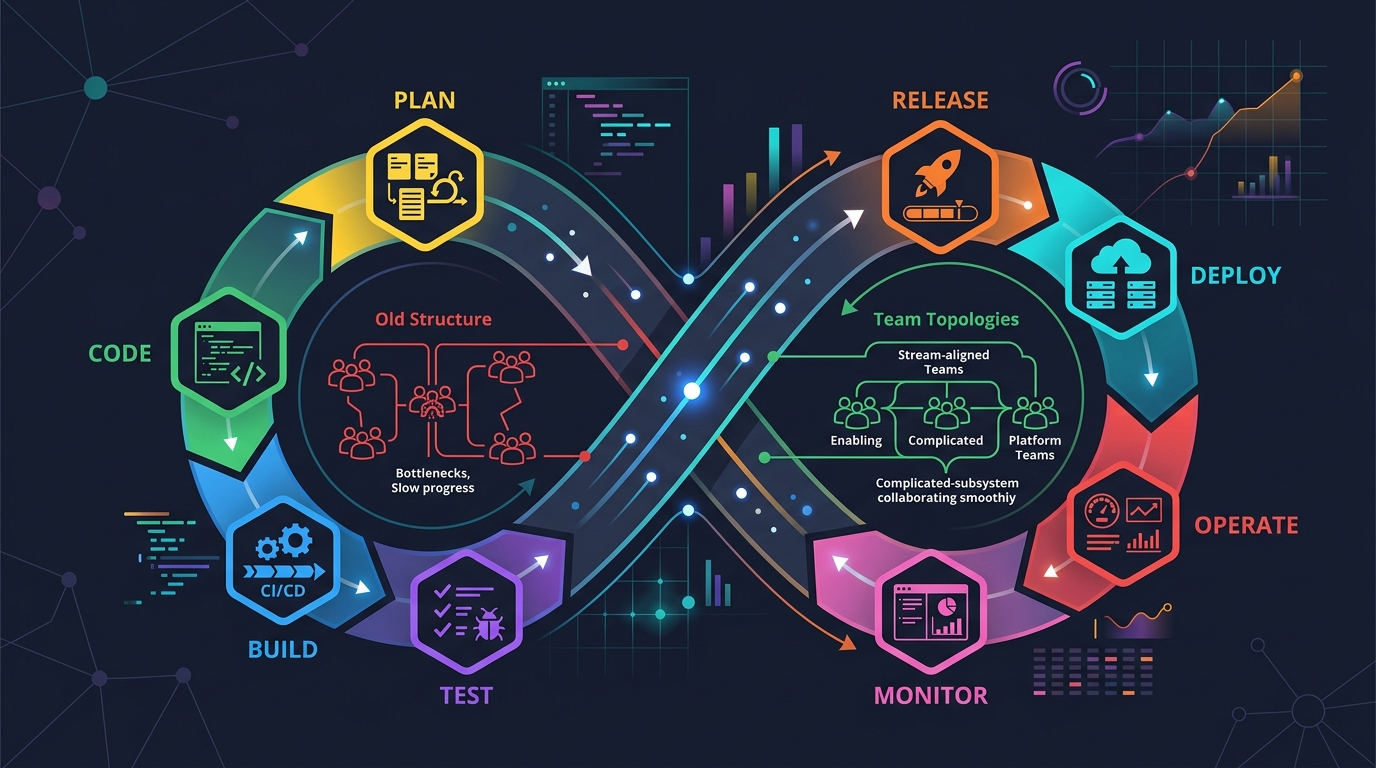
Scrum + Team Topologies: Why Your DevOps Team Structure Might Be Slowing You Down
I spent three years at a company that spent $4 million on “DevOps transformation.” New tools, new cloud infrastructure, training budgets, the works. The velocity of the platform stayed flat....

AWS VPC Design Patterns in 2026: From Single Account to Multi-Account Landing Zone
The VPC decisions you make on day one will follow you for years. I’ve lived through the consequences—redesigning a network that was built without proper CIDR planning, watching a simple...
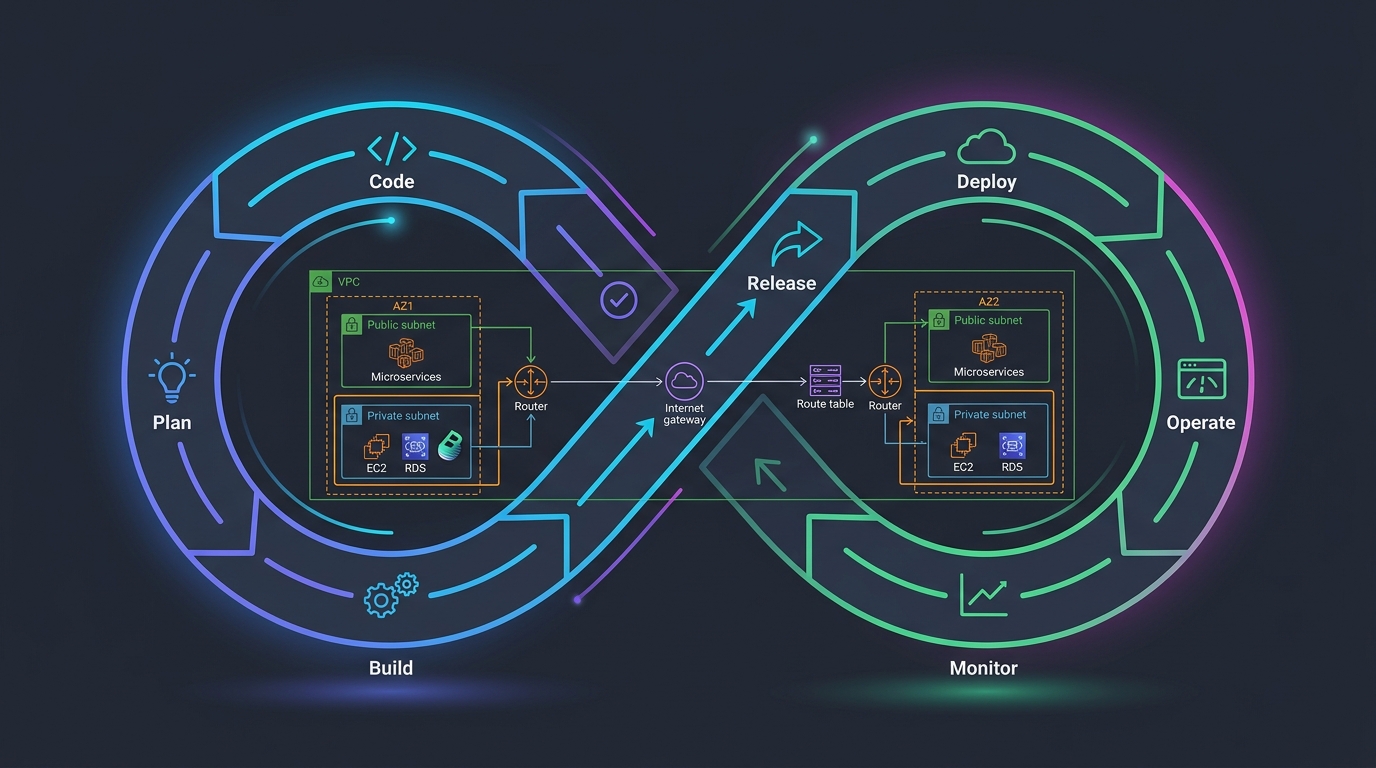
Platform Engineering with Backstage on AWS: A Practical Guide for 2026
I watched a backend engineer spend two hours yesterday trying to figure out which CloudFormation template to use for their new service. They had three options in a Confluence page....

Comments