
How does AWS contribute to DevOps?

Excerpt: Cloud computing changed how we access applications and databases. Instead of running software locally, we tap into it over the internet. This shift pushed cloud providers to build and maintain the infrastructure we need to store and retrieve data remotely. Among these providers, AWS has emerged as a go-to choice for DevOps. Its toolkit lets teams ship code faster, without getting bogged down in infrastructure details.
Table of contents:
- What is DevOps in AWS?
- Why use AWS for DevOps?
- How does AWS contribute to DevOps?
- AWS DevOps Architecture
- How to utilize AWS Tools to Build and Deploy?
- Conclusion
- FAQs
What is DevOps in AWS?
AWS offers a set of services that make it simpler for companies to build and ship products. You get streamlined infrastructure provisioning, automated deployment pipelines, and built-in monitoring for your apps and infrastructure.
DevOps grew out of a real frustration: developers and operations teams kept throwing work over the wall at each other. The movement aimed to bridge that gap and get these two groups actually working together. Companies and IT professionals quickly saw the value in this approach.
At its core, DevOps is a set of practices that improves how developers and operations staff communicate. The goal is to ship applications faster and manage them more efficiently. DevOps culture helps businesses deliver features more quickly compared to traditional software development and infrastructure management. That translates to better customer service and a stronger competitive position.
Why use AWS for DevOps?
1. Get started quickly - If you have an AWS account, the services are just there. No setup required, no software to install.
2. Managed services reduce toil - These tools let you provision and manage AWS resources without getting buried in infrastructure work. That frees you up to focus on your actual product.
3. Built to scale - Whether you’re running one instance or thousands, AWS handles the provisioning, configuration, and scaling. You don’t have to rebuild your infrastructure as load grows.
4. Programmable interfaces - Every service is accessible via APIs, SDKs, and the AWS Command Line Interface. If you prefer declarative setups, CloudFormation templates let you model and deploy entire architectures as code.
5. Automation support - AWS lets you automate manual tasks like deployments, CI/CD workflows, container management, and configuration. This cuts down on repetitive work and human error.
6. Security controls - AWS Identity and Access Management (IAM) lets you define who can access what and under what conditions. You get fine-grained control over permissions across your resources.
How does AWS contribute to DevOps?
AWS provides services designed to bring development and operations closer together. These tools help teams manage complex systems at scale, keep engineers in control of the velocity that DevOps enables, and automate manual work.
The AWS Developer Tools suite lets you automatically build, test, and deploy your application to AWS or your on-premises environment. Your source code gets stored and versioned securely.
You can set up continuous integration and delivery using AWS CodeBuild, AWS CodeDeploy, and AWS CodePipeline, either working together or as standalone services.
AWS DevOps Architecture
DevOps on AWS works through infrastructure-as-code tools like CloudFormation and the AWS Cloud Development Kit. These bring your infrastructure under version control alongside your application code.
For continuous deployment, teams typically lean on AWS CodeBuild, AWS CodeDeploy, CodePipeline, and CodeCommit.
Application deployment happens through tools like Elastic Beanstalk, Amazon Elastic Container Service (ECS), Amazon Elastic Kubernetes Service (EKS), and AWS OpsWorks.
These integrate naturally with Elastic Load Balancing and Auto Scaling. For monitoring and logging, Amazon CloudWatch and CloudTrail handle observability.
How to utilize AWS Tools to Build and Deploy?
Here’s how the key AWS services fit into building and deployment.
1. AWS CodePipeline
CodePipeline visually maps out your entire delivery process, similar to Jenkins Pipeline.
In a pipeline, you configure:
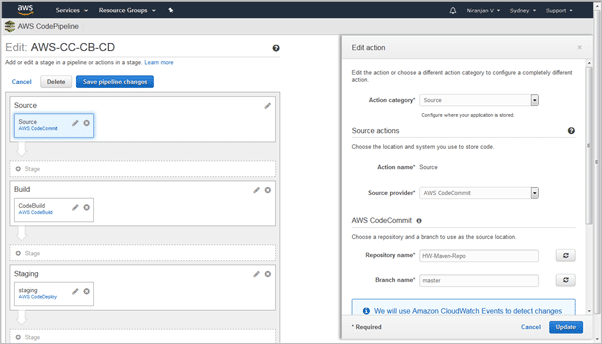
Source code repository - Your code lives in either AWS CodeCommit or GitHub.
Build service - CodeBuild handles the compilation and testing.
Deploy stage - CodeDeploy pushes the built artifacts to your target environment.
You can also add approval gates if certain stages need human sign-off before proceeding. The visual pipeline shows exactly where a deployment stands at any moment.
- Configuring the source code repository in AWS CodePipeline
- Configuration of the Maven build system in AWS CodePipeline
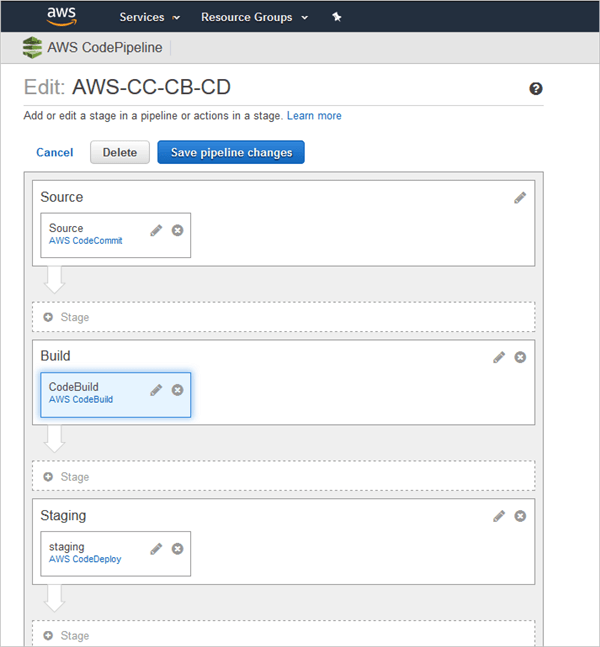
- Deployment Configuration in AWS CodePipeline

- You can see an overview of the complete execution in AWS CodePipeline.

2. AWS CodeCommit
CodeCommit is a managed Git repository service. It hosts private Git repositories in the cloud, handling the infrastructure so you don’t have to.
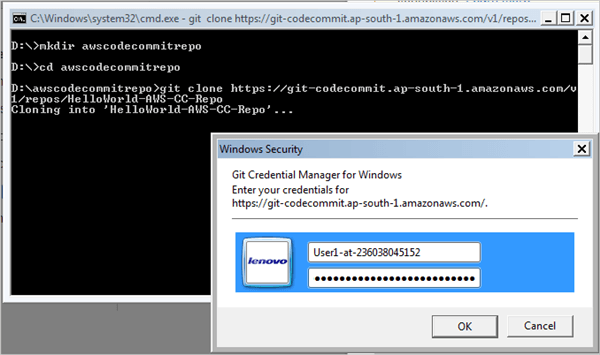
Teams use CodeCommit to store source code or even binaries like build outputs. You create a repository, clone it locally, make your changes, and push back. The workflow is standard Git throughout.
- Clone the repository locally.
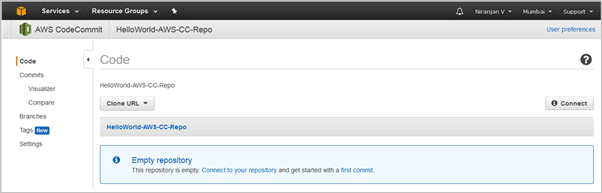
- Files added to AWS CodeCommit repository.
3. AWS CodeBuild
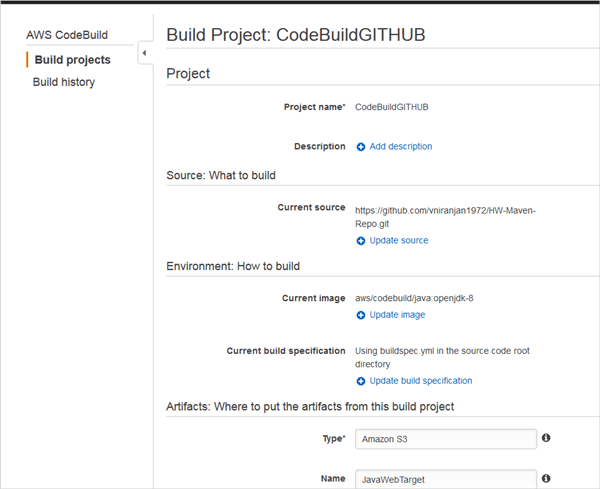
CodeBuild handles continuous integration. It pulls the latest source code changes from CodeCommit or GitHub, then runs build commands based on a buildspec YAML file. The build process follows four phases: install, pre-build, build, and post-build.
When the build finishes, the artifacts get stored in an S3 bucket.
- Sample of AWS CodeBuild project
4. AWS CodeDeploy
CodeDeploy automates application deployments to Amazon EC2 instances, whether Linux or Windows.
After CodeBuild stores artifacts in S3, CodeDeploy retrieves them and deploys them to your app server on EC2, such as Tomcat or JBoss.
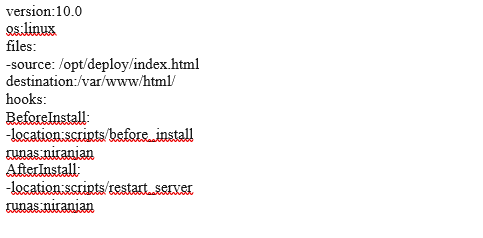
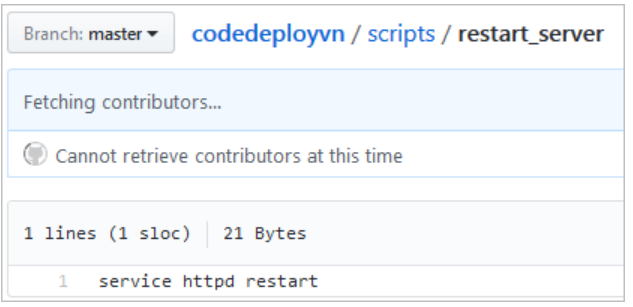
The deployment is controlled by an appspec.yml file that defines how files get copied and what lifecycle hooks run.
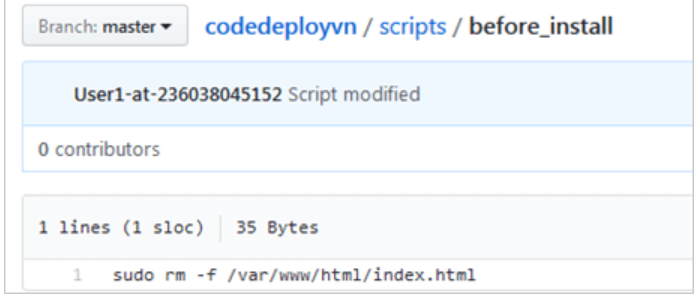
- before_install script
- restart_server script
Conclusion
AWS gives DevOps teams a practical toolkit for continuous integration and delivery. You can store code securely, build and test automatically, and deploy to AWS or your own servers. The services work together, though you can also pick and choose based on what you need.
Understanding how these pieces fit together helps you decide where AWS makes sense for your organization and where you might prefer other tools.
FAQs
1. How do cloud services help in DevOps?
Cloud platforms make DevOps easier by handling infrastructure provisioning and scaling. You get faster delivery cycles, quicker incorporation of user feedback, and lower costs for development, testing, and operations.
2. Do I need to learn DevOps for AWS?
If you’re new to this, AWS offers learning paths that give you a structured starting point. These help you build skills for deploying solutions in a DevOps context.
3. How much AWS knowledge is required for DevOps?
AWS DevOps roles typically require hands-on experience with AWS environments, including provisioning, operations, and management. You’ll also need familiarity with observability tools like Amazon CloudWatch and Amazon SNS for monitoring.
That said, technical skills alone aren’t enough. The best DevOps engineers also work well in collaborative environments and communicate clearly across teams.
Explore more like this

Cloud IoT Security: Zero Trust, Identity, and Signed Updates
On September 11, 2026, the Cyber Resilience Act’s incident-reporting rules start applying in the European Union. That is 22 days after this article’s publication date. A manufacturer that learns of...

Kill the Docker Hub Token: OIDC Trust for GitHub Actions
On July 31, 2026, Docker shipped OIDC connections for GitHub Actions to any organization on a Docker Team, Docker Business, or Docker Hardened Images subscription, plus organizations in the Docker-Sponsored...

Bedrock Web Search: Grounding an Agent Without Building a Scraper
On August 4, 2026, AWS made Web Search on Amazon Bedrock generally available, and the entire integration surface is one JSON object: {"type": "web_search"}. That is the whole change from...

Comments