
AWS Graviton5 Migration Guide: 192 ARM Cores and What It Means for You

I migrated our production cluster from Graviton3 to Graviton5 last month. Three services, two weekends, zero downtime. The numbers justified it in the first billing cycle. Here’s what actually happened — the good parts, the surprises, and the one gotcha that cost us half a day.
What Graviton5 Actually Is
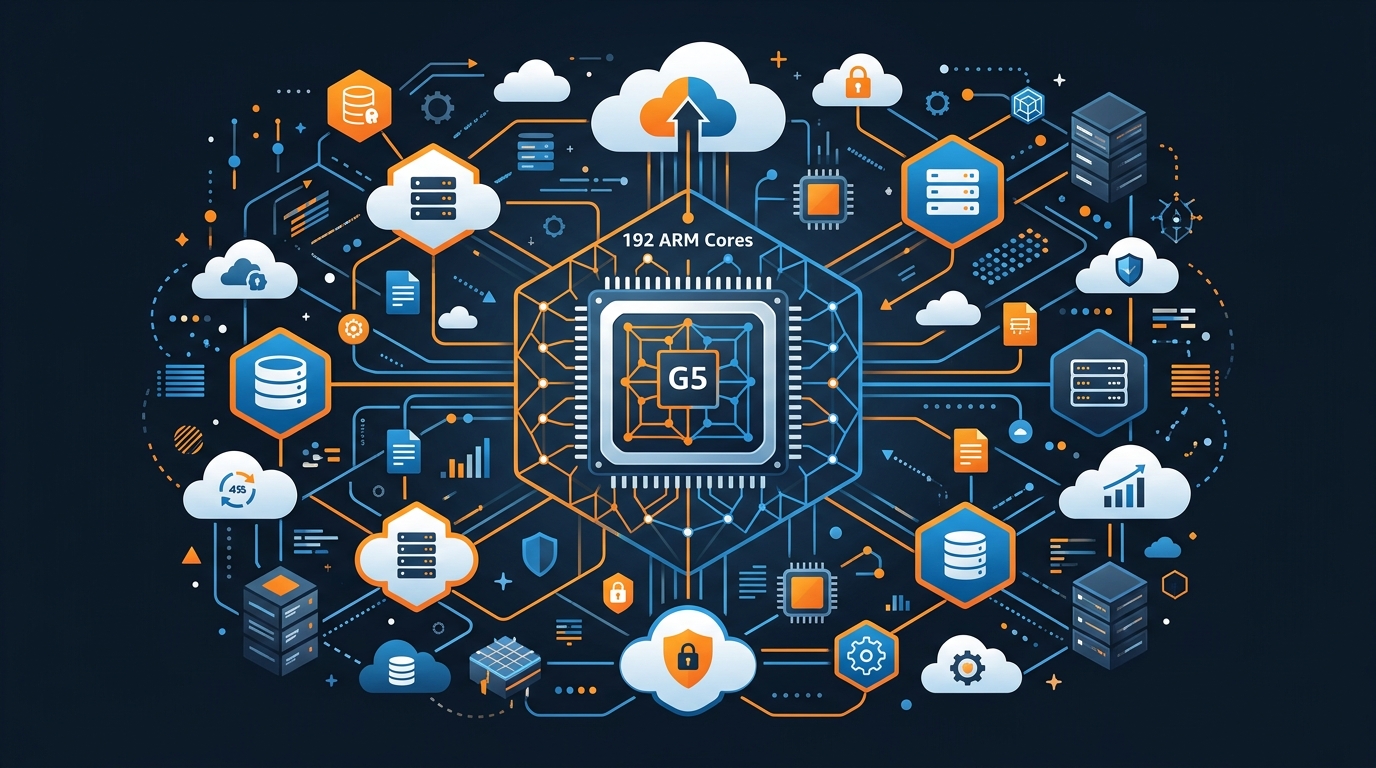
AWS launched Graviton5 in late 2025. The headline number is 192 ARM Neoverse-V3 cores per chip. That’s more than double what Graviton4 offered. L3 cache went up 5x — from 32MB to 160MB — which matters more than people realize. A lot of the performance difference between ARM and x86 in real workloads comes down to cache behavior, not raw clock speed.
The benchmark AWS published shows 25% better compute performance versus Graviton4 at equivalent instance sizes. That tracks with what I saw. Our Java services — the ones that spend a lot of time in memory allocation — showed closer to 30% improvement. Our Go services were around 20%. The 25% average is honest.
Memory bandwidth also improved. Graviton5 hits around 500 GB/s on the M8g instances. For anything memory-bound — analytics, in-memory caching, data processing — this matters more than the core count.
Power efficiency improved too, though I can’t directly measure that in a cloud environment. AWS passes some of it back to you as lower instance prices relative to the performance tier.
New Instance Families
Graviton5 ships in three families at launch.
C8g is the compute-optimized family. Think CPU-heavy workloads with balanced memory: encoding, batch processing, high-traffic APIs. Starts at c8g.medium and goes up to c8g.48xlarge — 192 vCPUs and 384 GB RAM. Available in us-east-1, us-west-2, and eu-west-1 first, rolling to other regions through 2026.
M8g is general purpose. This is where most web workloads land. Same core architecture, 2:1 memory-to-vCPU ratio. m8g.xlarge gives you 4 vCPUs and 16 GB RAM. This is the one I migrated our application tier to first.
R8g is memory-optimized. 4:1 memory-to-vCPU ratio. This is the direct replacement for R7g — if you’re running RDS read replicas on EC2, in-memory caches on dedicated instances, or ElastiCache nodes, this is your target. An r8g.xlarge gives you 4 vCPUs and 32 GB RAM.
All three support ENA Express for sub-100 microsecond networking latency. All three support Nitro SSD instance storage on the larger sizes.
Price-Performance: The Actual Math
This is where Graviton5 makes a compelling case. Let me show you a real comparison for a 3-node cluster that I was running on r7g.xlarge.
r7g.xlarge (Graviton4): 4 vCPUs, 32 GB RAM
- On-demand: $0.2016/hr
- 3 nodes: $0.6048/hr → $444/month
r8g.xlarge (Graviton5): 4 vCPUs, 32 GB RAM
- On-demand: $0.2218/hr
- 3 nodes: $0.6654/hr → $488/month
On-demand, Graviton5 costs about 10% more per hour than Graviton4 at equivalent sizes. That sounds backwards for a migration pitch. Here’s where it flips.
Because Graviton5 delivers 25% better compute, you can often downsize. The workload I was running on r7g.xlarge runs comfortably on r8g.large (2 vCPUs, 16 GB RAM). That’s the same performance with half the instance size.
r8g.large (Graviton5 downsized): 2 vCPUs, 16 GB RAM
- On-demand: $0.1109/hr
- 3 nodes: $0.3327/hr → $242/month
That’s a 45% cost reduction from my original r7g.xlarge cluster — not by cheaping out, but because the hardware got faster. This is the argument for migrating now rather than waiting.
Versus x86 (m6i.xlarge at $0.192/hr), the r8g.large with downsizing wins on both cost and performance for our Java workload. The x86 comparison looks even better if you’re on older instance types like m5 or c5.
Compute Savings Plans note: if you have existing Graviton4 Compute Savings Plans, they transfer. Compute Savings Plans are flexible — they apply across instance sizes, families, and Graviton generations. You don’t need to buy new plans for Graviton5. Your existing discounts apply the day you switch. Check your Savings Plans coverage report in Cost Explorer before migrating to confirm you’re not leaving discount headroom unused.
The Migration Path From x86
Most teams migrating to Graviton5 are coming from x86, not Graviton4. The jump from x86 to ARM is the part that breaks things. Graviton4-to-5 is straightforward — same ARM ISA, same toolchains, new hardware. x86-to-ARM requires more care.
Docker and Multi-Platform Builds
The first thing that breaks is your Docker images. Any image built with --platform linux/amd64 or no platform flag will fail to start on ARM. The fix is multi-platform builds.
# Build for both architectures
docker buildx build \
  --platform linux/arm64,linux/amd64 \
  --tag your-registry/service:latest \
  --push .
If you use a CI/CD pipeline, add linux/arm64 to your build matrix. If you’re on GitLab CI, that means updating .gitlab-ci.yml. If you’re on GitHub Actions, it means updating the platform field in your build-push action.
One gotcha: base images. If your Dockerfile starts with FROM node:18 and you’re building on an x86 machine, you might pull the x86 layer of the multi-platform image by default. Specify explicitly: FROM --platform=linux/arm64 node:20. Then your build stage runs on ARM and there are no compatibility surprises at runtime.
Compiled Dependencies and Native Extensions
Python packages with C extensions are the most common source of pain. cryptography, numpy, pandas, psutil — anything that ships a .so file. Most popular packages have ARM64 wheels on PyPI now. But if you’re using something obscure or something pinned to a three-year-old version, you might hit a missing wheel and a failed build.
The test: run your dependency install on an ARM64 instance before migrating production. If pip install -r requirements.txt completes without compiling from source, you’re clean. If you see Building wheel for... for something that normally installs in seconds, you have a compatibility issue to resolve — usually by upgrading the pinned version.
Node.js native modules (node-gyp compiled packages) need to rebuild for ARM64. Packages like bcrypt, sharp, canvas, and some database drivers fall here. In most cases, the modern versions ship pre-built ARM binaries. Old pinned versions might not. Update them before migrating.
For Java, Go, and Python (pure Python), there’s nothing to do. The JVM, Go runtime, and CPython interpreter handle ARM natively. You rebuild your app and it runs.
.NET and Legacy x86 Binaries
.NET on ARM64 works fine from .NET 6 onwards. If you’re on .NET Framework (pre-Core), you’re stuck on x86 and Graviton is not an option without rewriting. If you’re on .NET 6+, test it — Microsoft has put significant work into ARM64 performance and it’s solid.
x86-specific binaries — compiled executables, vendor SDKs distributed as x86 ELF binaries, old closed-source tools — will not run on ARM. If any part of your deployment pipeline requires running an x86 binary, you need to resolve that before migrating. There’s no workaround short of emulation, which defeats the point.
Check your infrastructure: database clients, monitoring agents, any shell scripts that run compiled tools. Most modern tools ship ARM64 builds. The exceptions are legacy enterprise software and unmaintained packages.
Testing Strategy: Canary Deployment with Weighted Target Groups
Don’t cut over to Graviton5 all at once. Use weighted target groups in your Application Load Balancer to shift traffic gradually.
# ALB listener rule with weighted routing
resource "aws_lb_listener_rule" "graviton_canary" {
  listener_arn = aws_lb_listener.app.arn
  priority     = 100

  action {
    type = "forward"
    forward {
      target_group {
        arn    = aws_lb_target_group.x86.arn
        weight = 80
      }
      target_group {
        arn    = aws_lb_target_group.graviton5.arn
        weight = 20
      }
      stickiness {
        enabled  = true
        duration = 300
      }
    }
  }

  condition {
    path_pattern {
      values = ["/*"]
    }
  }
}
Start at 5% on Graviton5. Watch error rates, latency percentiles, and any application-level errors for 30 minutes. If it looks clean, move to 20%. Then 50%. Then full cutover. This is the same canary approach you’d use for any risky deployment — the principle doesn’t change, just the mechanism.
What to watch during canary:
- p99 latency — if Graviton5 shows worse tail latency than x86, something’s wrong with your configuration
- Error rate — 5xx errors that don’t exist on x86 usually mean a missing native dependency
- JVM warm-up behavior — Java services take longer to reach peak throughput on a cold instance; compare steady-state, not the first few minutes
- Memory usage — ARM’s different memory model sometimes changes allocation patterns
CloudWatch Container Insights or whatever APM you’re running will show per-target-group metrics if your health checks are set up correctly.
Terraform: Launch Template for Graviton5
Here’s the launch template configuration I use for Graviton5 instances in an ECS Auto Scaling group.
resource "aws_launch_template" "graviton5_app" {
  name_prefix   = "graviton5-app-"
  image_id      = data.aws_ami.ecs_graviton5.id
  instance_type = "m8g.large"

  iam_instance_profile {
    name = aws_iam_instance_profile.ecs_instance.name
  }

  network_interfaces {
    associate_public_ip_address = false
    security_groups             = [aws_security_group.app.id]
  }

  user_data = base64encode(<<-EOF
    #!/bin/bash
    echo ECS_CLUSTER=${aws_ecs_cluster.main.name} >> /etc/ecs/ecs.config
    echo ECS_ENABLE_TASK_IAM_ROLE=true >> /etc/ecs/ecs.config
    EOF
  )

  monitoring {
    enabled = true
  }

  tag_specifications {
    resource_type = "instance"
    tags = {
      Name        = "graviton5-app"
      Architecture = "arm64"
      Environment = var.environment
    }
  }

  lifecycle {
    create_before_destroy = true
  }
}

# AMI lookup for Graviton5-optimized ECS
data "aws_ami" "ecs_graviton5" {
  most_recent = true
  owners      = ["amazon"]

  filter {
    name   = "name"
    values = ["amzn2-ami-ecs-hvm-*-arm64-ebs"]
  }

  filter {
    name   = "architecture"
    values = ["arm64"]
  }
}

resource "aws_autoscaling_group" "graviton5_app" {
  name                = "graviton5-app-asg"
  vpc_zone_identifier = var.private_subnet_ids
  min_size            = 2
  max_size            = 10
  desired_capacity    = 3

  mixed_instances_policy {
    launch_template {
      launch_template_specification {
        launch_template_id = aws_launch_template.graviton5_app.id
        version            = "$Latest"
      }

      override {
        instance_type = "m8g.large"
      }
      override {
        instance_type = "m8g.xlarge"
      }
    }

    instances_distribution {
      on_demand_base_capacity                  = 1
      on_demand_percentage_above_base_capacity = 50
      spot_allocation_strategy                 = "price-capacity-optimized"
    }
  }

  tag {
    key                 = "AmazonECSManaged"
    value               = true
    propagate_at_launch = true
  }
}
The architecture = "arm64" filter on the AMI lookup is important. If you forget it, you’ll get an x86 ECS-optimized AMI and your Graviton5 instance will boot into the wrong userspace. That’s the kind of error that takes an hour to diagnose because everything looks normal until the container tries to start.
For Fargate, there’s no launch template — just set the runtime platform in your task definition:
resource "aws_ecs_task_definition" "app" {
  family                   = "app"
  requires_compatibilities = ["FARGATE"]
  network_mode             = "awsvpc"
  cpu                      = "512"
  memory                   = "1024"

  runtime_platform {
    operating_system_family = "LINUX"
    cpu_architecture        = "ARM64"
  }

  container_definitions = jsonencode([...])
}
That one field is the entire change for Fargate workloads. AWS handles the rest.
Workloads That Benefit Most
Java: The JVM on ARM64 performs well, especially with JDK 17+. Amazon Corretto ships ARM64 builds and it’s what I run. JIT compilation produces tight ARM code and the 5x L3 cache increase in Graviton5 meaningfully reduces GC pressure for heap-intensive applications. If you’re running Spring Boot services, this is the migration I’d prioritize.
Python: Pure Python is fast. C-extension-heavy Python (numpy, scipy, pandas) is fast if you’re on recent versions with ARM64 wheels. Data processing pipelines and ML inference workloads show strong improvement — I’ve seen 20-35% throughput gains moving Python batch jobs from x86 to Graviton5.
Node.js: V8 on ARM64 is well-optimized. Express, NestJS, and Fastify services see consistent improvement. Node’s event loop is mostly CPU-bound on I/O-heavy workloads, so the raw compute gain matters. If you’re on Node 18+, you’re in good shape.
Go: Go cross-compiles to ARM64 natively (GOARCH=arm64). Go services generally see 15-25% throughput improvement on Graviton5. The binary is clean — no native extensions to worry about.
Containers in general: If your container images are multi-platform, the migration is just an instance type change. The application doesn’t know it moved. This is the case for most modern containerized workloads.
Workloads That Need Caution
.NET Framework: Doesn’t run on ARM. .NET 6+ is fine. .NET Framework is x86-only. No path forward on Graviton without rewriting.
Vendor agents and monitoring tools: Older APM agents, security scanners, and log shippers sometimes ship x86-only binaries. Check your DataDog agent version (7.40+ supports ARM64), your New Relic agent (supports ARM64 in recent versions), and any vulnerability scanners you run as sidecars. The tooling ecosystem is mostly caught up, but verify before you migrate.
x86 SIMD-intensive workloads: Code that uses SSE or AVX intrinsics directly will not compile for ARM without a rewrite. If you’re in this situation, you know it already — most teams aren’t. ARM has NEON and SVE for equivalent SIMD operations but the intrinsics are different.
Legacy closed-source software: If you have a vendor binary that ships as x86-only ELF, you’re stuck until the vendor ships an ARM64 version. This is increasingly rare in 2026, but it’s worth auditing your dependency list before committing to an ARM migration timeline.
What This Means for Savings Plans
If you’ve been running Compute Savings Plans, the transition is clean. Compute Savings Plans apply to any EC2 usage regardless of instance family or generation — that includes Graviton5. You don’t need to buy new plans.
What you do need to watch: if you’ve been running EC2 Instance Savings Plans (family-specific, like “r7g family”), those don’t transfer automatically. Check your Savings Plans console. If you have instance family plans on Graviton4 instances, those plans expire unused when you migrate to Graviton5. In that case, you want to wait for them to expire before migrating, or migrate and let the old plans cover any remaining Graviton4 instances you keep running.
Compute Savings Plans are the better choice for teams that expect to move between generations. For the EC2 well-architected setup, the guidance stays consistent: AWS EC2 in 2026 covers the full Savings Plans strategy.
From a FinOps perspective, track your per-instance-family cost in Cost Explorer after migrating. The goal is to see spend shift from r7g/m7g to r8g/m8g while the total bill drops because you downsized. If your bill goes up after migration, you didn’t downsize enough. See AWS FinOps Well-Architected 2026 for the full cost optimization framework.
The Real Cost Math: r7g.xlarge vs r8g.xlarge
Let me close out with the numbers that made the decision obvious for us. Three-node cluster, production workload, us-east-1.
| Configuration | Instance | On-Demand/hr | Monthly (3 nodes) |
|---|---|---|---|
| Graviton4 baseline | r7g.xlarge | $0.2016 | $444 |
| Graviton5 same size | r8g.xlarge | $0.2218 | $488 |
| Graviton5 downsized | r8g.large | $0.1109 | $242 |
| Graviton5 + 1yr Compute SP | r8g.large | ~$0.0700 | ~$153 |
The downsized Graviton5 cluster runs at the same throughput as the original Graviton4 cluster — I verified this by replaying production traffic in a load test before cutting over. The workload didn’t notice the change.
With a 1-year Compute Savings Plan on top, we’re at $153/month for the same compute capacity that was costing $444/month. That’s a 65% reduction. Not from architectural changes or optimization work — from switching instance types and buying a Savings Plan.
For high-availability configurations, we run these across three AZs — see High Availability on AWS 2026 for the multi-AZ architecture that complements this instance selection. For memory-optimized caching specifically, the ElastiCache 2026 sizing guide covers how r8g instances map to ElastiCache node types if you’re running self-managed Redis.
Should You Migrate Now?
If you’re on x86 (c5, m5, r5, c6i, m6i, r6i), yes. The migration effort is real but the savings are substantial and Graviton5 is likely the last time you’ll need to change architectures for a decade. ARM on AWS is the default now, not the experiment.
If you’re on Graviton3 or Graviton4, the decision is about your current contracts. If you’re month-to-month, migrate now. If you’re in a Savings Plan commitment on instance family plans, wait for expiry and switch to Compute Savings Plans when you renew — then migrate.
The workloads to migrate first are the ones with the highest instance spend, the simplest architecture (no x86 native extensions), and the cleanest container setup. Get one service across, measure it, then build the migration playbook for the rest.
The canary approach keeps the risk low. You’re not making a bet on Graviton5 — you’re just shifting traffic a few percent at a time and watching the numbers.
Explore more like this

Aurora Serverless v2 + Bedrock: AI Database Queries in 2026
I connected Bedrock to our Aurora cluster last month. The first thing I asked it was “show me all customers who churned in Q1 but came back in Q2” —...
Lambda Container Images: Build on GitLab CI, Deploy to ECR
Container images solved my biggest Lambda frustration: the 250MB zip limit.

AWS WAF Rules Deep Dive: Rate-Based, Geo, and Custom Rules
WAF is one of those services where the default managed rules get you 80% of the way there. The last 20% is where it gets interesting.

Comments