
GitLab CI Parallel Jobs and Matrix Builds for Monorepos

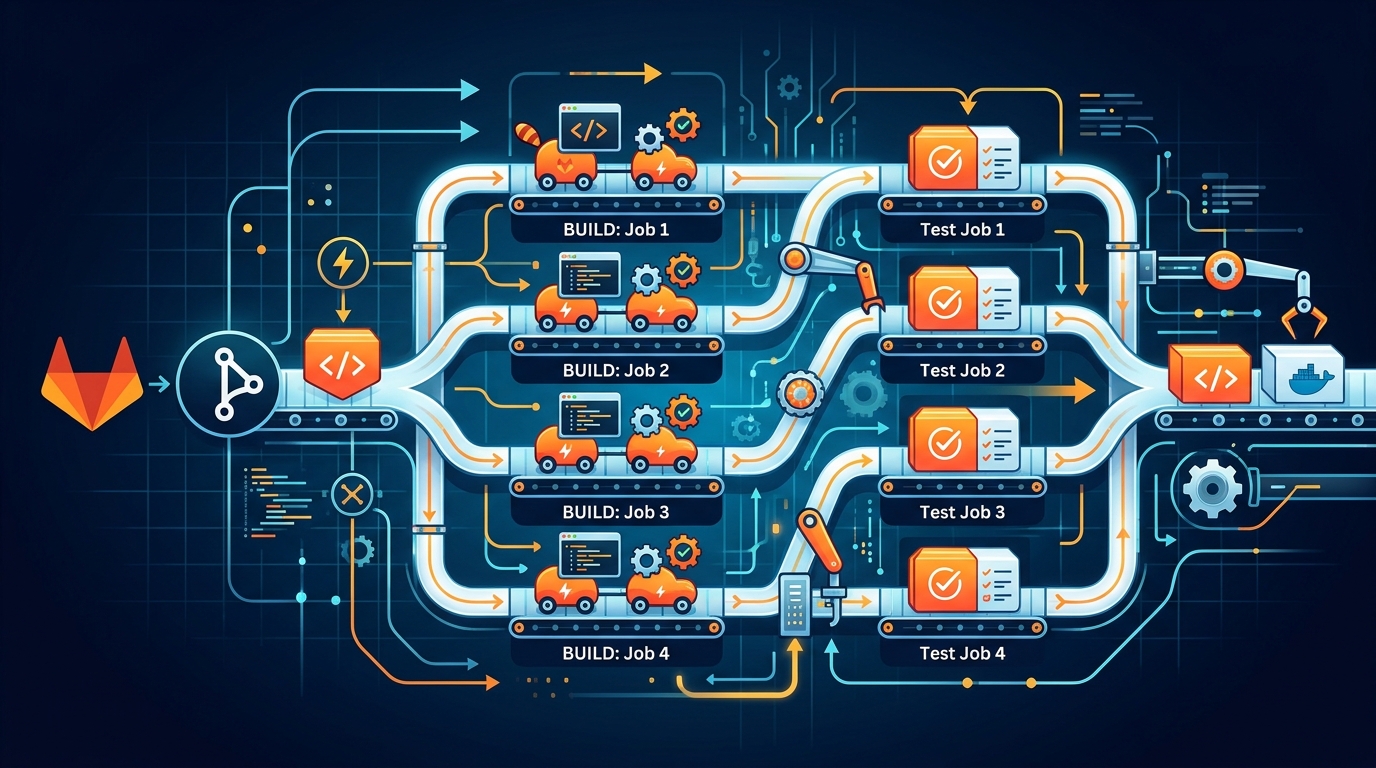
Our monorepo pipeline used to take 15 minutes. Every commit ran tests for the API, the background worker, and the frontend — in sequence, regardless of what changed. A one-line fix to a CSS file triggered a full backend test suite. A database migration blocked the frontend build from starting. Fifteen minutes, every time, for every push on every branch.
After applying the techniques in this post, that same pipeline runs in under 4 minutes on the worst-case commit that touches all three services. For single-service changes, it’s closer to 90 seconds.
None of this required a new tool or a rewrite. It’s all standard GitLab CI configuration that most teams aren’t using.
The parallel Keyword: Splitting a Test Suite Across N Jobs
The simplest win. If you have a test suite that takes 8 minutes to run, you can split it across 4 runners and finish in 2.
test:backend:
  image: node:20
  parallel: 4
  script:
    - npm ci
    - npx jest --shard=$CI_NODE_INDEX/$CI_NODE_TOTAL --coverage
  artifacts:
    reports:
      junit: junit-results.xml
GitLab creates 4 instances of this job. Each instance receives different values for CI_NODE_INDEX (1 through 4) and CI_NODE_TOTAL (4). Your test runner uses those to decide which slice of the suite to execute.
Jest’s --shard flag maps directly to these variables. For pytest, use pytest-split. For RSpec, use knapsack_pro or --bisect. Every major test framework supports some form of sharding.
The jobs run in parallel. GitLab waits for all instances to complete before marking the parent as done. One failing shard fails the entire job. Coverage reports merge automatically if you set them up in your CI settings.
A few things to know. The sharding is by file count, not by execution time. If you have 100 test files where 2 of them account for 80% of your runtime, sharding by 4 won’t give you equal distribution. Tools like knapsack_pro track historical timing and split by duration. That’s worth doing if your test times are uneven.
Also, parallel creates N independent jobs, each pulling dependencies fresh unless you cache them. Set up your cache correctly or you’ll spend the parallelism gains waiting for npm ci to run 4 times.
test:backend:
  image: node:20
  parallel: 4
  cache:
    key:
      files:
        - package-lock.json
    paths:
      - node_modules/
  script:
    - npm ci
    - npx jest --shard=$CI_NODE_INDEX/$CI_NODE_TOTAL
parallel:matrix for Multi-Dimensional Builds
parallel splits one job into N identical copies. parallel:matrix creates distinct job variants across multiple dimensions.
We need to test our API against Node 18, Node 20, and Node 22. We also need to test it against PostgreSQL 14 and PostgreSQL 16. That’s 6 combinations. Without matrix, that’s 6 separate job definitions. With matrix, it’s one.
test:api:
  image: node:${NODE_VERSION}
  parallel:
    matrix:
      - NODE_VERSION: ['18', '20', '22']
        DB_VERSION: ['14', '16']
  services:
    - name: postgres:${DB_VERSION}
      alias: postgres
  variables:
    POSTGRES_DB: testdb
    POSTGRES_USER: testuser
    POSTGRES_PASSWORD: testpass
    DATABASE_URL: postgres://testuser:testpass@postgres/testdb
  script:
    - npm ci
    - npm test
GitLab expands this into 6 jobs: test:api: [18, 14], test:api: [18, 16], test:api: [20, 14], and so on. Each runs independently. All 6 run in parallel if you have the runners.
The pipeline view shows each combination as a named job. When test:api: [20, 16] fails but the others pass, you know immediately that your code has a compatibility issue with that specific combination. No guessing.
You can add a third dimension. Testing on Linux and macOS, or across multiple cloud regions, or against different dependency versions:
test:frontend:
  parallel:
    matrix:
      - NODE_VERSION: ['18', '20']
        BROWSER: ['chrome', 'firefox', 'webkit']
        ENV: ['staging', 'production']
That’s 12 jobs. Use this carefully. Matrix builds are powerful but they multiply your runner usage. If every combination is genuinely necessary, matrix is cleaner than 12 copy-pasted job definitions. If you’re adding dimensions out of caution rather than necessity, pare it back.
DAG Pipelines with needs: Breaking the Stage Barrier
Traditional GitLab CI runs stages sequentially. Every job in stage: test must complete before any job in stage: deploy starts. If you have 10 test jobs and 9 of them finish in 2 minutes but one takes 10 minutes, everything waits 10 minutes.
needs breaks that constraint. A job with needs starts as soon as its dependencies complete, regardless of stage.
stages:
  - build
  - test
  - deploy

build:api:
  stage: build
  script:
    - docker build -t api:$CI_COMMIT_SHA ./api
  artifacts:
    paths:
      - api-image.tar

build:frontend:
  stage: build
  script:
    - npm ci --prefix frontend
    - npm run build --prefix frontend
  artifacts:
    paths:
      - frontend/dist/

test:api:unit:
  stage: test
  needs: ['build:api']
  script:
    - docker run api:$CI_COMMIT_SHA npm test

test:api:integration:
  stage: test
  needs: ['build:api']
  script:
    - docker run api:$CI_COMMIT_SHA npm run test:integration

test:frontend:
  stage: test
  needs: ['build:frontend']
  script:
    - npx jest --prefix frontend

deploy:api:staging:
  stage: deploy
  needs: ['test:api:unit', 'test:api:integration']
  script:
    - ./scripts/deploy-api.sh staging
  environment: staging/api

deploy:frontend:staging:
  stage: deploy
  needs: ['test:frontend']
  script:
    - ./scripts/deploy-frontend.sh staging
  environment: staging/frontend
In the traditional stage model, deploy:frontend:staging would wait for both test:api:unit and test:api:integration to finish before starting. With needs, it starts the moment test:frontend passes. The frontend deployment doesn’t care about the API tests.
This is a DAG: a directed acyclic graph. Dependencies flow forward; no cycles. GitLab draws this in the pipeline visualization. You can see exactly what’s blocking what.
needs also controls artifact availability. By default, a job only gets artifacts from jobs in earlier stages. With needs, you get artifacts from exactly the jobs you specify:
deploy:api:staging:
  stage: deploy
  needs:
    - job: build:api
      artifacts: true
    - job: test:api:unit
      artifacts: false
Only download the artifacts you actually need. Downloading unused artifacts wastes time and storage.
Monorepo Strategy: rules:changes to Only Build What Changed
This is the biggest speedup for monorepos. Don’t build and test code that didn’t change.
.api-changes: &api-changes
  rules:
    - if: $CI_COMMIT_BRANCH == $CI_DEFAULT_BRANCH
      when: always
    - changes:
        - api/**/*
        - packages/shared/**/*
        - .gitlab-ci.yml
      when: on_success
    - when: never

.worker-changes: &worker-changes
  rules:
    - if: $CI_COMMIT_BRANCH == $CI_DEFAULT_BRANCH
      when: always
    - changes:
        - worker/**/*
        - packages/shared/**/*
        - .gitlab-ci.yml
      when: on_success
    - when: never

.frontend-changes: &frontend-changes
  rules:
    - if: $CI_COMMIT_BRANCH == $CI_DEFAULT_BRANCH
      when: always
    - changes:
        - frontend/**/*
        - packages/shared/**/*
        - .gitlab-ci.yml
      when: on_success
    - when: never

build:api:
  stage: build
  <<: *api-changes
  script:
    - docker build -t api:$CI_COMMIT_SHA ./api

test:api:
  stage: test
  <<: *api-changes
  needs: ['build:api']
  script:
    - npm test --prefix api

build:worker:
  stage: build
  <<: *worker-changes
  script:
    - docker build -t worker:$CI_COMMIT_SHA ./worker

test:worker:
  stage: test
  <<: *worker-changes
  needs: ['build:worker']
  script:
    - npm test --prefix worker

build:frontend:
  stage: build
  <<: *frontend-changes
  script:
    - npm ci --prefix frontend && npm run build --prefix frontend

test:frontend:
  stage: test
  <<: *frontend-changes
  needs: ['build:frontend']
  script:
    - npx jest --prefix frontend
Three rules in every job. First: if this is the default branch, always run — you want full validation on every merge to main. Second: if the relevant paths changed, run on success. Third: never run. That final when: never is the catch-all that prevents jobs from running when neither of the first conditions matches.
Notice packages/shared/**/* appears in every service’s changes list. Any change to the shared library triggers builds across all services that depend on it. Track your dependency graph and add shared paths accordingly.
The rules:changes comparison is against the previous commit on the same branch by default. On merge request pipelines, it compares against the target branch. That’s the behavior you want — detect what changed relative to the base.
One important caveat: on the first commit to a new branch, GitLab has no previous commit to compare against. In that case, changes evaluates to true and all jobs run. That’s conservative and correct.
Dynamic Child Pipelines: trigger:include with Generated YAML
rules:changes handles the case where you know your service boundaries at pipeline-write time. Dynamic child pipelines handle the case where you don’t — or where each service has its own complex pipeline definition.
The pattern: a parent pipeline generates a YAML file, then triggers a child pipeline from that generated YAML.
Parent pipeline:
generate:pipeline:
  stage: .pre
  image: python:3.12
  script:
    - python scripts/generate_pipeline.py > generated-pipeline.yml
  artifacts:
    paths:
      - generated-pipeline.yml

trigger:child:
  stage: build
  needs: ['generate:pipeline']
  trigger:
    include:
      - artifact: generated-pipeline.yml
        job: generate:pipeline
    strategy: depend
Generator script (scripts/generate_pipeline.py):
import subprocess
import yaml
import sys

def get_changed_services():
    result = subprocess.run(
        ['git', 'diff', '--name-only', 'origin/main...HEAD'],
        capture_output=True,
        text=True
    )
    changed_files = result.stdout.strip().split('\n')
    services = set()
    service_dirs = ['api', 'worker', 'frontend']
    for f in changed_files:
        for svc in service_dirs:
            if f.startswith(f'{svc}/'):
                services.add(svc)
    return services

def build_pipeline(services):
    jobs = {}
    for svc in services:
        jobs[f'build:{svc}'] = {
            'stage': 'build',
            'image': 'docker:latest',
            'services': ['docker:dind'],
            'script': [
                f'docker build -t {svc}:$CI_COMMIT_SHA ./{svc}',
                f'docker push $CI_REGISTRY_IMAGE/{svc}:$CI_COMMIT_SHA',
            ]
        }
        jobs[f'test:{svc}'] = {
            'stage': 'test',
            'needs': [f'build:{svc}'],
            'script': [f'cd {svc} && npm test'],
        }
    pipeline = {
        'stages': ['build', 'test'],
        **jobs
    }
    return pipeline

services = get_changed_services()
if not services:
    # Nothing changed, emit a no-op pipeline
    print(yaml.dump({'no-op': {'stage': '.pre', 'script': ['echo no services changed']}}))
else:
    print(yaml.dump(build_pipeline(services)))
The generator runs git diff to find what changed, maps changed paths to service names, and emits a minimal pipeline YAML with only the build and test jobs for those services. When nothing changed in any service, it emits a no-op.
strategy: depend makes the parent pipeline wait for the child to complete and inherit its status. If the child fails, the parent fails. Without strategy: depend, the trigger job completes immediately and the parent doesn’t wait for the child.
This pattern is powerful for large monorepos where services have genuinely different pipeline structures. Each service can have its own .gitlab-ci.yml and the generator includes the right one:
jobs[f'trigger:{svc}'] = {
    'stage': 'build',
    'trigger': {
        'include': f'{svc}/.gitlab-ci.yml',
        'strategy': 'depend',
    }
}
Real Example: Three Services, Independent Pipelines
Here’s the full .gitlab-ci.yml for a monorepo with an API, a background worker, and a frontend. Each builds and deploys independently. Shared library changes trigger all three.
stages:
  - build
  - test
  - deploy

variables:
  DOCKER_REGISTRY: registry.gitlab.com/mycompany/myrepo
  NODE_CACHE_KEY: node-$CI_COMMIT_REF_SLUG

default:
  cache:
    key: $NODE_CACHE_KEY
    paths:
      - .npm/
  before_script:
    - npm config set cache .npm --global

# --- API ---

build:api:
  stage: build
  image: docker:latest
  services:
    - docker:dind
  rules:
    - if: $CI_COMMIT_BRANCH == $CI_DEFAULT_BRANCH
    - changes: [api/**, packages/**, .gitlab-ci.yml]
  script:
    - docker build --cache-from $DOCKER_REGISTRY/api:latest -t $DOCKER_REGISTRY/api:$CI_COMMIT_SHA ./api
    - docker push $DOCKER_REGISTRY/api:$CI_COMMIT_SHA

test:api:
  stage: test
  image: node:20
  needs: ['build:api']
  rules:
    - if: $CI_COMMIT_BRANCH == $CI_DEFAULT_BRANCH
    - changes: [api/**, packages/**, .gitlab-ci.yml]
  parallel: 3
  services:
    - postgres:16
  variables:
    POSTGRES_DB: testdb
    POSTGRES_USER: ci
    POSTGRES_PASSWORD: ci
  script:
    - cd api && npm ci
    - npx jest --shard=$CI_NODE_INDEX/$CI_NODE_TOTAL --forceExit

deploy:api:staging:
  stage: deploy
  image: alpine:latest
  needs: ['test:api']
  rules:
    - if: $CI_COMMIT_BRANCH == $CI_DEFAULT_BRANCH
  environment: staging/api
  script:
    - ./scripts/deploy.sh api staging $CI_COMMIT_SHA

# --- Worker ---

build:worker:
  stage: build
  image: docker:latest
  services:
    - docker:dind
  rules:
    - if: $CI_COMMIT_BRANCH == $CI_DEFAULT_BRANCH
    - changes: [worker/**, packages/**, .gitlab-ci.yml]
  script:
    - docker build --cache-from $DOCKER_REGISTRY/worker:latest -t $DOCKER_REGISTRY/worker:$CI_COMMIT_SHA ./worker
    - docker push $DOCKER_REGISTRY/worker:$CI_COMMIT_SHA

test:worker:
  stage: test
  image: node:20
  needs: ['build:worker']
  rules:
    - if: $CI_COMMIT_BRANCH == $CI_DEFAULT_BRANCH
    - changes: [worker/**, packages/**, .gitlab-ci.yml]
  services:
    - redis:7
    - postgres:16
  variables:
    POSTGRES_DB: testdb
    POSTGRES_USER: ci
    POSTGRES_PASSWORD: ci
    REDIS_URL: redis://redis:6379
  script:
    - cd worker && npm ci && npm test

deploy:worker:staging:
  stage: deploy
  image: alpine:latest
  needs: ['test:worker']
  rules:
    - if: $CI_COMMIT_BRANCH == $CI_DEFAULT_BRANCH
  environment: staging/worker
  script:
    - ./scripts/deploy.sh worker staging $CI_COMMIT_SHA

# --- Frontend ---

build:frontend:
  stage: build
  image: node:20
  rules:
    - if: $CI_COMMIT_BRANCH == $CI_DEFAULT_BRANCH
    - changes: [frontend/**, packages/**, .gitlab-ci.yml]
  script:
    - cd frontend && npm ci && npm run build
  artifacts:
    paths:
      - frontend/dist/
    expire_in: 1 hour

test:frontend:
  stage: test
  image: node:20
  needs: ['build:frontend']
  rules:
    - if: $CI_COMMIT_BRANCH == $CI_DEFAULT_BRANCH
    - changes: [frontend/**, packages/**, .gitlab-ci.yml]
  parallel:
    matrix:
      - BROWSER: ['chrome', 'firefox']
  script:
    - cd frontend && npm ci
    - npx playwright test --project=$BROWSER

deploy:frontend:staging:
  stage: deploy
  image: node:20
  needs: ['test:frontend']
  rules:
    - if: $CI_COMMIT_BRANCH == $CI_DEFAULT_BRANCH
  environment: staging/frontend
  script:
    - ./scripts/deploy-frontend.sh staging
A commit that touches only frontend/ runs build:frontend, test:frontend (in two browser variants, in parallel), and deploy:frontend:staging. The API and worker jobs don’t appear in the pipeline at all — they’re not skipped, they’re not created.
A commit that touches packages/shared/ runs all three service pipelines because every service includes packages/** in its changes list.
A merge to main runs everything, always.
Pipeline Speed Optimization: Caching, Parallel, DAG Combined
Each technique helps individually. Combined, they compound.
Cache your dependency installs. Use a cache key based on your lockfile so the cache invalidates when dependencies change but persists across commits that don’t touch them:
cache:
  key:
    files:
      - api/package-lock.json
  paths:
    - api/node_modules/
  policy: pull-push
policy: pull-push pulls the cache at the start and pushes it at the end. Set policy: pull on jobs that don’t modify the cache — test jobs typically don’t install new packages. This saves a push at the end of every test job.
Use Docker layer caching. Pass --cache-from with the latest image from the registry:
script:
  - docker pull $DOCKER_REGISTRY/api:latest || true
  - docker build --cache-from $DOCKER_REGISTRY/api:latest -t $DOCKER_REGISTRY/api:$CI_COMMIT_SHA ./api
  - docker push $DOCKER_REGISTRY/api:$CI_COMMIT_SHA
  - docker tag $DOCKER_REGISTRY/api:$CI_COMMIT_SHA $DOCKER_REGISTRY/api:latest
  - docker push $DOCKER_REGISTRY/api:latest
The || true handles the first run when there’s no latest tag yet. Subsequent builds pull the cached layers. If your Dockerfile is structured correctly — dependencies installed before copying source — then most builds only rebuild the final layer.
Use GitLab’s built-in container registry with BuildKit for distributed layer caching when Docker caching isn’t enough:
build:api:
  variables:
    DOCKER_BUILDKIT: 1
  script:
    - |
      docker buildx build \
        --cache-from type=registry,ref=$DOCKER_REGISTRY/api:cache \
        --cache-to type=registry,ref=$DOCKER_REGISTRY/api:cache,mode=max \
        --tag $DOCKER_REGISTRY/api:$CI_COMMIT_SHA \
        --push \
        ./api
mode=max caches every layer, not just the final image layers. First build is slower because it populates the cache. Every subsequent build is significantly faster.
resource_group for Deployment Serialization
Parallel builds are great. Parallel deployments to the same environment are not.
If two commits land on main within seconds of each other, you can end up with two deploy:api:staging jobs running simultaneously. One deploys commit A’s image. The other deploys commit B’s image. They race. The environment ends up in an indeterminate state.
resource_group serializes jobs that share a resource:
deploy:api:staging:
  stage: deploy
  resource_group: staging/api
  script:
    - ./scripts/deploy.sh api staging $CI_COMMIT_SHA

deploy:api:production:
  stage: deploy
  resource_group: production/api
  script:
    - ./scripts/deploy.sh api production $CI_COMMIT_SHA
Jobs in the same resource_group run one at a time. If two deploy:api:staging jobs are queued, the second waits until the first completes. The environment never sees two deployments simultaneously.
Name your resource groups by environment and service. staging/api, staging/worker, staging/frontend, production/api, and so on. Staging and production don’t compete with each other. Two different services don’t block each other.
See GitLab CI Rules for how to control exactly which pipelines can trigger production deployments, and GitLab CI Variables for managing environment-specific credentials securely.
When to Split into Separate Repos
The monorepo pattern works well until it doesn’t. A few signals that it’s time to split:
The pipeline is slow even with all optimizations. If a single service’s test suite takes 20 minutes and you have 10 services, a shared-library change that triggers all 10 runs for over 3 hours. No amount of parallelism fixes that without a very large runner fleet.
Teams have different deployment cadences and risk tolerances. If your API team deploys 20 times a day and your data team deploys twice a month, sharing a pipeline creates friction. The data team’s slow, careful process blocks the API team’s speed.
Security boundaries require code separation. If one service handles PCI data and another doesn’t, having them in the same repository complicates access control. GitLab’s protected branches and code owners help, but separate repositories are simpler.
Dependencies between services are minimal and well-defined. If your services communicate via stable API contracts and don’t share significant code, the coordination benefits of a monorepo are outweighed by the pipeline complexity.
The right answer depends on your team’s actual friction, not a rule of thumb. We kept our monorepo because our three services share a significant amount of code in packages/shared and the teams are small enough to coordinate easily. If that shared code shrank to a few utility functions, we’d split.
The Benchmark
Our baseline: sequential pipeline, all three services on every commit, no caching, no DAG. Build API (3 min), test API (6 min), build worker (2 min), test worker (3 min), build frontend (2 min), test frontend (4 min), deploy all (2 min). Total: 22 minutes. We had optimized it down to about 15 minutes before starting this work by removing some redundant steps.
After applying rules:changes: commits touching one service average 4-5 minutes. Only main branch runs all three services.
After adding DAG with needs: the three-service pipeline on main went from 15 minutes to 9 minutes. Build and test can overlap between services. Frontend deploy no longer waits for the API tests.
After adding parallel: 3 to the API test job and browser matrix to the frontend: the three-service pipeline dropped to 6 minutes. API tests run in parallel. Frontend tests run Chrome and Firefox simultaneously.
After adding proper Docker layer caching: down to under 4 minutes for the three-service case. Build jobs now take 40-60 seconds instead of 2-3 minutes because they’re reusing cached layers.
The 15-minute pipeline now runs in under 4 minutes on full builds, and under 90 seconds for single-service commits.
Putting It Together
These techniques aren’t independent improvements you apply one by one. They compose:
rules:changes eliminates work. needs removes waiting between work that must happen. parallel and parallel:matrix compress the work that remains. Caching makes the compressed work faster. resource_group keeps deployments safe as everything speeds up.
Start with rules:changes. That’s usually the biggest win and requires the least structural change. Then add needs to break stage dependencies. Then add parallel to your longest test job. Then tune caching. Measure after each change — the impact varies by codebase, and knowing which technique gave you the most return helps you decide where to invest next.
See GitLab Runner Tags 2026 for configuring the runners that will execute these parallel jobs, and Autoscaling GitLab CI on AWS Fargate if you need elastic runner capacity to absorb the parallel workload without paying for idle machines. For managing the GitLab Runner fleet itself, GitLab Runner Handbook 2026 covers installation, configuration, and maintenance in depth.
A faster pipeline isn’t a nice-to-have. Developers who wait 15 minutes for CI feedback start skipping tests locally, batching commits, and deploying less frequently. Shorten that loop and you change how the team works. Four minutes is fast enough that people wait for it. Fifteen minutes is long enough that they find something else to do.
Explore more like this

Terraform State Locking with S3 and DynamoDB in 2026
The moment two engineers run terraform apply at the same time without state locking, you have a race condition that can corrupt your entire infrastructure state. Both processes read the...

GitLab CI Environments and Review Apps in 2026
Review apps changed how my team does code review. Instead of reading diffs, reviewers click a link and see the actual change running. The designer can verify spacing on the...

Crossplane vs Terraform in 2026: Which IaC Approach Wins?
I’ve been running Crossplane alongside Terraform for six months. Here’s my honest take on where each one shines.

Comments