
Launch Template vs Launch Configuration [Exam Tips]

![Launch Template vs Launch Configuration [Exam Tips]](/wp-content/uploads/sites/5/2021/12/Launch-Template-vs-Launch-Configuration-FeatureImage.png)
If you have launched EC2 instances through the wizard, you know it involves a fair amount of clicking. Image ID, instance type, network, security groups, storage – it adds up. Now imagine you need to launch hundreds of instances, all with the same configuration. Going through that wizard every single time is not a productive use of your time.
This is where launch templates and launch configurations come in. They let you save your instance configuration and reuse it.
What is a Launch Template?
A launch template is a saved collection of instance settings. You define it once, then use it whenever you need to launch new EC2 instances. The template holds everything: AMI ID, instance type, key pair, security groups, storage, and user data scripts.
If you have worked with Auto Scaling before, launch templates will feel familiar. They serve a similar purpose to launch configurations, but with more flexibility.
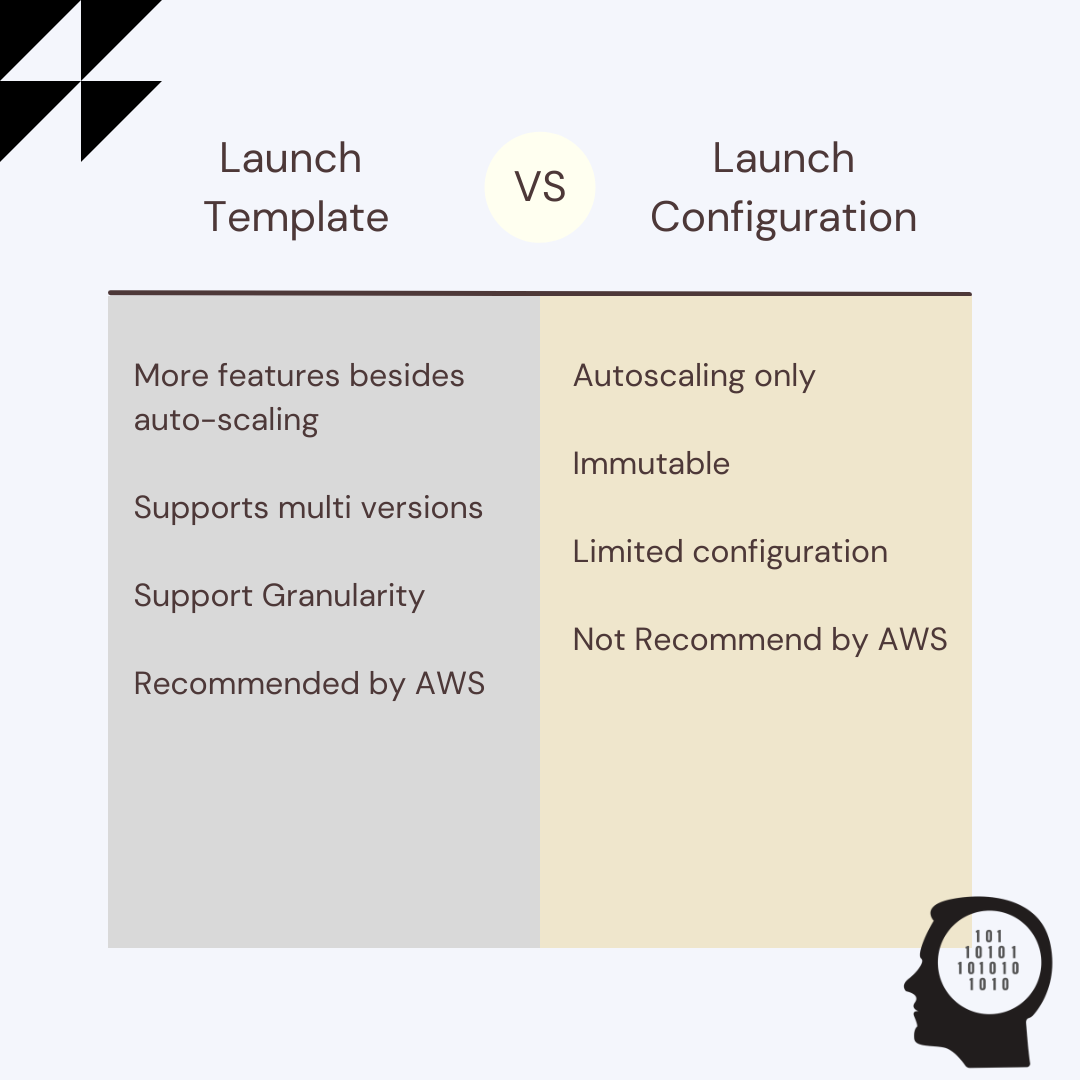 Launch Template vs Launch Configuration
What is a Launch Configuration?
A launch configuration is an older feature that also stores instance settings for Auto Scaling groups. It works, but it has a significant constraint: once you create it, you cannot change it. If you need to update anything, you must create a new configuration from scratch.
AWS has been phasing out launch configurations. As of January 2023, new instance types are no longer supported. New accounts cannot create launch configurations at all as of October 2024. AWS recommends migrating to launch templates.
Both launch templates and launch configurations are free to use. You only pay for the instances and other resources you actually create.
Key Differences
| Feature | Launch Template | Launch Configuration |
|---|---|---|
| Versioning | Yes | No |
| Modify after creation | Create new version | Cannot modify |
| Use with EC2 directly | Yes | No |
| Use with Spot Fleet | Yes | No |
| Use with Auto Scaling | Yes | Yes |
| Multiple instance types | Yes | No |
| Mix Spot and On-Demand | Yes | No |
| Networking information | Yes | No |
Launch Template Versioning
This is where templates really shine. When you modify a launch template, AWS preserves the old version. You can roll back to any previous version, maintain multiple variants for different use cases, and track exactly what changed and when.
Launch configurations do not have this capability. Every change means a brand new configuration with no history.
What Goes Into a Launch Template?
A launch template holds the same parameters you would set in the EC2 launch wizard:
- AMI ID
- Instance type
- Key pair
- Security groups
- Subnet (or placement information)
- Block device mapping
- User data script
- IAM instance profile
- Monitoring settings
Exam Tips
When you see a question about instance launch options on an AWS exam, pick the answer that mentions launch templates. They are the current recommended approach and support features that launch configurations simply do not.
Conclusion
Launch templates are the way to go. They are more flexible, support versioning, and work across EC2, Spot Fleet, and Auto Scaling groups. Launch configurations still function for existing setups, but AWS has stopped supporting them for new accounts and new instance types.
The main practical difference comes down to this: launch templates let you track changes and roll back. Launch configurations do not.
Explore more like this

Cloud IoT Security: Zero Trust, Identity, and Signed Updates
On September 11, 2026, the Cyber Resilience Act’s incident-reporting rules start applying in the European Union. That is 22 days after this article’s publication date. A manufacturer that learns of...

Kill the Docker Hub Token: OIDC Trust for GitHub Actions
On July 31, 2026, Docker shipped OIDC connections for GitHub Actions to any organization on a Docker Team, Docker Business, or Docker Hardened Images subscription, plus organizations in the Docker-Sponsored...

Bedrock Web Search: Grounding an Agent Without Building a Scraper
On August 4, 2026, AWS made Web Search on Amazon Bedrock generally available, and the entire integration surface is one JSON object: {"type": "web_search"}. That is the whole change from...

Comments