
GitHub Copilot Usage-Based Billing: Budget Controls for DevOps Teams


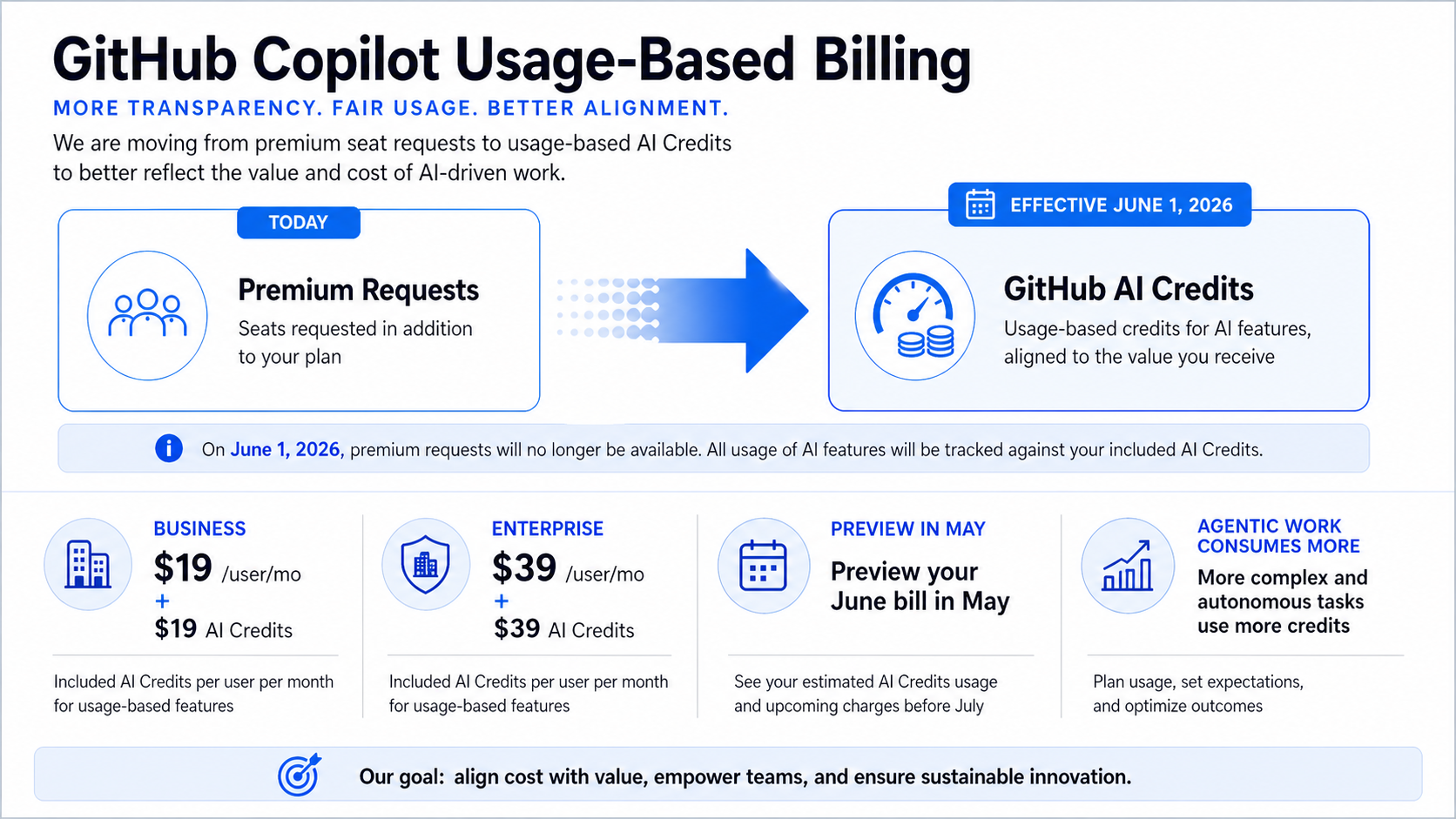
GitHub Copilot changes its billing model on June 1, 2026. Premium request units go away, GitHub AI Credits become the unit of usage, and the expensive part is no longer just “how many seats do we own?” It becomes “what kind of AI work are those seats running?”
That matters for DevOps teams because agentic coding is not a fancy autocomplete. A short chat question and a multi-step repository task can have very different token footprints. GitHub says code completions and Next Edit suggestions remain included, but heavier Copilot usage moves under credit consumption and admin budget controls.
What Changed
GitHub is keeping the base plan prices the same: Pro stays $10 per month, Pro+ stays $39 per month, Business stays $19 per user per month, and Enterprise stays $39 per user per month. The included credits match those prices for the paid plans. Business includes $19 in monthly AI Credits per user. Enterprise includes $39.
The billing surface changes because credits are based on token usage, including input, output, and cached tokens. GitHub also says Copilot code review consumes GitHub Actions minutes in addition to AI Credits. That is easy to miss if the organization only watches seat count.
The practical move is to treat Copilot like a shared engineering platform with budget policy, not like a fixed-price IDE extension. The same thinking from DORA metrics for engineering outcomes applies: measure the workflow, not the hype.
The Numbers That Matter
| Fact | Number or date | Source |
|---|---|---|
| Transition date | June 1, 2026 | GitHub Blog |
| New unit | GitHub AI Credits replace premium request units | GitHub Blog |
| Business plan | $19/user/month with $19 monthly AI Credits | GitHub Blog |
| Enterprise plan | $39/user/month with $39 monthly AI Credits | GitHub Blog |
| Preview bill | early May 2026 | GitHub Blog |
Those facts are the reason this post should be published now, not next quarter. The dates are fresh, the limits are concrete, and the operational impact is clear enough for an engineer to act on today.
How It Works in Practice
Start by grouping Copilot usage into three buckets. First, normal editor completions. Those remain included and should not drive panic. Second, chat and code-review workflows that consume credits but are bounded. Third, agentic work: multi-step changes, repository-wide edits, test-fix loops, and autonomous tasks. That third bucket needs policy.
Set budgets at the enterprise, cost-center, and user level once the controls are available. Do not use one global cap for every team. Platform engineering, application teams, and security teams use Copilot differently. A team using it to generate infrastructure tests may have a different value curve than a team using it to rewrite documentation.
The preview bill in early May is the dry run. Pull that data, compare it with team output, and decide where to cap, where to warn, and where to allow burst usage.
Copilot billing review checklist

1. Export May preview bill by organization and cost center.
2. Split usage into editor, chat/review, and agentic workflows.
3. Set a default soft alert at 70% of included credits.
4. Set a hard cap for teams without an approved agentic workflow.
5. Review GitHub Actions minutes for Copilot code review jobs.
Do the boring accounting first. Then compare productivity signals. If a team spends $200 of extra credits and removes a week of toil, that is not automatically bad. If it spends the same amount on repeated failed agent runs, cap it and fix the workflow.
Gotchas I Would Check First
- Seat price staying flat does not mean total Copilot spend stays flat.
- Code review can hit two meters: AI Credits and GitHub Actions minutes.
- Annual individual plans have their own transition behavior. Do not assume every developer moves on the same date.
Decision Guide
| Control | Default recommendation | Reason |
|---|---|---|
| Enterprise budget | Set a ceiling | Prevents surprise overage across pooled usage |
| Cost-center budgets | Use for large teams | Keeps platform, app, and security spend separated |
| User hard caps | Use selectively | Good for pilots; too blunt for expert teams |
| Agentic workflow approvals | Require them | Multi-hour tasks can burn credits quickly |
For related background, keep these existing BitsLovers posts close: Copilot versus Kiro for DevOps work, DORA metrics for engineering outcomes, secure access patterns for AI agents.
Sources
Copilot is becoming metered infrastructure. Treat it like one: watch usage, set budgets, and fund the workflows that actually move delivery.
Explore more like this

Kill the Docker Hub Token: OIDC Trust for GitHub Actions
On July 31, 2026, Docker shipped OIDC connections for GitHub Actions to any organization on a Docker Team, Docker Business, or Docker Hardened Images subscription, plus organizations in the Docker-Sponsored...

Bedrock Web Search: Grounding an Agent Without Building a Scraper
On August 4, 2026, AWS made Web Search on Amazon Bedrock generally available, and the entire integration surface is one JSON object: {"type": "web_search"}. That is the whole change from...

ECR Now Allows 200 GB Image Layers. Your Model Weights Still Do Not Belong There
On August 3, 2026, AWS raised the maximum Amazon ECR image layer size to 200 GB for images pushed with docker push. The announcement names the driver in the second...

Comments