
Migrate Jenkins to GitLab CI: The Complete 2026 Guide

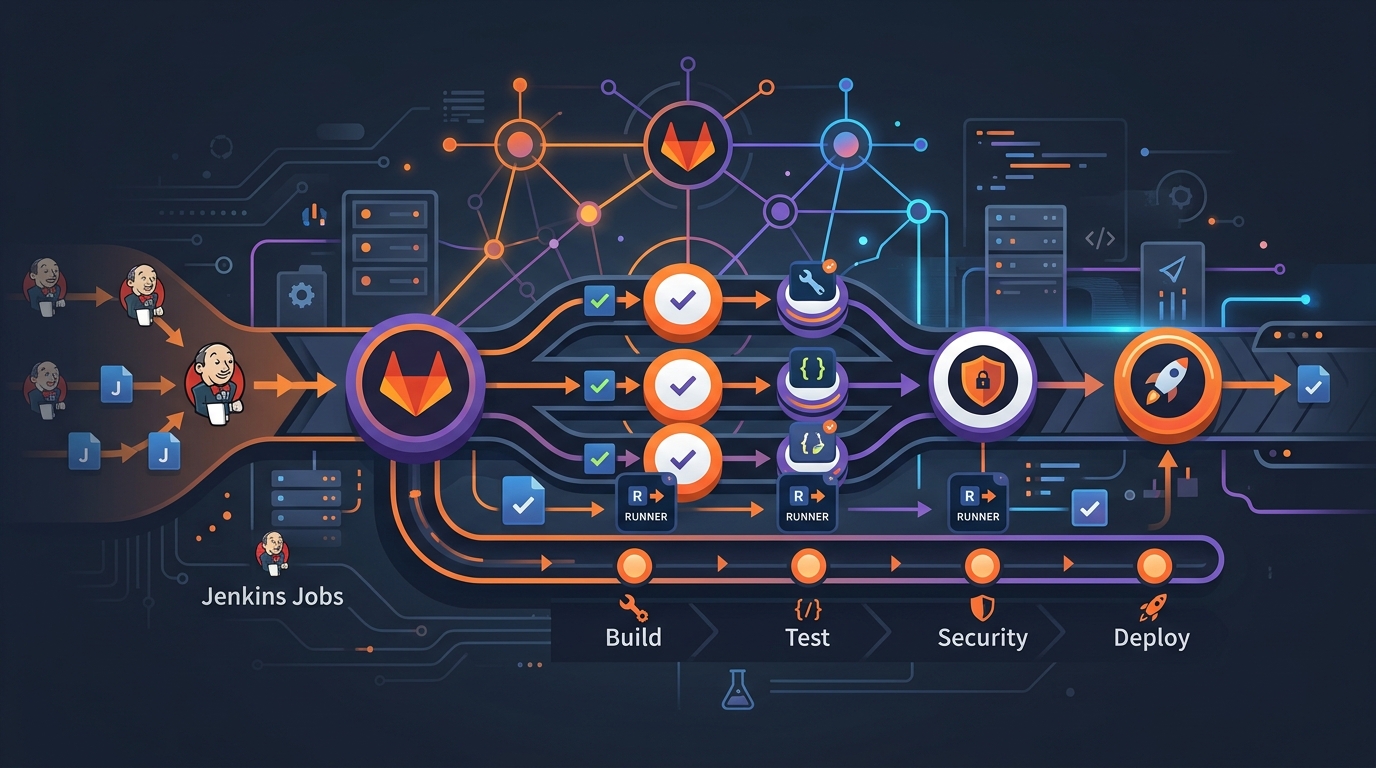
I’ve migrated three organizations from Jenkins to GitLab CI. Here’s everything I wish someone had told me before starting.
The first migration took six weeks and produced pipelines that worked but felt foreign — GitLab CI dressed up to act like Jenkins. The second was cleaner but still had a few plugins we couldn’t replicate cleanly. By the third, I had a repeatable process and a clear mental model for what translates directly, what requires rethinking, and what simply doesn’t exist on the other side.
This guide is that process. It covers the full Jenkinsfile-to-.gitlab-ci.yml mapping, a plugin equivalents table, how to handle shared libraries, runner configuration, parallel stages, and the gotchas that will bite you if you’re not expecting them.
Why Teams Make This Move
Before the mechanics, a quick word on motivation — because it shapes what you prioritize during migration.
The most common reasons I’ve seen: consolidating tooling (GitLab already in use for source control, so why run a separate CI server), reducing operational overhead (Jenkins masters need patching, plugins break, the update cycle is its own job), and cost (GitLab CI runners are cheaper to operate than a Jenkins cluster at most scales).
The less obvious reason: GitLab CI’s pipeline-as-code is genuinely easier to reason about. There’s no Groovy DSL, no @NonCPS annotations, no shared library classloaders to debug at 2am. YAML has its own frustrations, but “what does this pipeline do” is usually answerable by reading it.
Core Concepts: How Jenkins Maps to GitLab CI
Before touching a single config file, get the mental model right. These two systems use different vocabulary for overlapping ideas.
| Jenkins Concept | GitLab CI Equivalent | Notes |
|---|---|---|
| Pipeline | Pipeline | Same word, different execution model |
| Stage | Stage | Nearly identical concept |
| Step | Script block within a job | GitLab jobs contain scripts, not named steps |
| Agent | Runner | Configured separately, tagged in jobs |
| Post | after_script / workflow rules |
Split across two mechanisms |
| Parameters | Variables with defaults | Defined under variables: |
| Credentials | CI/CD Variables (masked) | Stored in project/group settings |
| Shared Library | CI/CD Components / include: |
|
| Blue Ocean | GitLab CI pipeline visualization | Built into the UI |
| Jenkinsfile | .gitlab-ci.yml |
Lives at repo root |
Jenkinsfile to .gitlab-ci.yml: Full Mapping
Stages
Jenkins declarative pipeline:
pipeline {
  stages {
    stage('Build') { ... }
    stage('Test') { ... }
    stage('Deploy') { ... }
  }
}
GitLab CI:
stages:
  - build
  - test
  - deploy
Jobs in GitLab CI are assigned to stages. All jobs in a stage run in parallel by default; the next stage starts only when all jobs in the previous stage pass.
Steps → Scripts
Jenkins steps are named actions (sh, echo, withCredentials). In GitLab CI, the equivalent is the script block — a list of shell commands.
Jenkins:
stage('Build') {
  steps {
    sh 'mvn clean package -DskipTests'
    sh 'docker build -t myapp:${BUILD_NUMBER} .'
  }
}
GitLab CI:
build:
  stage: build
  script:
    - mvn clean package -DskipTests
    - docker build -t myapp:$CI_PIPELINE_IID .
Note: $BUILD_NUMBER becomes $CI_PIPELINE_IID (the pipeline’s sequence number within the project). See the GitLab CI variables reference for the full list of predefined variables.
Environment Variables
Jenkins declarative:
environment {
  APP_VERSION = '2.1.0'
  REGISTRY = 'registry.example.com'
}
GitLab CI:
variables:
  APP_VERSION: '2.1.0'
  REGISTRY: 'registry.example.com'
Variables defined at the top level are available to all jobs. You can also define them per-job to override or add to the global set.
Parameters → Variables with Defaults
This is one of the bigger mindset shifts. Jenkins has a dedicated parameters block; GitLab CI uses variables with defaults and lets users override them when triggering pipelines manually.
Jenkins:
parameters {
  string(name: 'DEPLOY_ENV', defaultValue: 'staging', description: 'Target environment')
  booleanParam(name: 'RUN_SMOKE', defaultValue: true, description: 'Run smoke tests after deploy')
}
GitLab CI:
variables:
  DEPLOY_ENV:
    value: 'staging'
    description: 'Target environment'
  RUN_SMOKE:
    value: 'true'
    description: 'Run smoke tests after deploy'
When you trigger a pipeline manually in the GitLab UI, these variables show up as editable fields with the defaults pre-filled. The behavior is nearly identical for manual triggers. For scheduled pipelines, variables are set in the schedule configuration.
Post Conditions
Jenkins post blocks handle success, failure, always, and cleanup. GitLab CI splits this across after_script, when: on jobs, and artifact handling.
Jenkins:
post {
  always {
    junit 'target/surefire-reports/*.xml'
    cleanWs()
  }
  failure {
    mail to: '[email protected]', subject: 'Build failed'
  }
  success {
    archiveArtifacts artifacts: 'target/*.jar'
  }
}
GitLab CI:
test:
  stage: test
  script:
    - mvn test
  after_script:
    - echo "Cleaning workspace"
  artifacts:
    when: always           # upload even on failure
    reports:
      junit: target/surefire-reports/*.xml
    paths:
      - target/*.jar
    expire_in: 1 week

notify-failure:
  stage: .post
  script:
    - 'curl -X POST $SLACK_WEBHOOK -d "{\"text\": \"Build failed: $CI_PROJECT_NAME\"}"'
  when: on_failure
The .post stage is a special GitLab CI stage that always runs last, regardless of what else happened in the pipeline. when: on_failure makes the job run only when a previous job failed.
Plugin Equivalents Table
This is where most migrations get stuck. Jenkins has ~1,800 plugins; many are essential, and their equivalents in GitLab CI aren’t always obvious.
| Jenkins Plugin | GitLab CI Equivalent | Approach |
|---|---|---|
| Credentials Binding | CI/CD Variables (masked/protected) | Store in project/group settings, reference as $VAR |
| Docker Pipeline | Built-in Docker executor | Set image: on the job, no plugin needed |
| Pipeline: AWS Steps | AWS CLI in script + OIDC | Use image: amazon/aws-cli, configure OIDC for keyless auth |
| SonarQube Scanner | sonar-scanner in script |
Use image: sonarsource/sonar-scanner-cli:latest |
| Slack Notification | curl to Slack webhook |
One-liner in after_script or a dedicated job |
| JUnit Publisher | artifacts.reports.junit |
Native, no plugin needed |
| HTML Publisher | artifacts.paths |
Upload as artifact, view in GitLab UI |
| Pipeline: GitHub | Not needed | GitLab CI lives inside GitLab |
| Blue Ocean | GitLab pipeline visualization | Built into every project |
| Mailer | curl to email API or native alerts |
Use GitLab notification settings |
| AnsiColor | Not needed | GitLab CI renders ANSI colors natively |
| Timestamper | Not needed | GitLab logs all job output with timestamps |
| Workspace Cleanup | Runners handle cleanup; GIT_CLEAN_FLAGS |
Configure runner [runners.custom_build_dir] |
| Parameterized Trigger | trigger: keyword |
Native child pipeline triggers |
| Build Timeout | timeout: on job or pipeline |
Native, per-job or global |
| Retry | retry: on job |
Native, supports when: conditions |
| Archive Artifacts | artifacts.paths |
Native |
| Cobertura | artifacts.reports.coverage_report |
Native coverage visualization |
| OWASP Dependency Check | Script in job + artifact | Run dependency-check.sh, publish report as artifact |
Credentials: The Most Common Migration Task
In Jenkins, credentials are stored in the Credentials Store and injected via withCredentials. In GitLab CI, they’re stored as CI/CD Variables (masked, optionally protected) and accessed as environment variables.
Jenkins:
withCredentials([string(credentialsId: 'aws-secret-key', variable: 'AWS_SECRET')]) {
  sh 'aws s3 cp ...'
}
GitLab CI — after storing the value as a masked variable named AWS_SECRET_ACCESS_KEY in project settings:
deploy:
  stage: deploy
  script:
    - aws s3 cp dist/ s3://my-bucket/ --recursive
  variables:
    AWS_DEFAULT_REGION: us-east-1
    # AWS_ACCESS_KEY_ID and AWS_SECRET_ACCESS_KEY come from project CI/CD variables
No wrapper needed. The variables are available as environment variables in every script. Mark them as “Masked” in the GitLab UI so they never appear in logs.
Docker: Much Simpler
Jenkins requires the Docker Pipeline plugin, often Docker-in-Docker setup, and careful agent configuration. GitLab CI has Docker as a first-class executor — you just specify the image.
Jenkins:
agent {
  docker {
    image 'node:20-alpine'
    args '-v /var/run/docker.sock:/var/run/docker.sock'
  }
}
GitLab CI:
build-frontend:
  image: node:20-alpine
  stage: build
  script:
    - npm ci
    - npm run build
For building Docker images within a CI job, see the guide on building Docker images and pushing to ECR.
Shared Libraries → CI/CD Components and Includes
This is the biggest conceptual shift in the migration, and the one that causes the most frustration when teams try to do a 1:1 translation.
Jenkins shared libraries are Groovy code — reusable functions, classes, and global variables loaded into pipelines at runtime. There’s no direct equivalent in GitLab CI because GitLab CI is YAML, not a programming language.
What GitLab CI offers instead:
1. include: for reusable job templates
You can define jobs in a separate file and include them in your pipeline:
# templates/jobs.yml (in a separate project or the same repo)
.build-template:
  stage: build
  script:
    - echo "Building $CI_PROJECT_NAME"
  artifacts:
    paths:
      - dist/
    expire_in: 1 day
# .gitlab-ci.yml
include:
  - project: 'myorg/ci-templates'
    ref: main
    file: '/templates/jobs.yml'

build-app:
  extends: .build-template
  script:
    - npm ci
    - npm run build
The extends: keyword merges the template job with the current job, with the current job’s keys taking precedence.
2. CI/CD Components (GitLab 16.0+)
Components are versioned, reusable pipeline configurations — the closest thing to shared libraries for YAML pipelines:
include:
  - component: gitlab.com/myorg/components/[email protected]
    inputs:
      project_key: $CI_PROJECT_NAME
      sonar_host: https://sonar.example.com
Components accept typed inputs, can be versioned with semantic versioning, and are discoverable in the GitLab CI/CD Catalog.
3. !reference tags for reusing script snippets
For sharing script blocks across jobs without full job inheritance:
.common-setup:
  script:
    - export APP_ENV=production
    - source .env

deploy-eu:
  script:
    - !reference [.common-setup, script]
    - ./deploy.sh --region eu-west-1

deploy-us:
  script:
    - !reference [.common-setup, script]
    - ./deploy.sh --region us-east-1
The migration path for most shared libraries: identify what the library actually does (usually 3-5 common patterns), then implement each as a template job with extends:, a component, or a !reference block.
Agent → Runner Mapping
Jenkins agents are configured in the Jenkinsfile or via the UI. GitLab CI runners are registered separately and tagged — jobs select runners via tags.
Jenkins:
agent {
  label 'linux-docker'
}
GitLab CI:
build:
  tags:
    - linux
    - docker
  script:
    - docker build .
The tags: list is an AND condition — the job runs on a runner that has all the specified tags. If no tags are specified, any available runner can pick up the job.
For the full runner configuration reference, including autoscaling on Fargate, see the GitLab Runner Handbook and the guide on autoscaling GitLab CI on AWS Fargate.
Parallel Stages → parallel and matrix
Jenkins parallel inside a stage:
stage('Test') {
  parallel {
    stage('Unit Tests') {
      steps { sh 'npm run test:unit' }
    }
    stage('Integration Tests') {
      steps { sh 'npm run test:integration' }
    }
    stage('Lint') {
      steps { sh 'npm run lint' }
    }
  }
}
GitLab CI — jobs in the same stage already run in parallel:
unit-tests:
  stage: test
  script: npm run test:unit

integration-tests:
  stage: test
  script: npm run test:integration

lint:
  stage: test
  script: npm run lint
No parallel: keyword needed. Three jobs in the same stage, three runners pick them up simultaneously.
For matrix builds (running the same job across multiple configurations):
Jenkins multi-axis builds require the Matrix Project plugin and a complex configuration. GitLab CI has parallel:matrix built in:
test:
  stage: test
  parallel:
    matrix:
      - NODE_VERSION: ['18', '20', '22']
        OS: ['ubuntu', 'alpine']
  image: node:${NODE_VERSION}-${OS}
  script:
    - node --version
    - npm test
This creates 6 jobs automatically — one for every combination. Each job name shows the variable values, making it easy to see which combination failed.
For advanced parallel and matrix patterns in monorepos, the GitLab CI Parallel Matrix Monorepo guide goes deeper.
Migration Checklist
Work through this in order. The earlier items unblock the later ones.
Preparation
- Inventory all Jenkins jobs in scope (pipelines, freestyle jobs, multibranch)
- List all plugins in use — identify which have GitLab CI equivalents and which don’t
- Export Jenkins credentials and identify which will become CI/CD variables
- Identify shared libraries and document what each function does (not what it is — what it does)
- Map Jenkins agents/labels to GitLab runner tags
- Set up GitLab runners to match Jenkins agent capabilities
Translation
- Convert
Jenkinsfilestages to.gitlab-ci.ymlstages - Replace
shsteps withscript:blocks - Replace
environment {}withvariables: - Replace
parameters {}withvariables:with descriptions - Replace
post { always }withafter_script:andartifacts.when: always - Replace
post { failure }with dedicated jobs usingwhen: on_failure - Replace
post { success }with artifact upload andwhen: on_successjobs - Convert shared library calls to
include:+extends:or components - Set up masked CI/CD variables for all credentials
- Replace plugin-specific steps with native GitLab CI features or script equivalents
Validation
- Run the new pipeline on a feature branch against the same commit as a known-good Jenkins run
- Compare artifact outputs
- Verify credentials are masked in logs
- Confirm runner tags are routing jobs to the right machines
- Test manual pipeline triggers with variable overrides
- Verify notifications (Slack, email) fire on failure
Cutover
- Disable Jenkins job triggers (webhooks, SCM polling) before enabling GitLab CI auto-triggers
- Enable branch protection rules in GitLab to require pipeline success before merge
- Keep Jenkins available in read-only mode for 2 weeks as a reference
- Update team runbooks to reference GitLab CI, not Jenkins
Common Gotchas
Groovy scripted pipelines don’t translate cleanly
Declarative Jenkinsfiles map reasonably well to GitLab CI YAML. Scripted pipelines — the older Groovy-based format that starts with node { instead of pipeline { — are a different story. They use full Groovy, including loops, conditionals, try/catch, and function definitions. None of that exists in GitLab CI YAML.
The approach that works: treat scripted pipelines as shell scripts in a trench coat. Extract the actual work into shell scripts or Python, then call those scripts from GitLab CI jobs. The Groovy logic (retry loops, conditional branching) gets replaced by GitLab CI’s native when:, rules:, and retry: directives. For conditional logic that’s too complex for YAML, move it into the script itself.
For complex rules: patterns, the GitLab CI Rules reference covers everything from branch matching to variable-based conditions.
Jenkins-specific plugins with no GitLab CI equivalent
A handful of plugins have no meaningful equivalent and require a different approach:
- Build Pipeline Plugin / Delivery Pipeline Plugin: These visualize multi-job dependencies. GitLab CI’s pipeline graph does this natively — no action needed.
- Promoted Builds Plugin: Used to mark builds as “promoted” after manual approval. Replace with GitLab CI environments and manual deployment jobs (
when: manual). - Build Failure Analyzer: Analyzes failure patterns and suggests causes. No direct equivalent. GitLab CI’s job logs are searchable, and you can add failure detection to scripts.
- Throttle Concurrent Builds: Limits how many instances of a job run simultaneously. GitLab CI has no direct equivalent — handle this with runner concurrency settings at the runner level.
- Lockable Resources Plugin: Prevents concurrent access to shared resources. GitLab CI has no equivalent. Redesign pipelines to avoid shared mutable state, or use external locking (a DynamoDB table, a Redis key) from within scripts.
The @NonCPS annotation problem
If your shared library uses @NonCPS-annotated methods, you’re working around Jenkins’ Groovy CPS (Continuation Passing Style) transformation. This entire mechanism doesn’t exist in GitLab CI. The methods themselves — usually utility functions for string manipulation, list processing, or map building — translate directly to shell functions or Python helpers.
Workspace persistence between stages
Jenkins pipelines often rely on the workspace persisting between stages on the same agent. In GitLab CI, each job runs in a fresh environment by default. Pass state between jobs using artifacts.
Jenkins (implicit workspace sharing):
stage('Build') {
  steps { sh 'mvn package' }
}
stage('Test') {
  steps { sh 'mvn test' }  // uses build output from previous stage
}
GitLab CI (explicit artifact passing):
build:
  stage: build
  script:
    - mvn package
  artifacts:
    paths:
      - target/

test:
  stage: test
  script:
    - mvn test
  # target/ is available because build job declared it as an artifact
GitLab CI automatically downloads artifacts from previous stages into the current job’s working directory. It’s more explicit and actually more reliable — you always know exactly what state a job starts with.
Environment variable naming differences
Jenkins predefined variables ($BUILD_NUMBER, $JOB_NAME, $WORKSPACE) have GitLab CI equivalents but different names. The most common ones:
| Jenkins Variable | GitLab CI Variable |
|---|---|
$BUILD_NUMBER |
$CI_PIPELINE_IID |
$JOB_NAME |
$CI_JOB_NAME |
$WORKSPACE |
$CI_PROJECT_DIR |
$GIT_BRANCH |
$CI_COMMIT_REF_NAME |
$GIT_COMMIT |
$CI_COMMIT_SHA |
$BUILD_URL |
$CI_PIPELINE_URL |
$JENKINS_URL |
$CI_SERVER_URL |
Do a project-wide search for $BUILD_, $JOB_, $JENKINS_, and $GIT_ before declaring migration complete.
A Real Before/After Example
This is a simplified version of an actual pipeline I migrated — a Node.js application with Docker build, push to ECR, and deploy to staging.
Before (Jenkinsfile):
pipeline {
  agent { label 'docker' }

  environment {
    ECR_REGISTRY = '123456789.dkr.ecr.us-east-1.amazonaws.com'
    IMAGE_NAME = 'myapp'
  }

  parameters {
    string(name: 'DEPLOY_ENV', defaultValue: 'staging')
  }

  stages {
    stage('Install') {
      steps {
        sh 'npm ci'
      }
    }
    stage('Test') {
      parallel {
        stage('Unit') { steps { sh 'npm run test:unit' } }
        stage('Lint') { steps { sh 'npm run lint' } }
      }
    }
    stage('Build & Push') {
      steps {
        withCredentials([[$class: 'AmazonWebServicesCredentialsBinding',
                          credentialsId: 'aws-ecr-creds']]) {
          sh 'aws ecr get-login-password | docker login --username AWS --password-stdin $ECR_REGISTRY'
          sh 'docker build -t $ECR_REGISTRY/$IMAGE_NAME:$BUILD_NUMBER .'
          sh 'docker push $ECR_REGISTRY/$IMAGE_NAME:$BUILD_NUMBER'
        }
      }
    }
    stage('Deploy') {
      steps {
        sh './deploy.sh $DEPLOY_ENV $BUILD_NUMBER'
      }
    }
  }
  post {
    failure {
      slackSend channel: '#deployments', message: "Build failed: ${env.JOB_NAME}"
    }
  }
}
After (.gitlab-ci.yml):
variables:
  ECR_REGISTRY: '123456789.dkr.ecr.us-east-1.amazonaws.com'
  IMAGE_NAME: 'myapp'
  DEPLOY_ENV:
    value: 'staging'
    description: 'Target deployment environment'

stages:
  - install
  - test
  - build
  - deploy

install:
  stage: install
  image: node:20-alpine
  tags:
    - docker
  script:
    - npm ci
  cache:
    key: $CI_COMMIT_REF_SLUG
    paths:
      - node_modules/

unit-tests:
  stage: test
  image: node:20-alpine
  tags:
    - docker
  script:
    - npm run test:unit
  cache:
    key: $CI_COMMIT_REF_SLUG
    paths:
      - node_modules/
    policy: pull

lint:
  stage: test
  image: node:20-alpine
  tags:
    - docker
  script:
    - npm run lint
  cache:
    key: $CI_COMMIT_REF_SLUG
    paths:
      - node_modules/
    policy: pull

build-push:
  stage: build
  image: docker:24
  tags:
    - docker
  services:
    - docker:24-dind
  script:
    - aws ecr get-login-password --region us-east-1 | docker login --username AWS --password-stdin $ECR_REGISTRY
    - docker build -t $ECR_REGISTRY/$IMAGE_NAME:$CI_PIPELINE_IID .
    - docker push $ECR_REGISTRY/$IMAGE_NAME:$CI_PIPELINE_IID

deploy:
  stage: deploy
  image: alpine:3.19
  tags:
    - docker
  script:
    - ./deploy.sh $DEPLOY_ENV $CI_PIPELINE_IID

notify-failure:
  stage: .post
  image: alpine:3.19
  script:
    - 'curl -X POST $SLACK_WEBHOOK_URL -H "Content-Type: application/json" -d "{\"text\": \"Pipeline failed: $CI_PROJECT_NAME ($CI_PIPELINE_URL)\"}"'
  when: on_failure
The GitLab CI version is slightly longer but more explicit. Every job declares its image. Cache behavior is defined per-job. The Slack notification has a richer message with a direct link to the failed pipeline. And there’s no plugin dependency — if GitLab CI can run a curl command, notifications work.
Related Posts
- GitLab Runner Handbook — Runner registration, executor types, and configuration reference
- GitLab CI Variables — Predefined variables, masked variables, and variable precedence
- GitLab CI Rules — Conditional job execution, branch rules, and merge request pipelines
- Build Docker Image and Push to ECR — Complete Docker build and push workflow
- Autoscaling GitLab CI on AWS Fargate — Elastic runner pools for variable workloads
Explore more like this

Terraform State Locking with S3 and DynamoDB in 2026
The moment two engineers run terraform apply at the same time without state locking, you have a race condition that can corrupt your entire infrastructure state. Both processes read the...

GitLab CI Environments and Review Apps in 2026
Review apps changed how my team does code review. Instead of reading diffs, reviewers click a link and see the actual change running. The designer can verify spacing on the...

Crossplane vs Terraform in 2026: Which IaC Approach Wins?
I’ve been running Crossplane alongside Terraform for six months. Here’s my honest take on where each one shines.

Comments