
SBOM + Container Signing on GitLab CI: Supply Chain Security in 2026

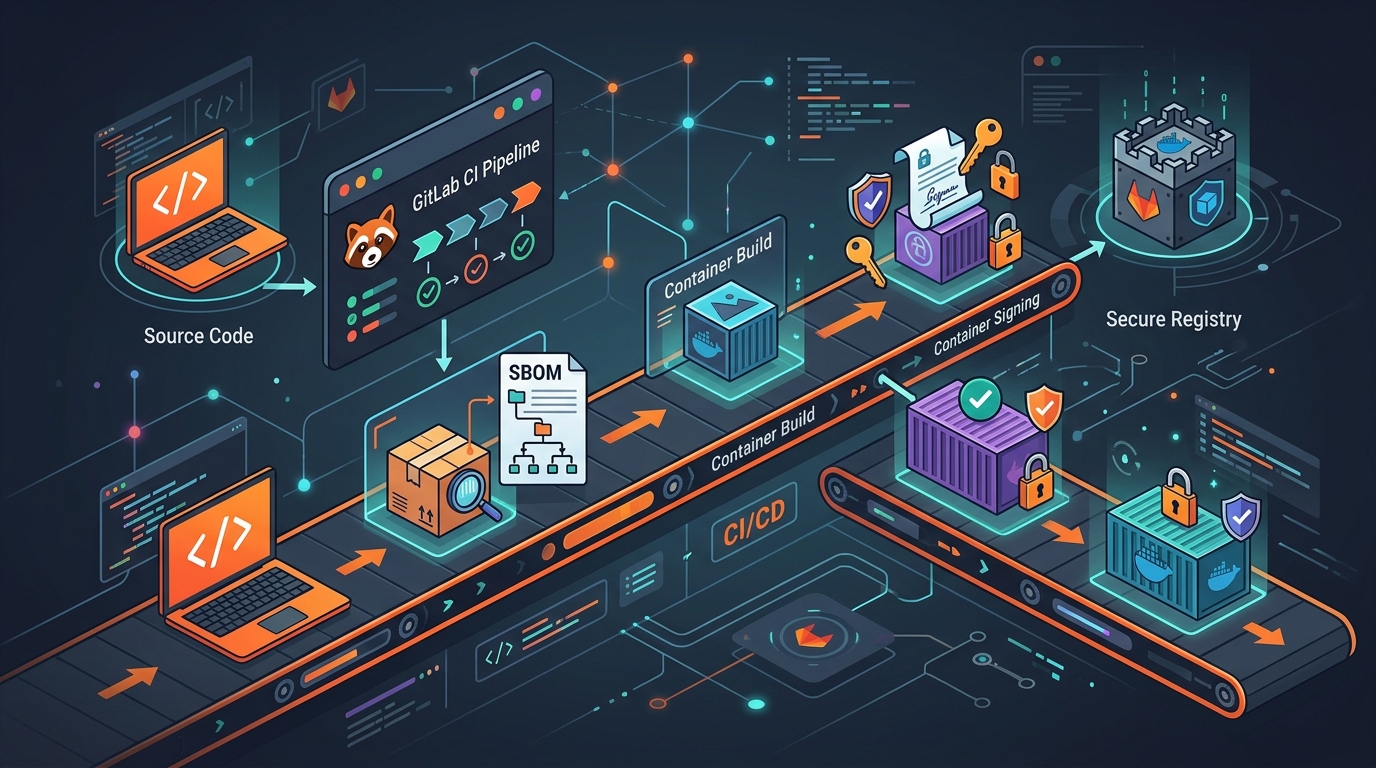
Two years ago, SBOMs were a checkbox on a compliance spreadsheet. In 2026, they’re a hard requirement. The US Executive Order 14028 mandated that any software sold to federal agencies must ship with a Software Bill of Materials. The EU Cyber Resilience Act extends that obligation to any product with digital components sold in the European Union. Both regulations have teeth. Both are now in force. If you ship containers to enterprise customers, government agencies, or regulated industries, you need SBOMs and you need container signatures.
This post shows you how to generate SBOMs, sign container images, and structure your GitLab CI pipeline to produce the artifacts auditors actually ask for. The code here runs in production. I’ll explain the decisions that went into each stage.
What an SBOM Actually Is
An SBOM is a machine-readable inventory of every software component in your artifact. Every library. Every OS package. Every transitive dependency your dependencies pulled in. When Log4Shell hit, companies with SBOMs answered “are we affected?” in minutes. Companies without them spent weeks auditing manually.
The two dominant formats are SPDX and CycloneDX.
SPDX (Software Package Data Exchange) is the ISO/IEC 5962:2021 standard. It originated at the Linux Foundation and has the most tooling support for licensing compliance. Auditors from legal and procurement teams know SPDX. If your primary concern is license tracking—which OSS licenses are in your binary—SPDX is the right choice.
CycloneDX is the OWASP standard. It was designed from the beginning for security use cases: vulnerability scanning, supply chain analysis, and VEX (Vulnerability Exploitability eXchange) documents. CycloneDX 1.5 added support for SLSA provenance and attestations natively. If your primary concern is security posture and vulnerability management, CycloneDX fits better.
In practice, generate both. Syft, the tool we’ll use, produces either format with a single flag change. Storage is cheap. Giving auditors their preferred format saves everyone time.
Tools: Syft, Cosign, and Rekor
Three tools handle everything in this pipeline.
Syft (from Anchore) scans a container image or a source directory and generates an SBOM. It understands Alpine packages, Debian packages, RPMs, Python wheels, npm modules, Go binaries, Maven JARs, and more. It runs as a single binary. No daemon. No persistent state.
Cosign (from Sigstore) signs container images and SBOMs. It attaches signatures to the OCI registry itself, which means the signature travels with the image. You don’t manage a separate database of signatures. When someone pulls the image, they can verify it was signed by your pipeline.
Rekor is the Sigstore transparency log. When you use keyless signing with Cosign, every signature is recorded in Rekor—a public, append-only log. Anyone can verify that your image was signed at a specific time by a specific identity. This is non-repudiation at scale.
Keyless signing means no long-lived private keys to manage, rotate, or leak. Cosign authenticates to Fulcio (the Sigstore CA) using a short-lived OIDC token. GitLab CI issues that token natively. The private key exists for milliseconds, signs the image, and is discarded. The certificate chain is recorded in Rekor.
SLSA Framework in Plain Terms
SLSA (Supply-chain Levels for Software Artifacts) defines four levels of build integrity. Think of it as a trust ladder.
SLSA Level 1 means the build process is documented. You have a pipeline. You can describe what happened.
SLSA Level 2 means the build is hosted on a version-controlled platform and produces signed provenance. Your GitLab CI pipeline, with OIDC-based signing, satisfies this level.
SLSA Level 3 means the build environment is isolated, the source is two-person reviewed, and the provenance is non-falsifiable. Isolated runners with no network access to the build host, merge request approvals required—this is achievable but requires discipline.
SLSA Level 4 adds hermetic builds and reproducible outputs. Most teams don’t need this unless they’re building critical infrastructure software.
For most enterprise workloads, Level 2 with signed provenance is what auditors want. That’s what this pipeline produces.
The Complete Pipeline
Here is the full .gitlab-ci.yml. I’ll walk through each stage in detail after.
stages:
  - build
  - sbom
  - sign
  - push

variables:
  AWS_REGION: us-east-1
  ECR_REGISTRY: "${AWS_ACCOUNT_ID}.dkr.ecr.${AWS_REGION}.amazonaws.com"
  IMAGE_NAME: "${ECR_REGISTRY}/${CI_PROJECT_NAME}"
  IMAGE_TAG: "${CI_COMMIT_SHA}"
  COSIGN_VERSION: "2.2.4"
  SYFT_VERSION: "1.4.1"

# Build the image and export it as a tar for subsequent stages
build:
  stage: build
  image: docker:26
  services:
    - docker:26-dind
  variables:
    DOCKER_BUILDKIT: "1"
  script:
    - docker build
        --build-arg BUILD_DATE=$(date -u +"%Y-%m-%dT%H:%M:%SZ")
        --build-arg VCS_REF=${CI_COMMIT_SHA}
        --label "org.opencontainers.image.revision=${CI_COMMIT_SHA}"
        --label "org.opencontainers.image.source=${CI_PROJECT_URL}"
        --label "org.opencontainers.image.created=$(date -u +"%Y-%m-%dT%H:%M:%SZ")"
        -t ${IMAGE_NAME}:${IMAGE_TAG}
        -t ${IMAGE_NAME}:latest
        .
    - docker save ${IMAGE_NAME}:${IMAGE_TAG} -o image.tar
  artifacts:
    paths:
      - image.tar
    expire_in: 1 hour
  only:
    - main
    - merge_requests

# Generate SBOM in both CycloneDX and SPDX formats
sbom:
  stage: sbom
  image: alpine:3.19
  dependencies:
    - build
  before_script:
    - apk add --no-cache curl
    - curl -sSfL https://raw.githubusercontent.com/anchore/syft/main/install.sh |
        sh -s -- -b /usr/local/bin v${SYFT_VERSION}
  script:
    # Load the image from the build stage artifact
    - docker load < image.tar
    # Generate CycloneDX JSON (preferred for security tooling)
    - syft ${IMAGE_NAME}:${IMAGE_TAG}
        --output cyclonedx-json=sbom.cdx.json
        --source-name "${CI_PROJECT_NAME}"
        --source-version "${CI_COMMIT_SHA}"
    # Generate SPDX JSON (for license compliance)
    - syft ${IMAGE_NAME}:${IMAGE_TAG}
        --output spdx-json=sbom.spdx.json
        --source-name "${CI_PROJECT_NAME}"
        --source-version "${CI_COMMIT_SHA}"
    # Also scan the source code directory for development dependencies
    - syft dir:.
        --output cyclonedx-json=sbom-source.cdx.json
        --exclude ./vendor
        --exclude ./.git
    - echo "SBOM component count:"
    - cat sbom.cdx.json | grep -c '"type":' || true
  artifacts:
    name: "sbom-${CI_COMMIT_SHA}"
    paths:
      - sbom.cdx.json
      - sbom.spdx.json
      - sbom-source.cdx.json
    expire_in: 1 year
  only:
    - main
    - merge_requests

# Sign the image and attach the SBOM as an attestation
sign:
  stage: sign
  image: alpine:3.19
  id_tokens:
    SIGSTORE_ID_TOKEN:
      aud: sigstore
  dependencies:
    - build
    - sbom
  before_script:
    - apk add --no-cache curl docker-cli
    - |
      curl -sSfL \
        "https://github.com/sigstore/cosign/releases/download/v${COSIGN_VERSION}/cosign-linux-amd64" \
        -o /usr/local/bin/cosign
    - chmod +x /usr/local/bin/cosign
    # Authenticate to ECR
    - aws ecr get-login-password --region ${AWS_REGION} |
        docker login --username AWS --password-stdin ${ECR_REGISTRY}
    # Load and push the image first so we have a digest to sign
    - docker load < image.tar
    - docker push ${IMAGE_NAME}:${IMAGE_TAG}
    - docker push ${IMAGE_NAME}:latest
  script:
    # Get the image digest — we sign the digest, not the tag
    - IMAGE_DIGEST=$(docker inspect --format='' ${IMAGE_NAME}:${IMAGE_TAG})
    - echo "Signing ${IMAGE_DIGEST}"
    # Keyless sign using GitLab OIDC token
    - COSIGN_EXPERIMENTAL=1 cosign sign
        --yes
        --identity-token=${SIGSTORE_ID_TOKEN}
        ${IMAGE_DIGEST}
    # Attach the CycloneDX SBOM as an attestation
    - COSIGN_EXPERIMENTAL=1 cosign attest
        --yes
        --identity-token=${SIGSTORE_ID_TOKEN}
        --predicate sbom.cdx.json
        --type cyclonedx
        ${IMAGE_DIGEST}
    # Attach the SPDX SBOM as an attestation
    - COSIGN_EXPERIMENTAL=1 cosign attest
        --yes
        --identity-token=${SIGSTORE_ID_TOKEN}
        --predicate sbom.spdx.json
        --type spdxjson
        ${IMAGE_DIGEST}
    - echo "IMAGE_DIGEST=${IMAGE_DIGEST}" >> signing.env
  artifacts:
    reports:
      dotenv: signing.env
    paths:
      - signing.env
    expire_in: 1 year
  only:
    - main

# Final push stage — confirm everything is in place
push:
  stage: push
  image: alpine:3.19
  dependencies:
    - sign
  before_script:
    - apk add --no-cache curl docker-cli
    - |
      curl -sSfL \
        "https://github.com/sigstore/cosign/releases/download/v${COSIGN_VERSION}/cosign-linux-amd64" \
        -o /usr/local/bin/cosign
    - chmod +x /usr/local/bin/cosign
    - aws ecr get-login-password --region ${AWS_REGION} |
        docker login --username AWS --password-stdin ${ECR_REGISTRY}
  script:
    # Verify the signature before we consider this image production-ready
    - COSIGN_EXPERIMENTAL=1 cosign verify
        --certificate-identity-regexp="https://gitlab.com/${CI_PROJECT_PATH}//.gitlab-ci.yml@refs/heads/main"
        --certificate-oidc-issuer="https://gitlab.com"
        ${IMAGE_DIGEST}
    - echo "Signature verified. Image is ready for deployment."
    - echo "Digest: ${IMAGE_DIGEST}"
  only:
    - main
The Build Stage: Labels Are Not Optional
The build stage attaches OCI image labels. These aren’t decoration. The org.opencontainers.image.revision label links the running container back to its exact source commit. The org.opencontainers.image.source links it to the repository. When Syft scans the image in the next stage, these labels appear in the SBOM metadata.
Auditors ask: “What version of code is running in this container?” With labels in place, you answer in one command:
docker inspect --format '' <image>
Without labels, you’re guessing.
The build stage exports the image as a tar file and passes it as an artifact to subsequent stages. This avoids rebuilding the image in each stage, which would produce a different digest and break the signing chain.
The SBOM Stage: What Syft Finds
Syft scans the image layer by layer. It finds Alpine packages installed via apk, Python packages installed via pip, Node modules in node_modules, Go binaries compiled with go build. It reads package metadata embedded in compiled binaries.
For a typical containerized Python service, Syft finds three categories of components:
OS packages: Everything installed from the Alpine or Debian package index. This is usually where CVEs live. A vulnerable libssl in the base image will appear here.
Language packages: Your Python requirements, your npm package.json dependencies, your Go go.sum entries. These are what your code directly depends on.
Transitive dependencies: The packages that your packages depend on. These are the ones that surprise you. A vulnerability in a library you’ve never heard of that was pulled in four levels deep.
The source code scan (syft dir:.) catches development dependencies that don’t make it into the final image. A vulnerable build tool that processes untrusted input during CI is still a risk. Auditors increasingly ask about build-time dependencies, not just runtime ones.
Both SBOMs are stored as GitLab CI artifacts with a one-year expiration. This is intentional. When a new vulnerability is announced six months from now, you need to know which deployed image versions are affected. Without stored SBOMs, you’d have to rebuild every old image to find out.
The Sign Stage: Keyless with Fulcio
The id_tokens block in the sign stage is the key configuration. It tells GitLab CI to request an OIDC token with sigstore as the audience. This token is short-lived—valid for minutes, not days. Cosign uses it to authenticate to Fulcio, which issues a signing certificate tied to your GitLab CI job identity.
That identity looks like this:
https://gitlab.com/mycompany/myapp//.gitlab-ci.yml@refs/heads/main
It encodes the repository path and the ref. When someone verifies the signature, they’re not just confirming the image was signed—they’re confirming it was signed by the CI pipeline for that specific repository on the main branch. A developer signing an image from their laptop with stolen credentials can’t produce that identity. The OIDC token can only be issued to the CI job itself.
We sign the image digest, not the tag. Tags are mutable. A tag can be moved to a different image at any time. A digest is the SHA256 of the image manifest. It’s immutable. If you sign myimage:latest and someone pushes a new image with that tag, your signature no longer covers it. If you sign myimage@sha256:abc123..., that signature is permanently attached to that specific manifest.
The cosign attest commands attach the SBOMs to the image in the OCI registry using the Cosign attestation format. The SBOMs aren’t separate files stored somewhere else—they’re attached to the image digest itself. When you pull the image, you can pull its SBOMs with one command.
Verifying Signatures Before Deployment
In the push stage, we verify the signature before declaring the image production-ready. This is also the command you run in your deployment pipeline, your admission controller, or your GitOps controller.
COSIGN_EXPERIMENTAL=1 cosign verify \
  --certificate-identity-regexp="https://gitlab.com/mycompany/myapp//.gitlab-ci.yml@refs/heads/main" \
  --certificate-oidc-issuer="https://gitlab.com" \
  myimage@sha256:abc123...
The --certificate-identity-regexp flag is critical. Without it, Cosign verifies that some valid signature exists, but it doesn’t verify that it came from your pipeline. Anyone with a Sigstore account could sign your image. Specifying the identity pattern ensures you only accept signatures produced by your own CI job.
For Kubernetes deployments, Policy Controller (the successor to Cosign’s older admission webhook) can enforce this verification at the cluster level. Any pod that attempts to run an unsigned or improperly signed image is rejected before it starts.
AWS ECR: Signature Attestation
AWS ECR supports OCI artifacts natively, which means Cosign signatures and attestations are stored alongside the image without any special configuration. ECR also supports enhanced scanning with Inspector, which can scan your container images and cross-reference with NVD. If you attach a CycloneDX SBOM as an attestation, Inspector uses it to improve its analysis.
To retrieve an attached SBOM from ECR after it’s been pushed:
cosign download attestation \
  --predicate-type https://cyclonedx.org/bom \
  ${ECR_REGISTRY}/myapp@sha256:abc123... \
  | jq -r .payload | base64 -d | jq .predicate
To verify the signature on an image pulled from ECR:
COSIGN_EXPERIMENTAL=1 cosign verify \
  --certificate-identity-regexp="https://gitlab.com/mycompany/myapp//.gitlab-ci.yml@refs/heads/main" \
  --certificate-oidc-issuer="https://gitlab.com" \
  ${ECR_REGISTRY}/myapp:${TAG}
ECR access controls apply to both the image and its attached attestations. If a user can pull the image, they can pull the SBOM. If they can’t pull the image, they can’t access the SBOM. You don’t need separate access control logic for SBOMs.
Storing SBOMs as GitLab CI Artifacts
Beyond attaching SBOMs to the image via Cosign, storing them as GitLab CI artifacts gives you several advantages. The artifacts UI shows you the SBOM for any pipeline run. You can download them directly from the GitLab interface. You can serve them programmatically via the GitLab API.
The artifact retention policy matters. Set it to at least one year for production pipelines:
artifacts:
  paths:
    - sbom.cdx.json
    - sbom.spdx.json
  expire_in: 1 year
You can query artifacts for a specific pipeline via the GitLab API:
curl --header "PRIVATE-TOKEN: ${GITLAB_TOKEN}" \
  "https://gitlab.com/api/v4/projects/${PROJECT_ID}/jobs/${JOB_ID}/artifacts/sbom.cdx.json" \
  -o sbom.cdx.json
This matters when a vulnerability is disclosed against a component you use. You run a script that fetches SBOMs from every production pipeline over the past year and checks each one against the CVE. You know within minutes which deployed versions are affected. See GitLab CI Artifacts for the full artifacts API reference.
What Auditors Actually Ask For
Security auditors and compliance teams are not checking whether you ran the right commands. They’re checking whether you can answer five questions:
What is in this artifact? Your SBOM answers this. Give them the CycloneDX JSON. They’ll run it through their vulnerability scanner of choice.
When was this artifact built and by whom? The Cosign attestation answers this. The signing certificate encodes the time and the GitLab job identity. The Rekor transparency log provides an independent, tamper-evident record.
Is this the artifact that was approved? The image digest answers this. If the digest in production matches the digest from the approved pipeline run, the image hasn’t been tampered with. If they don’t match, something changed.
Has this artifact been scanned for known vulnerabilities? This is where you add a Grype scan to your pipeline. Grype reads the SBOM you already generated and produces a vulnerability report. Store it as an artifact alongside the SBOM. Auditors want to see that you checked, not just that you know what’s in the image.
What is the provenance of this artifact? The SLSA provenance attestation answers this. Add it with cosign attest --type slsaprovenance using the GitLab job metadata to construct the provenance statement.
Adding a Grype vulnerability scan to the sbom stage:
  script:
    - syft ${IMAGE_NAME}:${IMAGE_TAG} --output cyclonedx-json=sbom.cdx.json
    - syft ${IMAGE_NAME}:${IMAGE_TAG} --output spdx-json=sbom.spdx.json
    # Vulnerability scan using the SBOM
    - curl -sSfL https://raw.githubusercontent.com/anchore/grype/main/install.sh |
        sh -s -- -b /usr/local/bin
    - grype sbom:./sbom.cdx.json
        --output json
        --file vulnerability-report.json
        --fail-on high
The --fail-on high flag fails the pipeline if Grype finds a high or critical severity CVE. This forces you to address the vulnerability before shipping. Pair this with a .grype.yaml configuration file that lists accepted false positives and known-acceptable risks, so your pipeline doesn’t fail on every build because of a CVE in a library that isn’t reachable in your code path.
Related Reading
For building and pushing the container image to ECR from GitLab, see Build Docker on GitLab and Push to ECR. That post covers ECR authentication, cross-account pushes, and image tagging strategy.
For understanding how Docker images are structured at the OCI layer—why digests are stable and tags are not—see Docker in 2026: BuildKit, OCI, containerd.
For storing SBOMs and vulnerability reports as pipeline artifacts with appropriate retention policies, see GitLab CI Artifacts.
For a broader view of how supply chain security fits into a zero trust architecture with API Gateway WAF, see GitLab vs GitHub in 2026.
Supply chain attacks have shifted from theory to common incident. The SolarWinds compromise, the xz-utils backdoor, the repeated targeting of CI/CD infrastructure—every one of these exploited the gap between “what we think is in our software” and “what’s actually there.” SBOMs close that gap. Signed provenance closes it further. Neither is difficult to implement. The pipeline above takes an afternoon to set up and produces artifacts that satisfy compliance requirements, satisfy security audits, and—more importantly—actually help you understand what you’re shipping.
Build it once. The SBOMs accumulate automatically. When the next critical CVE drops, you’ll already know where you stand.
Explore more like this

Terraform State Locking with S3 and DynamoDB in 2026
The moment two engineers run terraform apply at the same time without state locking, you have a race condition that can corrupt your entire infrastructure state. Both processes read the...

GitLab CI Environments and Review Apps in 2026
Review apps changed how my team does code review. Instead of reading diffs, reviewers click a link and see the actual change running. The designer can verify spacing on the...

Crossplane vs Terraform in 2026: Which IaC Approach Wins?
I’ve been running Crossplane alongside Terraform for six months. Here’s my honest take on where each one shines.

Comments