
SQS Dead Letter Queue [Complete Guide]

![SQS Dead Letter Queue [Complete Guide]](/wp-content/uploads/sites/5/2022/01/sqs-dead-letter-queue-feature-e1645067139414.png)
This article explains how SQS dead letter queues work and when to use them. If you haven’t read our SQS queue overview, start there first.
What Problem Does a Dead Letter Queue Solve?
Dead letter queues let you decouple your application. Here’s a scenario that comes up a lot: a user submits an order through your frontend, it lands in an SQS queue, and your backend processes it.
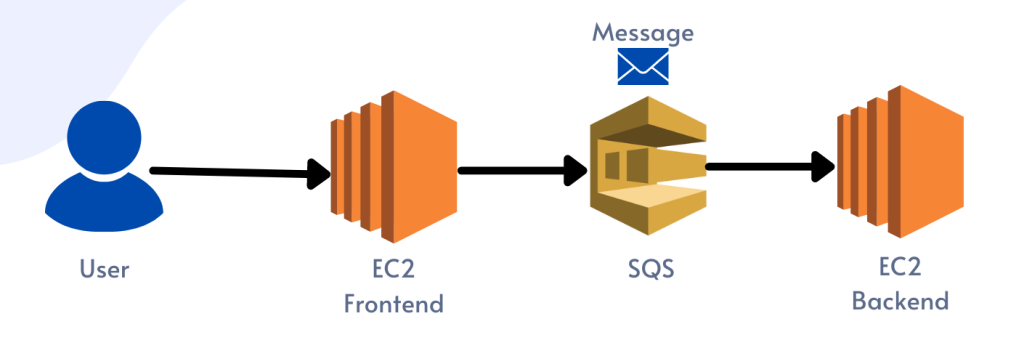 SQS Queue Solution
The user submitted the order.
Now imagine something goes wrong. The user typed their email address in the address field, and your frontend didn’t catch it. The message goes into the queue fine. Your backend pulls it, tries to process it, fails, and the message goes back to the queue. Another backend server pulls the same message, fails again, and this cycle repeats.
Eventually the visibility timeout maxes out and the message reappears. This keeps happening until the message hits the 14-day retention limit, at which point SQS deletes it permanently. You lose the order.
The fix is straightforward: a dead letter queue.
What is an SQS Dead Letter Queue?
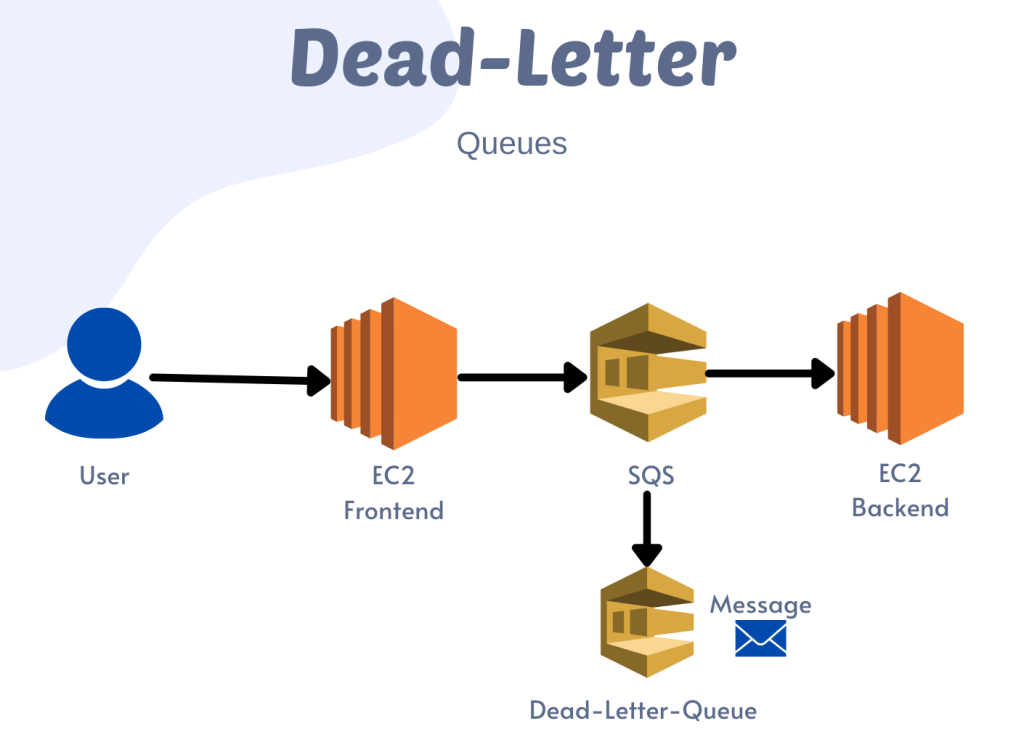 SQS Dead Letter Queue
A dead letter queue is just another SQS queue. Once a message hits your retry limit, SQS moves it there instead of cycling it endlessly in your primary queue.
You capture failed messages so you can inspect them later, debug the issue, or reprocess them once you’ve fixed the problem.
How to Create a Dead Letter Queue
Create the dead letter queue before you create your primary queue. Here’s how.
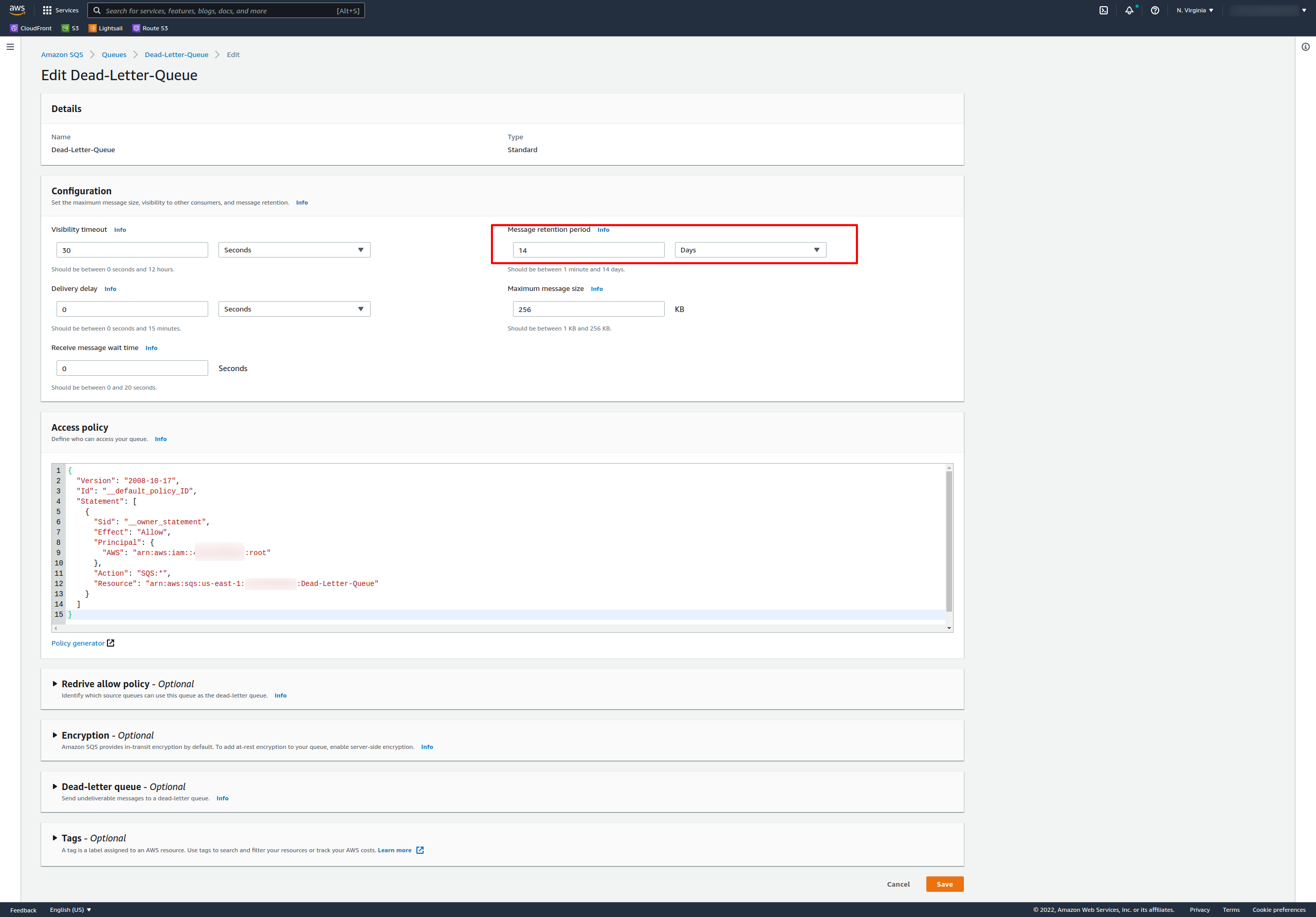
Set the message retention period to 14 days (the maximum) for your dead letter queue. Leave other settings at their defaults.
Your dead letter queue is ready. Now create your primary queue.
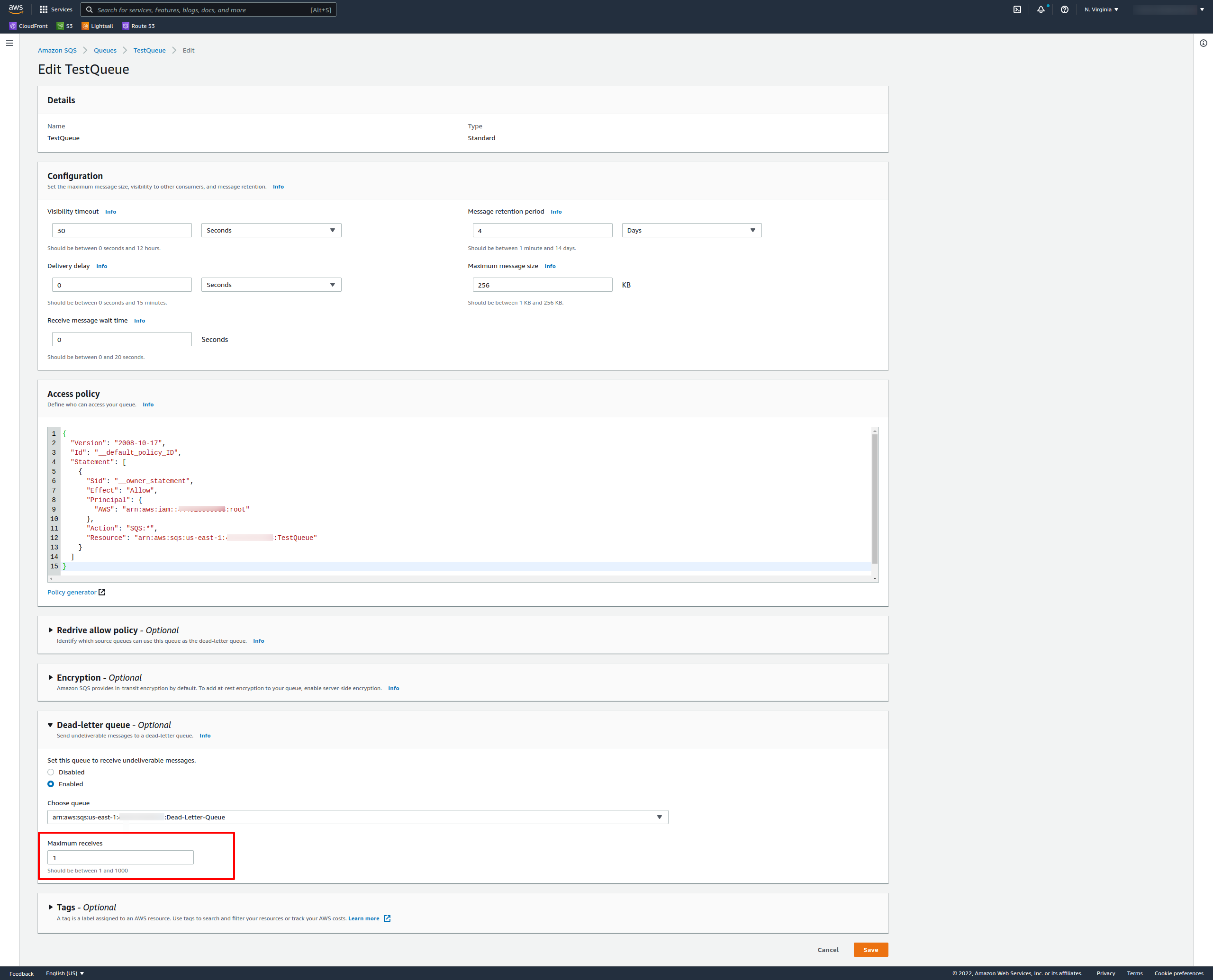
Use defaults for everything except the dead letter queue settings:
- Set Dead-letter queue to Enabled
- Pick the ARN of the dead letter queue you just created
Create the dead letter queue first, then assign it to your primary queue. A dead letter queue is just a regular queue that acts as a holding area for failed messages.
Maximum Receives
This setting controls how many times SQS can deliver a message before it moves to the dead letter queue. Set it to 3, for example, and the third failed attempt triggers the move.
For testing, set it to 1 so you can see the behavior quickly. In production, values between 3 and 5 are common.
Let’s send a message and see this in action.
On your TestQueue, click “Send and receive messages.”
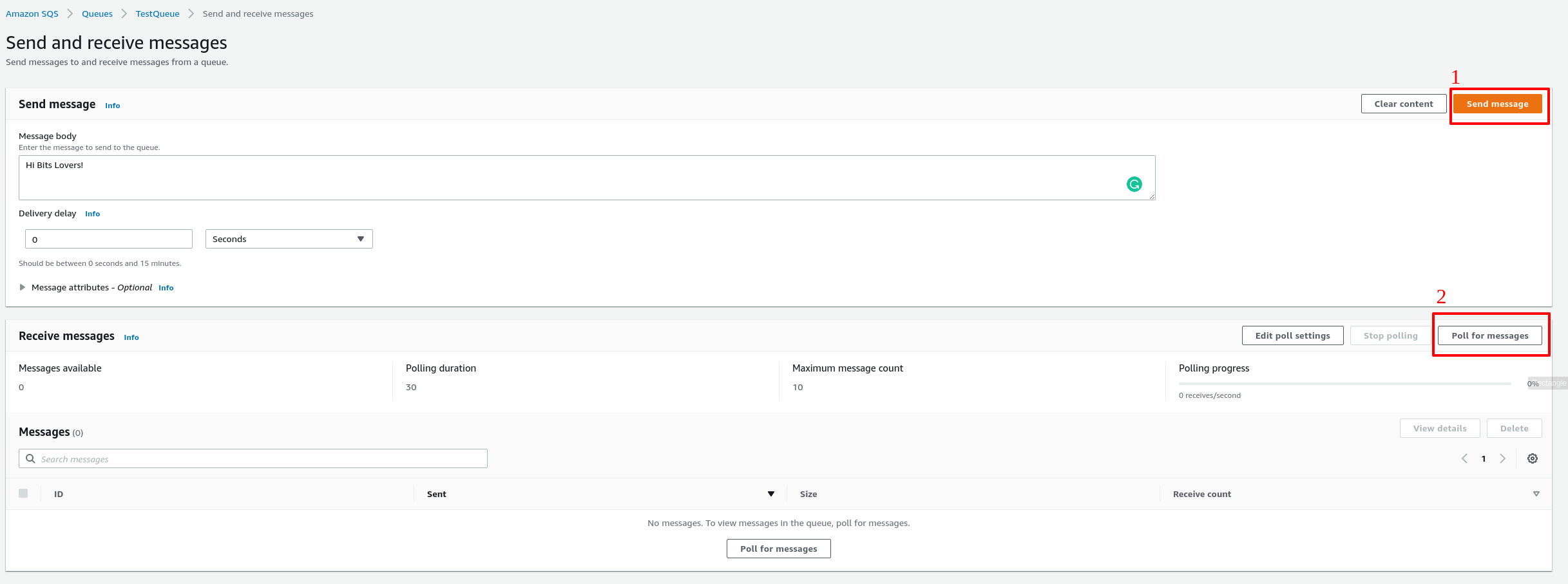
Type a message like “Hi Bits Lovers!” and click Send.
Now poll for messages. Click “Poll for Messages.”
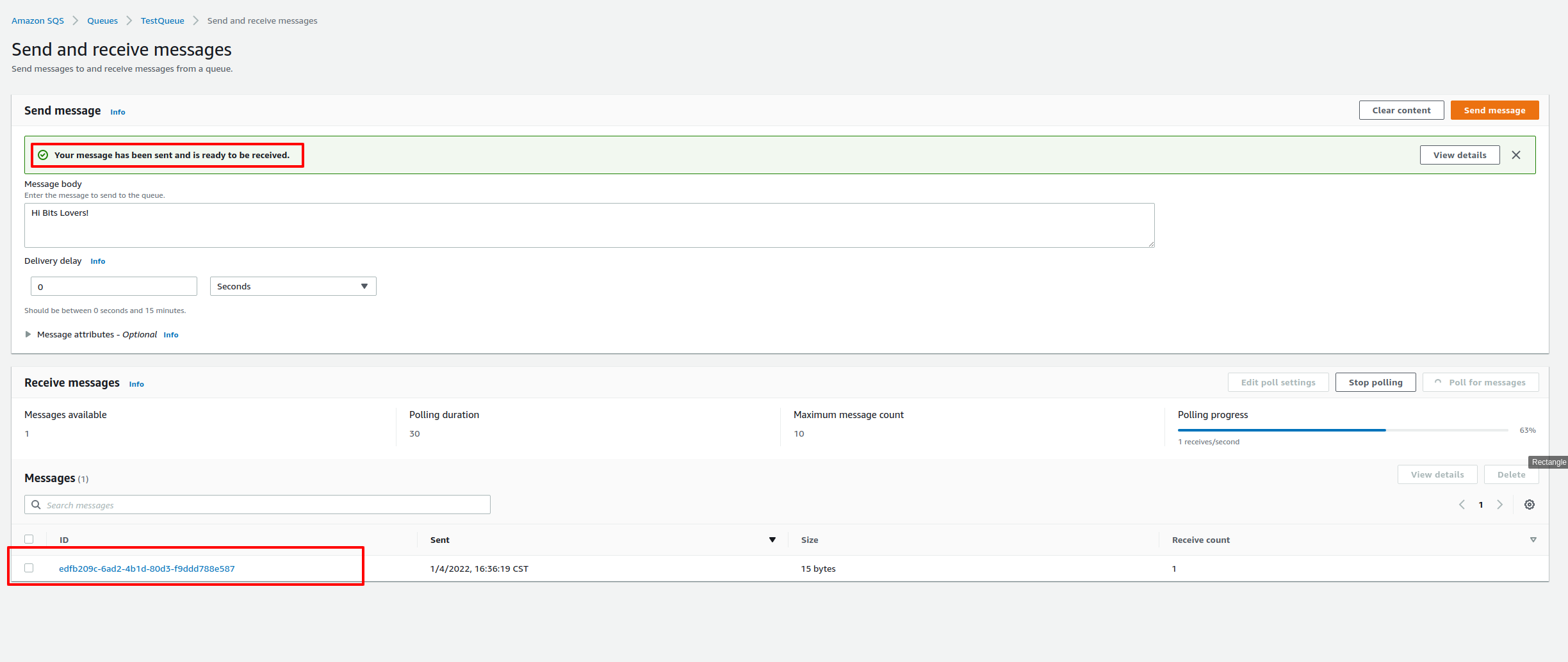
Look at the receive count. It shows 1, meaning SQS delivered this message once.
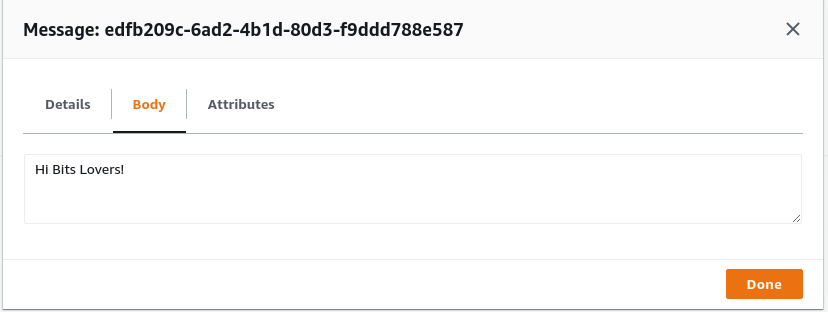
Open the message and read it.
Now poll again.
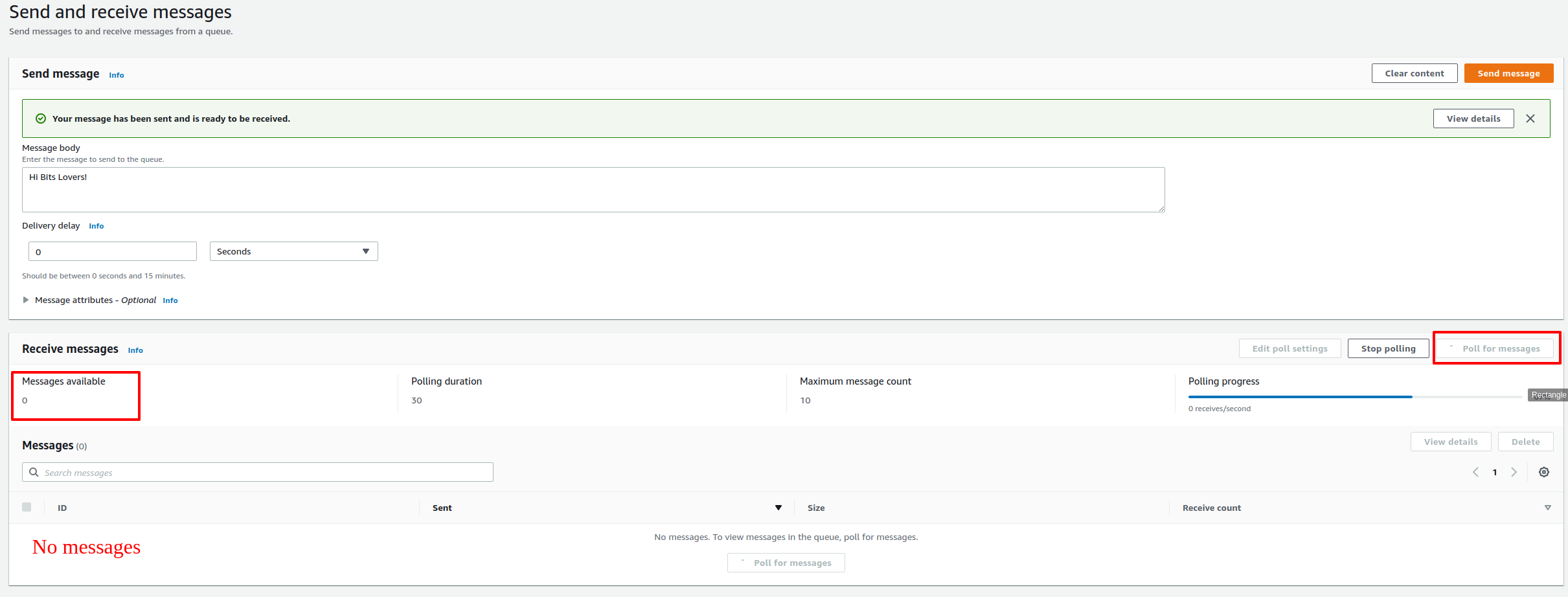
No messages. What happened: you received the message once, hit the Maximum Receives limit of 1, and SQS moved it to the Dead-Letter-Queue.
Check your Dead-Letter-Queue.

TestQueue shows zero messages. Dead-Letter-Queue has one.
Poll the Dead-Letter-Queue and open the message. You can read “Hi Bits Lovers!” but notice something important: the receive count shows how many times the message was received before landing here. If you polled three times, it shows 4 (the original receive plus your three polls).
The receive count follows the message. You can always see how many delivery attempts happened.
This gives you a practical view of how dead letter queues work: messages that can’t be processed get sideloined so they don’t clog your primary queue or get lost.
SQS Dead Letter Queue Redrive
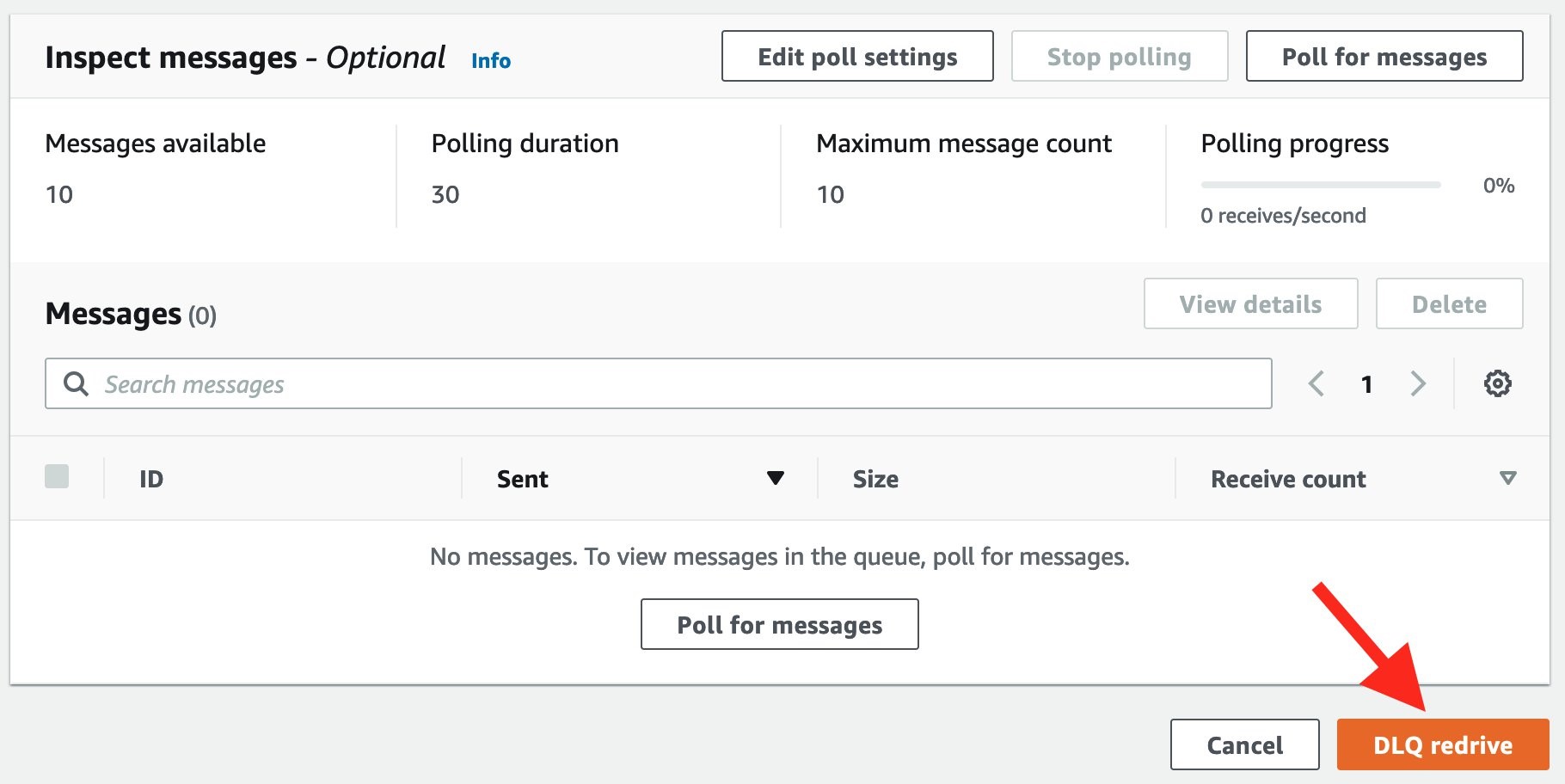
In December 2021, AWS added the DLQ Redrive feature. This lets you move messages from a dead letter queue back to its source queue or queues.
What Does Redrive Do?
Redrive transfers unconsumed messages from a dead letter queue back to the original source queue. You can inspect message attributes and metadata to understand why processing failed.
Redrive runs asynchronously. It only moves messages that exist in the DLQ when you start the task. If new messages arrive while a redrive is running, you run a new task after the current one completes.
Exam Tips
Key point for the exam: a dead letter queue is just a regular SQS queue. There’s nothing special about it except how you use it. It’s a temporary holding area for messages that failed processing.
Dead-letter Queue Monitoring
Dead letter queues have all the same characteristics as regular queues. Set up a CloudWatch alarm on queue depth. If your DLQ starts filling up, something is wrong and you need to investigate. Without this alarm, you won’t know there’s a problem until you’ve lost orders or data.
When designing autoscaling, include the DLQ depth in your scaling triggers.
Dead-letter Queues Are Just Regular Queues
Don’t overthink this on the exam. A DLQ is a standard queue with standard behavior. It doesn’t have special powers or limitations beyond what any SQS queue has.
Retention Window
The retention window is identical to your primary queue. Messages in a DLQ can stay up to 14 days. If you see an exam question about keeping messages longer than 14 days in a DLQ, that’s wrong.
DLQs Work with SNS
You can attach a dead letter queue to an SNS topic. If a message fails to deliver to a subscription, SQS moves it to your DLQ for inspection.
Consistency Requirements
The type must match. A FIFO queue’s DLQ must be a FIFO queue. A standard queue’s DLQ must be a standard queue. AWS enforces this.
Limitations
The DLQ and its source queue must be in the same AWS account and the same region. Cross-account DLQs are not supported.
Beyond SQS
To learn more about SQS, check our article on SQS FIFO queues.
Conclusion
For the complete picture of processing SQS messages with Lambda — including batch failures and visibility timeout traps — see SQS Lambda Event Source Mapping.
SQS Dead Letter Queue is part of what makes AWS Highly Available.
Dead letter queues give you:
- Control over messages that fail processing
- Time to investigate why processing didn’t work
- A way to inspect message contents and delivery metadata
- Alerts via CloudWatch when the DLQ depth increases
When to Use a Dead Letter Queue
- When you want to reduce the number of messages that succeed delivery but fail processing
- With standard queues when you don’t need strict ordering
- Dead letter queues help you debug bad message formatting or downstream service outages
When NOT to Use a Dead Letter Queue
- With FIFO queues if strict ordering matters and you can’t tolerate messages moving out of sequence
- When you need infinite retries (a DLQ sidesteps messages, it doesn’t retry forever)
- When one application must wait for an external condition before processing a message
Articles Recommend
What is the difference between SQS Standard Queue and FIFO Queue?
Scale Horizontally or Vertically which one is better?
Design a Decouple Architecture on AWS.
Explore more like this

Aurora Serverless v2 + Bedrock: AI Database Queries in 2026
I connected Bedrock to our Aurora cluster last month. The first thing I asked it was “show me all customers who churned in Q1 but came back in Q2” —...

Terraform State Locking with S3 and DynamoDB in 2026
The moment two engineers run terraform apply at the same time without state locking, you have a race condition that can corrupt your entire infrastructure state. Both processes read the...

GitLab CI Environments and Review Apps in 2026
Review apps changed how my team does code review. Instead of reading diffs, reviewers click a link and see the actual change running. The designer can verify spacing on the...

Comments