
ECS Service Connect Zone-Aware Routing: Cut Cross-AZ Cost Without Sacrificing Availability

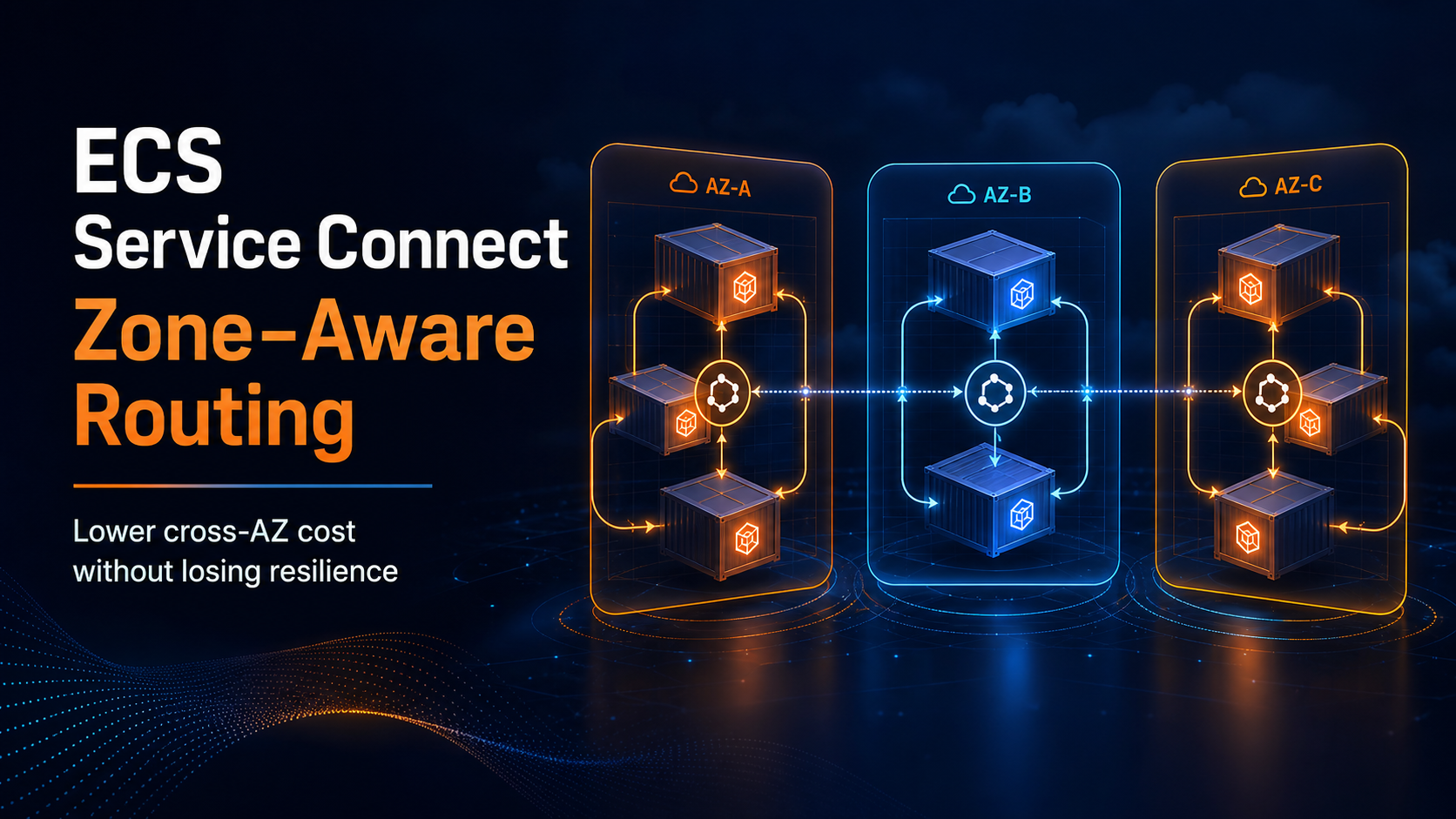
On July 23, 2026, AWS changed the default traffic path inside Amazon ECS Service Connect. A client proxy now prefers a healthy destination task in its own Availability Zone before crossing an AZ boundary. Existing services need one new deployment to pick up the behavior. There is no new routing object to maintain and no application code to change.
That sounds like a small load-balancer improvement. It isn’t. Service-to-service traffic can be one of the least visible lines on an AWS bill because every call looks local to the application while the network path may cross zones twice: once for the request and once for the response. Zone-aware routing changes the usual first choice from “any healthy task” to “a healthy local task when the fleet is large enough.”
The last clause matters. AWS deliberately falls back to regional balancing when local routing would weaken availability or overload a small set of tasks. This guide builds a production rollout around that behavior. It covers the endpoint threshold, task placement, deployment, measurement, failure testing, and the cases where a different connectivity service is still the better answer.
If Service Connect itself is new to you, start with the practical Amazon ECS Service Connect guide. The configuration below assumes that your services already use a Cloud Map namespace and named container ports.
What AWS actually changed
Service Connect injects an AWS-managed Envoy proxy into each participating ECS task. Your application calls a short endpoint such as orders:8080; the local proxy resolves healthy endpoints through the Service Connect control plane, applies load balancing and retries, and forwards the connection. The application never needs to understand task IP addresses.
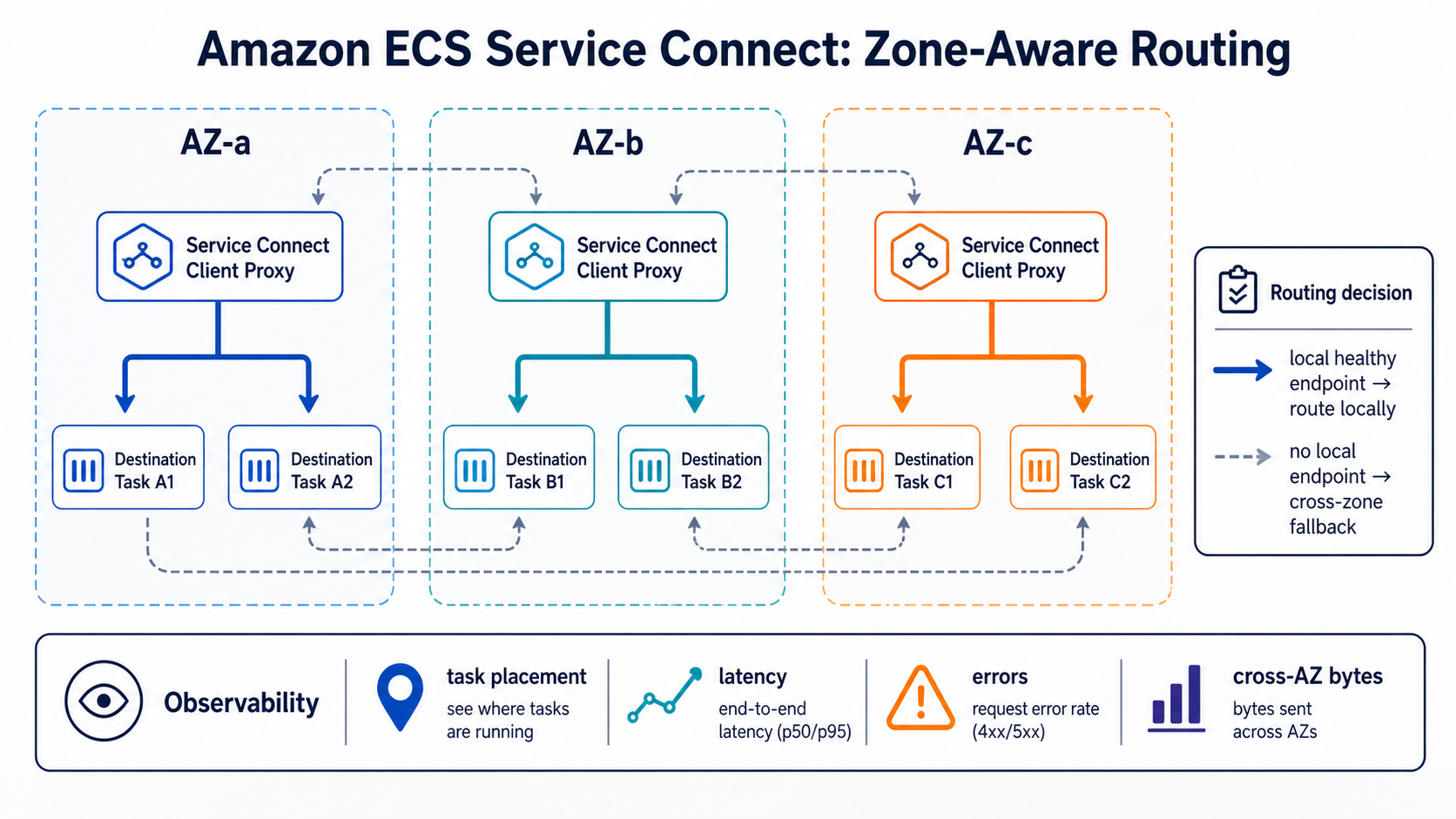
Zone-aware routing adds locality to that proxy decision. When the source and destination services both have tasks in us-east-1a, for example, the proxy tries to keep the connection in us-east-1a. It still considers health and fleet balance. The feature is best effort, not a hard “never leave this zone” policy.
The implementation follows Envoy’s zone-aware load-balancing model. Envoy compares the share of source capacity in the local zone with the share of healthy destination capacity there. If the proportions match, nearly all eligible traffic can remain local. If one zone has too few destination tasks, some traffic crosses zones to avoid turning those few tasks into a hot spot.
| Condition | Proxy behavior | Operational consequence |
|---|---|---|
At least 2 × AZ count healthy destination endpoints |
Zone-aware routing is eligible | Local endpoints are preferred while load remains balanced |
| Endpoint count falls below that threshold | Regional balancing resumes automatically | Availability wins over data-transfer optimization |
| No healthy endpoint exists in the local AZ | A healthy endpoint in another AZ is selected | Requests continue, but cross-AZ traffic rises |
| Existing Service Connect service has not been redeployed since launch | Old tasks may not carry the new proxy behavior | Force one controlled deployment |
| Destination capacity is uneven across zones | Some requests leave the local AZ | Correct task placement before blaming the proxy |
For a three-AZ service, the minimum is six healthy destination endpoints. Two tasks spread across three zones can’t qualify. Four tasks are still below the threshold. Six is the first eligible count, but six badly distributed tasks (four, one, one) still produce cross-zone traffic because the proxy protects the smaller zones from overload.
AWS documents the feature and its automatic fallback in the Service Connect zone-aware routing announcement. The default Envoy minimum is also six upstream hosts, documented under upstream.zone_routing.min_cluster_size.
Why the old regional path gets expensive
Imagine a checkout service receiving 1 TB of responses from an inventory service each month. Both services run evenly across three AZs. With region-wide random balancing, roughly two-thirds of the requests have a destination outside the source AZ. The exact bill depends on Region, direction, protocol overhead, and which AWS products sit in the path, so don’t copy a generic dollar figure into a forecast. Use the current EC2 data-transfer pricing for the Region and validate it in your Cost and Usage Report.
A useful estimate is:
cross-AZ bytes = service bytes × remote-route share
monthly transfer cost = cross-AZ GB × applicable per-GB rates
The remote-route share is the variable zone-aware routing attacks. It does not reduce application bytes, NAT processing, load-balancer LCUs, or public egress. It simply avoids a regional hop when a healthy, appropriately balanced endpoint is already next door.
The latency gain is similarly workload-specific. A same-zone hop usually removes a network boundary, but AWS doesn’t publish one universal millisecond reduction. Measure your own p50 and p99. A chatty internal API with hundreds of calls per user request may show a clearer change than a batch job that moves one large object.
Prepare the services before redeploying
First, confirm that every server port participating in Service Connect has a stable name and, for HTTP metrics, an appProtocol value. This task-definition fragment exposes an HTTP server named orders:
{
  "family": "orders-api",
  "networkMode": "awsvpc",
  "requiresCompatibilities": ["FARGATE"],
  "cpu": "512",
  "memory": "1024",
  "containerDefinitions": [
    {
      "name": "orders-api",
      "image": "111122223333.dkr.ecr.us-east-1.amazonaws.com/orders:2026-07-30",
      "essential": true,
      "portMappings": [
        {
          "name": "orders-http",
          "containerPort": 8080,
          "protocol": "tcp",
          "appProtocol": "http"
        }
      ],
      "healthCheck": {
        "command": ["CMD-SHELL", "curl -fsS http://localhost:8080/health || exit 1"],
        "interval": 15,
        "timeout": 5,
        "retries": 3,
        "startPeriod": 30
      }
    }
  ]
}
Health checks are part of the routing design. Service Connect waits for essential containers to become healthy before accepting traffic. An UNKNOWN container can remain out of rotation for a calculated window of up to eight minutes, while an UNHEALTHY task may be replaced. The Service Connect configuration reference explains that initial-health behavior.
Next, inspect task placement by AZ. With awsvpc networking, each task has an ENI in one subnet. The command below maps running tasks to their ENIs and Availability Zones:
CLUSTER=production
SERVICE=orders-api

TASKS=$(aws ecs list-tasks \
  --cluster "$CLUSTER" \
  --service-name "$SERVICE" \
  --desired-status RUNNING \
  --query 'taskArns[]' \
  --output text)

aws ecs describe-tasks \
  --cluster "$CLUSTER" \
  --tasks $TASKS \
  --query 'tasks[].{task:taskArn,az:availabilityZone,health:healthStatus}' \
  --output table
Don’t proceed merely because the desired count is six. You want two healthy tasks in each of three zones, not six tasks with most capacity in one zone. ECS service scheduling normally spreads tasks, but insufficient subnet capacity, Fargate capacity, placement constraints, or a deployment in progress can produce a temporary imbalance.
For EC2-backed ECS, inspect container-instance placement constraints as well. A perfect service definition cannot create local capacity in an AZ with no registered instances.
Activate zone-aware routing on an existing service
There is no zoneAware=true setting. New Service Connect deployments receive the behavior automatically. For an existing service, create a fresh deployment after checking the threshold and distribution:
aws ecs update-service \
  --cluster production \
  --service orders-api \
  --force-new-deployment \
  --deployment-configuration \
    maximumPercent=200,minimumHealthyPercent=100,deploymentCircuitBreaker='{enable=true,rollback=true}'

aws ecs wait services-stable \
  --cluster production \
  --services orders-api
Roll out the destination service first, then its clients. That sequence ensures clients see a fully refreshed endpoint fleet. If several services call one another, start at the bottom of the dependency graph and work upward instead of recycling every task simultaneously.
The deployment circuit breaker protects the task rollout, not business behavior. A service can reach STEADY_STATE while returning semantically wrong responses. Keep your normal synthetic checks and canary validation. The traffic-routing patterns in the ECS NLB canary and linear deployment guide still apply at the application edge.
Prove that traffic became local
Service Connect publishes request, response-code, byte, connection, and latency metrics to CloudWatch. RequestCount and HTTP status metrics require appProtocol on the server port. The ECS CloudWatch metrics reference lists the DiscoveryName, ServiceName, and ClusterName dimensions.
Use three evidence layers rather than one dashboard:
| Evidence | What it proves | What it cannot prove alone |
|---|---|---|
| Service Connect request and latency metrics | Proxies are carrying healthy application traffic | Which AZ each connection crossed |
| ECS task-to-AZ inventory | Source and destination capacity is balanced | Actual byte path |
| VPC Flow Logs or network telemetry grouped by ENI/AZ | Connections and bytes stay local or cross zones | Application-level success without correlation |
| Cost and Usage Report after several days | Billable regional transfer changed | Immediate rollout health |
Capture a baseline for at least one representative traffic window before deployment. After deployment, compare the same hours and day-of-week. A 15-minute sample during low traffic can be dominated by keep-alive connections and deployment churn.
For application health, alarm on a ratio rather than a raw count. An example CloudWatch metric-math expression is 5xx / MAX([request_count, 1]). Pair it with p99 TargetResponseTime and connection errors. The observability platform comparison can help if you need to decide whether CloudWatch alone is sufficient for service-level correlation.
Run the failure test that matters
The risky misconception is that zone-aware means zone-pinned. It doesn’t. Healthy remote endpoints remain part of the availability plan.
Run the test in a non-production environment with the same AZ count and at least the production threshold. Generate steady traffic from clients in all zones. Then remove or stop the destination tasks in one AZ and watch four things:
- Local traffic in the two healthy zones should remain local where capacity allows.
- Clients in the impaired zone should fail over to healthy remote endpoints.
- Error rate should stay within the service objective while connections move.
- Per-task load should not exceed the remaining fleet’s safe capacity.
You can stop selected tasks with aws ecs stop-task, but the scheduler immediately tries to replace them. A more realistic exercise constrains or removes capacity in the test AZ long enough to observe fallback. Document the exact blast radius first. The AWS Fault Injection Service guide covers guardrails, stop conditions, and experiment templates for controlled resilience work.
Capacity is the usual surprise. Six endpoints meet the three-AZ threshold, but losing two leaves four. Envoy then disables zone-aware routing because the endpoint count is below six and balances across the surviving endpoints. That is correct. Your dashboards will show more cross-zone traffic precisely when availability requires it.
Uneven fleets, autoscaling, and deployments
Application Auto Scaling can move a service above and below the eligibility threshold throughout the day. Suppose a three-AZ service scales from nine tasks at peak to three overnight. Zone-aware routing is active at nine and inactive at three. There is no outage; the cost and locality characteristics change.
Set the minimum task count from availability requirements, not solely from the routing threshold. Six tiny tasks may cost more than three right-sized tasks and still offer worse tail latency. Conversely, reducing from six to five can create a step change in cross-AZ traffic. Include transfer cost in the scaling model if the service moves large payloads.
Deployments temporarily create old and new task sets. maximumPercent=200 can double endpoints, while task draining removes them later. Expect the locality ratio to move during rollout. Measure steady state after ECS reports the service stable.
Long-lived HTTP/2 and gRPC connections also delay the visible effect. Existing connections don’t teleport to a local endpoint when the deployment finishes. They must close and reconnect. Avoid forcing connection churn globally just to make a graph look clean; validate new connections first.
Security and reliability boundaries
Zone-aware routing does not create network authorization. Security groups, IAM roles, TLS, and application authentication remain unchanged. A local endpoint is not inherently more trusted than a remote one.
Service Connect supports TLS, but certificate and key management still deserve explicit review. If you’re migrating from App Mesh, use the App Mesh to ECS Service Connect migration guide to compare encryption, traffic policy, and observability rather than assuming feature parity.
The proxy’s fallback is a reliability feature. Do not try to block all cross-AZ service traffic with security-group rules to “guarantee” savings. Security groups don’t express AZ locality cleanly, and such a rule would turn an AZ impairment into an application outage. Use dashboards and budgets to govern cost while leaving the recovery path open.
When Service Connect is the right boundary
Service Connect is strongest when ECS services need simple, observable connectivity inside a namespace. It isn’t a universal networking plane.
| Requirement | Recommended choice | Reason |
|---|---|---|
| ECS-to-ECS calls with short names, retries, metrics, and local routing | Service Connect | Managed proxy and ECS-native deployment lifecycle |
| Connectivity from Lambda, EC2, EKS, or on-premises clients | VPC Lattice or load balancer | Service Connect clients must be ECS services using Service Connect |
| Public north-south HTTP traffic | ALB, NLB, or API Gateway | Service Connect only interconnects services |
| Advanced service-mesh policy across heterogeneous platforms | Evaluate Istio, VPC Lattice, or another mesh | Service Connect intentionally exposes fewer controls |
| Hard single-AZ data residency | Redesign the workload boundary | Zone-aware routing is a preference with fallback, not an isolation control |
The VPC Lattice versus Service Connect decision guide goes deeper on mixed-compute connectivity. AWS also recommends Service Connect for ECS service-to-service communication in its ECS VPC connectivity best practices.
Production rollout checklist
Before the deployment, record the AZ distribution, healthy endpoint count, request volume, p99 latency, error ratio, and cross-AZ bytes. Confirm every server port has a name and the correct appProtocol. Make sure the service can lose one AZ without exhausting CPU, memory, connections, or downstream quotas.
During deployment, refresh destination services before clients. Keep the deployment circuit breaker enabled. Watch task placement and application synthetic checks rather than relying only on services-stable.
Afterward, compare equivalent traffic windows. Test the below-threshold fallback on purpose. Then add an alert when healthy destination endpoints approach 2 × AZ count, because crossing that line changes the routing mode even though the ECS service remains healthy.
The useful mental model is simple: zone-aware routing is a cost-aware preference wrapped in an availability-first fallback. Give Service Connect enough balanced capacity, and most ordinary calls stay local. Remove that capacity, and the proxy spends the extra network money to keep the service alive. That is exactly the tradeoff a production platform should make.
Prove savings without weakening resilience
The safest rollout is a controlled comparison, not a fleet-wide switch followed by a lower bill. Select one service with steady cross-zone traffic, at least two healthy destinations in every intended Availability Zone, and enough request volume to distinguish routing changes from noise.
Capture a baseline for seven days if the workload has weekday seasonality. Record request rate, response latency by percentile, errors, destination task count by zone, deployments, failovers, bytes transferred between zones, and the corresponding Cost and Usage Report line items. A single CloudWatch graph cannot prove a cost change because application traffic, payload size, and task placement may all change together.
Then enable zone-aware routing and redeploy every Service Connect service whose generated Envoy configuration must change. Verify the new tasks become healthy before removing the old ones. During the comparison window, hold desired counts and load-test shape steady.
Run four failure experiments in a non-production environment:
- Remove one same-zone destination and confirm another local endpoint receives traffic.
- Remove all destinations from one zone and confirm requests fall back across zones instead of failing.
- Reduce the total destination set below the minimum required for zone-aware behavior and observe the documented fallback.
- Create an uneven placement scenario and confirm latency and error SLOs stay intact while the scheduler restores balance.
The expected result is local preference during normal health and cross-zone reachability during impairment. If traffic remains cross-zone during healthy conditions, check that client and destination tasks expose correct Availability Zone metadata, the destination population meets the minimum, the namespace is configured, and every participating service was redeployed.
Use a simple decision record for each service:
| Evidence | Proceed | Pause |
|---|---|---|
| Destination coverage | Two or more healthy endpoints per participating zone | Sparse or frequently imbalanced placement |
| Latency | Stable or improved at p95 and p99 | Tail latency regresses beyond the SLO budget |
| Failure recovery | Cross-zone fallback succeeds within the expected window | Requests fail when a local zone empties |
| Cost | CUR shows lower regional data-transfer charges at comparable traffic | Savings cannot be separated from traffic change |
| Operations | Dashboards expose zone distribution and fallback | On-call cannot tell local preference from outage |
Do not set capacity merely to satisfy the feature threshold. Desired count must still cover application load, deployment surge, and an Availability Zone failure. Zone-aware routing changes the preferred network path; it does not replace capacity planning or multi-zone recovery.
Sources
- AWS: Announcing zone-aware routing in Amazon ECS Service Connect
- Amazon ECS: Use Service Connect to connect services
- Amazon ECS: Service Connect configuration overview
- Amazon ECS: Configure Service Connect with the AWS CLI
- Amazon ECS: CloudWatch metrics
- Envoy: Zone-aware routing
- AWS: EC2 data-transfer pricing
Explore more like this

Cloud IoT Security: Zero Trust, Identity, and Signed Updates
On September 11, 2026, the Cyber Resilience Act’s incident-reporting rules start applying in the European Union. That is 22 days after this article’s publication date. A manufacturer that learns of...

Kill the Docker Hub Token: OIDC Trust for GitHub Actions
On July 31, 2026, Docker shipped OIDC connections for GitHub Actions to any organization on a Docker Team, Docker Business, or Docker Hardened Images subscription, plus organizations in the Docker-Sponsored...

Bedrock Web Search: Grounding an Agent Without Building a Scraper
On August 4, 2026, AWS made Web Search on Amazon Bedrock generally available, and the entire integration surface is one JSON object: {"type": "web_search"}. That is the whole change from...

Comments