
Testing in DevOps: Strategies That Actually Work in 2026

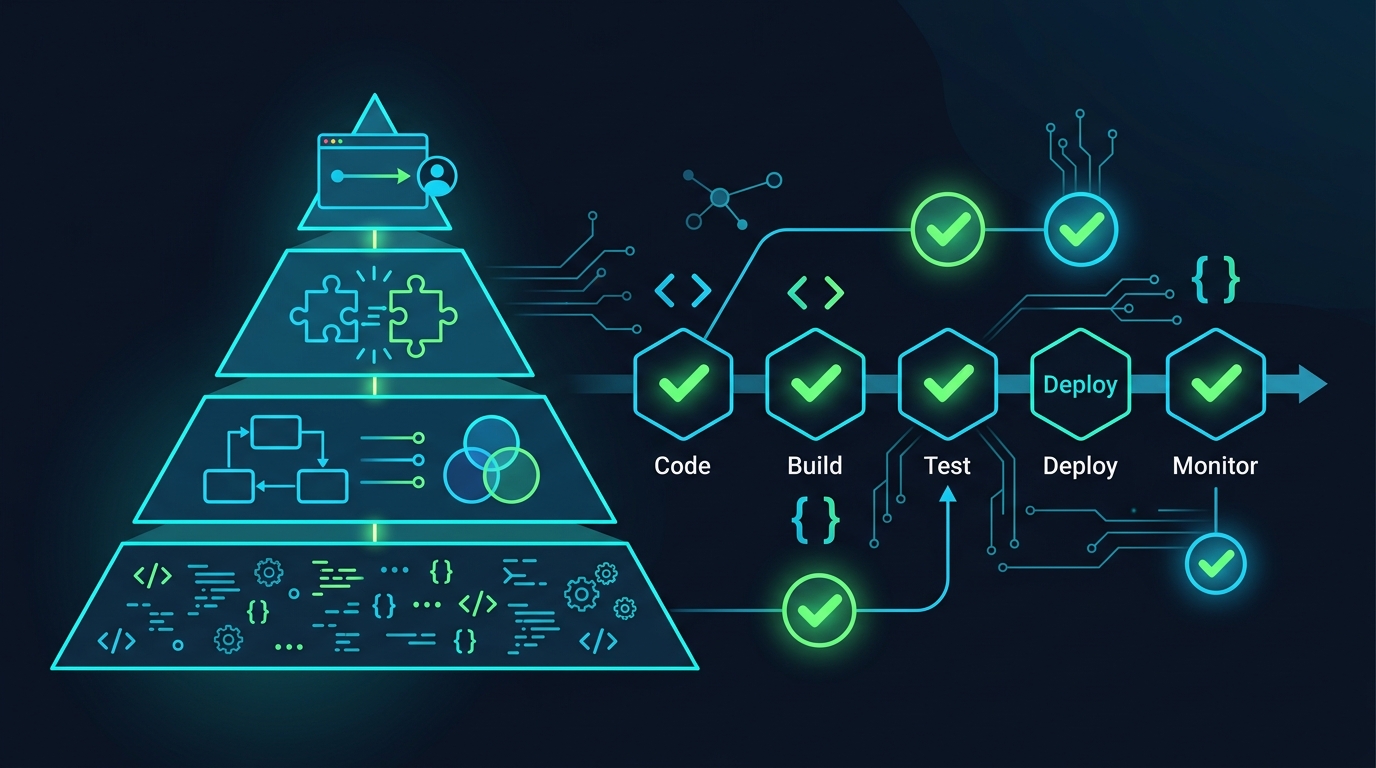
Most teams do not have a testing problem. They have a feedback-latency problem. Code gets written, pushed, and the first signal that something is wrong arrives from a production alert at 2am — or, if they’re lucky, from a QA engineer who caught it three days later.
The point of testing in a DevOps pipeline is not to have tests. It’s to get accurate feedback as early as possible so that fixing something costs minutes instead of hours. That reframe changes almost every decision you make about how to structure your test suite.
The Tension That Actually Exists
Fast deployments and thorough testing pull in opposite directions. Deploy twice a day and your test suite needs to finish in under ten minutes or it blocks the pipeline. But a suite designed to run in ten minutes cannot exercise every code path in a complex system.
The answer is not to compromise on either side. It’s to be deliberate about which tests run where. Not every check needs to run on every commit. Some tests belong at merge time. Others belong as a nightly job. Understanding that distinction is where most teams can reclaim significant pipeline time without sacrificing quality.
Shift-Left: What It Actually Means
Shift-left testing gets misread as “just add more tests.” That’s not it. The shift is specifically about moving feedback earlier in the development cycle — before a branch is even pushed, ideally.
Concretely, this means:
- Linters and static analysis run in the developer’s IDE, not in CI
- Unit tests run locally on every file save (via a watcher like
pytest-watchorjest --watch) - Security scanning runs as a pre-commit hook, not as a post-merge job
- Type checking (
mypy,tsc) is part of the editor feedback loop, not a CI step you wait for
When a developer gets a type error the instant they write broken code, they fix it in thirty seconds. When they get the same error as a CI failure on a branch they opened an hour ago, they have to reload context, figure out which change broke it, fix it, push again, and wait for another CI run. The bug is the same size. The cost is ten times higher.
The pipeline still runs all these checks — you cannot trust that everyone’s local tooling is configured correctly — but the goal is to make local fast feedback loops so reliable that CI failures become rare exceptions rather than the expected workflow.
The Test Pyramid in 2026
The classic pyramid — lots of unit tests, fewer integration tests, minimal E2E tests — is still the right shape, but there’s a layer that most teams skip entirely: contract tests. The pyramid in practice looks like this:
          /\
         /E2E\          ← few, slow, test critical user flows
        /------\
       / Contract\      ← underused, fast, test service boundaries
      /------------\
     / Integration  \   ← moderate, test real dependencies together
    /----------------\
   /    Unit Tests    \  ← many, fast, test functions and classes
  /--------------------\
Contract tests sit between integration and E2E and solve a specific problem: when you have Service A calling Service B, how do you verify that both sides agree on the shape of that API call without spinning up both services?
Consumer-driven contract testing with Pact works like this: Service A (the consumer) generates a “pact” file that describes what it expects from Service B. Service B runs that pact file against itself in isolation to verify it can fulfill the consumer’s expectations. Neither service needs to know about the other at test time.
A minimal Pact consumer test in Python looks like:
from pact import Consumer, Provider

pact = Consumer("order-service").has_pact_with(Provider("inventory-service"))

def test_get_inventory_item():
    expected = {"id": "sku-123", "stock": 42, "reserved": 5}

    (pact
     .given("item sku-123 exists with stock 42")
     .upon_receiving("a request for item sku-123")
     .with_request("GET", "/items/sku-123")
     .will_respond_with(200, body=expected))

    with pact:
        result = inventory_client.get_item("sku-123")
        assert result["stock"] == 42
This runs entirely in-process. When Service B’s team changes their response schema, they run the pact against their service and the test fails before anything is deployed. This is the contract layer doing its job: catching integration mismatches fast, without needing a real environment.
Testcontainers: Stop Mocking Your Database
Mocking a database or a Redis client in unit tests creates a category of bugs that only appear in production: your mock does not behave like the real thing. Connection pool exhaustion, transaction isolation levels, Redis eviction policies — none of that is captured by a mock that returns {"key": "value"}.
Testcontainers spins up real Docker containers during your test run, then tears them down when the test finishes. The database your test writes to is a real Postgres instance. The cache your test reads from is real Redis.
Here’s a Python example using testcontainers-python with Postgres:
import pytest
from testcontainers.postgres import PostgresContainer
from sqlalchemy import create_engine, text

@pytest.fixture(scope="session")
def postgres():
    with PostgresContainer("postgres:16-alpine") as pg:
        engine = create_engine(pg.get_connection_url())
        yield engine

def test_user_insert_and_query(postgres):
    with postgres.connect() as conn:
        conn.execute(text("""
            CREATE TABLE IF NOT EXISTS users (
                id SERIAL PRIMARY KEY,
                email TEXT NOT NULL UNIQUE
            )
        """))
        conn.execute(text("INSERT INTO users (email) VALUES ('[email protected]')"))
        conn.commit()

        row = conn.execute(text("SELECT email FROM users WHERE id = 1")).fetchone()
        assert row[0] == "[email protected]"
The test is slow compared to a unit test — a few seconds to spin up the container. That’s the right tradeoff: you’re testing the actual SQL dialect, the actual constraint behavior, the actual connection handling. Run these in your integration test stage, not your unit test stage.
Testcontainers supports Postgres, MySQL, Redis, Kafka, LocalStack, Elasticsearch, and dozens more. For Kafka-heavy services, this is particularly valuable: Kafka’s partition and offset semantics are genuinely hard to replicate with mocks.
GitLab CI: Parallel Test Execution
A test suite that takes 20 minutes is a problem even if every test is well-written. The answer is parallelization. GitLab CI’s parallel:matrix lets you split a test suite across multiple runners without any changes to your test code.
Here’s a practical .gitlab-ci.yml configuration that runs unit tests in parallel, enforces coverage, and handles artifacts:
stages:
  - test
  - report

unit-tests:
  stage: test
  image: python:3.12-slim
  parallel:
    matrix:
      - TEST_SLICE: ["0", "1", "2", "3"]
  script:
    - pip install -r requirements-test.txt
    - |
      pytest tests/unit/ \
        --splits 4 \
        --group $TEST_SLICE \
        --cov=src \
        --cov-report=xml:coverage-${TEST_SLICE}.xml \
        --junitxml=junit-${TEST_SLICE}.xml
  coverage: '/TOTAL.*\s+(\d+%)$/'
  artifacts:
    when: always
    reports:
      junit: junit-${TEST_SLICE}.xml
      coverage_report:
        coverage_format: cobertura
        path: coverage-${TEST_SLICE}.xml
    paths:
      - coverage-${TEST_SLICE}.xml
    expire_in: 1 day

integration-tests:
  stage: test
  image: python:3.12-slim
  services:
    - postgres:16-alpine
    - redis:7-alpine
  variables:
    POSTGRES_DB: testdb
    POSTGRES_USER: testuser
    POSTGRES_PASSWORD: testpass
    DATABASE_URL: "postgresql://testuser:testpass@postgres/testdb"
    REDIS_URL: "redis://redis:6379"
  script:
    - pip install -r requirements-test.txt
    - pytest tests/integration/ --cov=src --cov-report=xml:coverage-integration.xml
  artifacts:
    reports:
      coverage_report:
        coverage_format: cobertura
        path: coverage-integration.xml
The --splits and --group flags come from the pytest-split plugin, which distributes tests evenly based on previous run durations stored in a .test_durations file. This means the split is timing-aware — slow tests don’t pile up in one group.
For GitLab’s coverage badge and merge request widget to work, the coverage: regex needs to match the output of your coverage tool. The regex /TOTAL.*\s+(\d+%)$/ works for pytest-cov’s default terminal output. You can also use GitLab CI Variables to parameterize coverage thresholds per branch or environment.
Coverage artifacts using the Cobertura format feed into GitLab’s diff coverage view, which annotates merge requests with per-line coverage changes. This is more useful than a single percentage because it shows reviewers exactly which new code lacks tests. See GitLab CI Artifacts for the full options on what artifact types the platform supports.
Enforcing Coverage Thresholds
A coverage threshold in CI means the build fails if coverage drops below X%. This is useful but easy to abuse. Two failure modes to watch for:
The first is coverage theater: 80% coverage with 80% trivial tests. Testing that a constructor sets attributes, or that a getter returns a value, inflates coverage without testing behavior. When you’re evaluating whether a test is worth writing, the question is “does this test fail if I break something important?” — not “does this add a line to the coverage report?”
The second is threshold rigidity: setting a project-wide threshold and never revisiting it. New code is often poorly covered. Legacy code is often well-covered but brittle. A single number hides both problems.
A more useful approach is to enforce coverage on the diff — only the lines changed in a given MR need to meet the threshold. GitLab’s merge request coverage widget does this natively when you upload Cobertura reports.
For the global threshold, pytest enforces it like this:
# pytest.ini
[pytest]
addopts = --cov=src --cov-fail-under=80
Combined with the GitLab pipeline configuration above, this means: the pipeline fails if total coverage drops below 80%, and the MR widget shows exactly which new lines are uncovered.
Flaky Tests Are a Pipeline Infection
A flaky test is one that passes and fails without any code change. One flaky test is annoying. Ten flaky tests erode trust in the entire suite. Engineers start ignoring red pipelines. The pipeline becomes a bureaucratic hurdle instead of a quality signal.
Detection is the first step. GitLab’s test analytics (enabled via JUnit XML artifacts) surfaces tests with high failure rates relative to run counts. You can also detect flakiness by re-running failed tests automatically:
unit-tests:
  retry:
    max: 2
    when: script_failure
Any test that passes on a retry is definitionally flaky. Log these. Track them. Treat a flaky test as a bug.
The quarantine pattern is a practical way to handle flaky tests without deleting them. Move them into a separate marker or directory:
@pytest.mark.flaky
def test_some_timing_sensitive_thing():
    ...
Then in CI, run the quarantined suite separately with --deselect on the main run and a non-blocking parallel job for the quarantine suite. This keeps your main pipeline green while giving you visibility into whether quarantined tests are getting fixed or accumulating.
Fix flaky tests at the root cause. The most common causes are: shared mutable state between tests (fix with proper teardown or test isolation), time-dependent logic (inject a clock), and network calls that should be mocked (the test was doing too much at once). If a flaky test has been quarantined for more than two sprints with no progress, delete it.
What Not To Do
A few patterns that appear responsible but actively make things worse:
Testing implementation details means writing assertions against internal state rather than observable behavior. If you test that a method called _calculate_discount() was called with specific arguments, your test breaks every time you refactor — even if the observable output of the system is unchanged. Test inputs and outputs, not how the code gets there.
Over-mocking creates tests that only prove your mocks work correctly. If every dependency in a unit test is mocked, you’ve written a test that verifies your assumptions about those dependencies, not that the real system works. Mocks are for things you genuinely cannot control in a test: external HTTP APIs, hardware, or time. For your own services and databases, prefer real implementations where possible — or Testcontainers.
100% coverage as a goal produces perverse incentives. Teams write tests specifically to touch lines rather than to verify behavior. You end up with high coverage and low confidence. 80% of the right tests beats 100% of the wrong ones. The goal is a suite where red means something is broken, and green means something works.
For teams embedding security checks into the pipeline, see Introduction to DevSecOps with GitLab CI/CD — specifically the sections on SAST and dependency scanning, which plug into the same artifact and reporting infrastructure described here.
Runner configuration also matters for parallel test execution. If your runners don’t have enough capacity, spinning up four parallel test jobs just means they queue. GitLab Runner Tags 2026 covers how to route jobs to appropriately sized runners for different workload types.
The goal of all of this is simple: when someone pushes a change, they should know within ten minutes whether it works. Everything else is optimization around that constraint.
Explore more like this

Kill the Docker Hub Token: OIDC Trust for GitHub Actions
On July 31, 2026, Docker shipped OIDC connections for GitHub Actions to any organization on a Docker Team, Docker Business, or Docker Hardened Images subscription, plus organizations in the Docker-Sponsored...

Lambda SQS Provisioned Mode Now Scales to 10,000 Pollers: The Throughput Math That Decides If You Need It
AWS raised the poller ceiling on August 3, 2026. Provisioned Mode for Amazon SQS event source mappings went from a maximum of 2,000 event pollers to 10,000, which puts the...

CloudWatch Managed Prometheus Collectors on EKS: Delete the Scraper, Keep the Metrics
On July 31, 2026, AWS shipped managed Prometheus collectors for Amazon CloudWatch. The pitch is short: you hand CloudWatch a scrape configuration and a VPC connection, and AWS provisions, scales,...

Comments