
SageMaker G7 Blackwell Inference: Right-Size 7B–30B Models

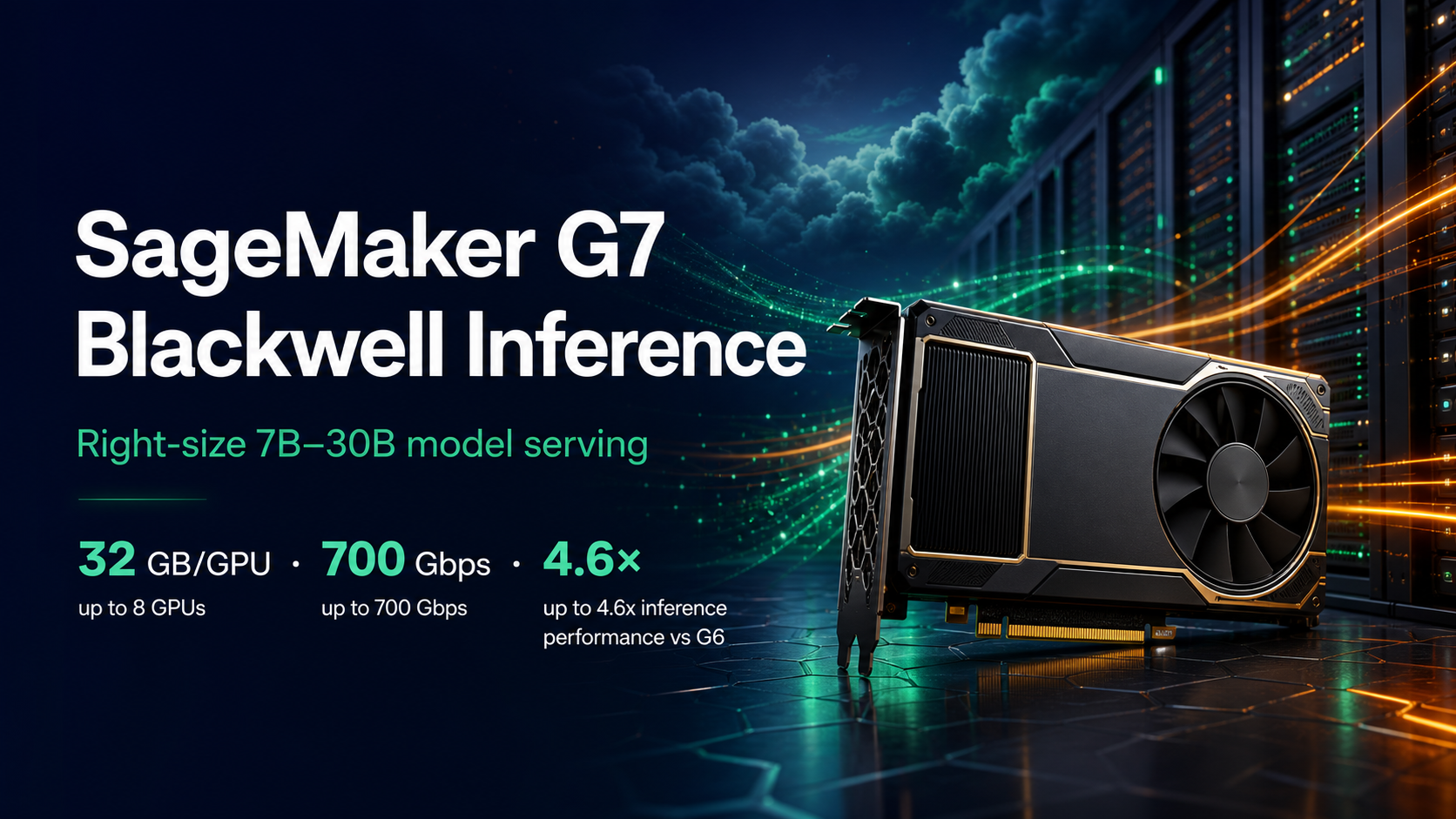
Amazon SageMaker AI added G7 inference instances on July 22, 2026. The headline number is up to 4.6 times the AI inference performance of G6, but the more useful detail is the shape of the family: every GPU has 32 GB of memory, sizes scale from one to eight GPUs, the largest size reaches 700 Gbps of EFA-enabled networking, and local NVMe storage grows to 7.6 TB. AWS positions G7 for models in the 7B–30B parameter range, image and video generation, and multi-model endpoints.
Those numbers sound like an automatic upgrade. They aren’t. A model that fits in 32 GB may still miss its latency target because the KV cache is too small at the required context and concurrency. An eight-GPU endpoint may deliver spectacular throughput while costing more per successful request than two smaller replicas. And the advertised 4.6× figure is an up-to result, not a promise for your tokenizer, quantization format, serving container, batch policy, or traffic distribution.
The right question is: which G7 size meets the service-level objective at the lowest cost per successful request? This guide builds that answer from model memory, traffic, benchmark data, deployment configuration, and production telemetry.
What is inside G7
G7 uses NVIDIA RTX PRO 4500 Blackwell Server Edition GPUs with fifth-generation Tensor Cores. The EC2 G7 product page lists six virtual-machine sizes and a metal size marked as coming soon. SageMaker exposes the managed inference variants with the ml.g7 prefix.
| SageMaker size | GPUs | Aggregate GPU memory | System memory | Local NVMe | Network bandwidth | EBS bandwidth |
|---|---|---|---|---|---|---|
ml.g7.2xlarge |
1 | 32 GB | 32 GiB | 600 GB | Up to 60 Gbps | Up to 8 Gbps |
ml.g7.4xlarge |
1 | 32 GB | 64 GiB | 600 GB | Up to 100 Gbps | 8 Gbps |
ml.g7.8xlarge |
1 | 32 GB | 128 GiB | 950 GB | 100 Gbps | 16 Gbps |
ml.g7.12xlarge |
2 | 64 GB | 192 GiB | 1.9 TB | 175 Gbps | 20 Gbps |
ml.g7.24xlarge |
4 | 128 GB | 384 GiB | 3.8 TB | 350 Gbps | 40 Gbps |
ml.g7.48xlarge |
8 | 256 GB | 768 GiB | 7.6 TB | 700 Gbps | 80 Gbps |
The exact hardware table is available in the EC2 accelerated-instance specifications. Check the SageMaker console or API for Region availability because a valid EC2 size isn’t automatically available for every SageMaker inference mode in every Region.
Three details change architectural choices.
First, g7.2xlarge, g7.4xlarge, and g7.8xlarge have the same one GPU and 32 GB of GPU memory. Moving among them buys CPU, host memory, storage, and network capacity, not a larger model fit. If the weights and runtime state exceed one GPU, jump to a multi-GPU size or quantize.
Second, local NVMe is valuable for model loading and caches, but it is ephemeral. The endpoint must be reproducible from S3, a model registry, or another durable source. Never let a warmed local cache become the only copy of an artifact.
Third, 700 Gbps matters only if the serving design can use it. Tensor parallelism, distributed prefill/decode, data loading, and multi-node traffic can benefit. A single 7B model serving a few requests per second will not.
Start with memory math
Parameter count gives a lower bound for model weights:
weight memory ≈ parameters × bytes per parameter
For a 13B model, the rough weight-only numbers are:
| Precision | Bytes per parameter | Approximate weight memory | One 32 GB GPU? |
|---|---|---|---|
| FP32 | 4 | 52 GB | No |
| FP16/BF16 | 2 | 26 GB | Barely, before runtime overhead |
| INT8 | 1 | 13 GB | Usually |
| INT4 | 0.5 | 6.5 GB | Usually, with more KV-cache headroom |
That table is not a deployment guarantee. The runtime also needs CUDA context, kernels, temporary buffers, framework allocations, and KV cache. The KV cache grows with context length, batch size, layer count, hidden dimensions, and precision. A 13B BF16 model that technically loads into 32 GB can still run out of memory when ten users send long prompts.
Leave headroom. For a first test, I avoid planning beyond 80–85% steady GPU-memory use. Then I push the real input-length and concurrency distribution through the endpoint and observe peaks. A production model that lives at 99% memory is one unexpected prompt away from a failed request.
Quantization trades memory and sometimes speed for quality risk. Test it on the same task suite used to approve the model. Don’t infer that INT4 is acceptable because a generic benchmark moved by one point. Domain-specific extraction, code generation, multilingual text, and tool selection can degrade differently.
A right-sizing workflow
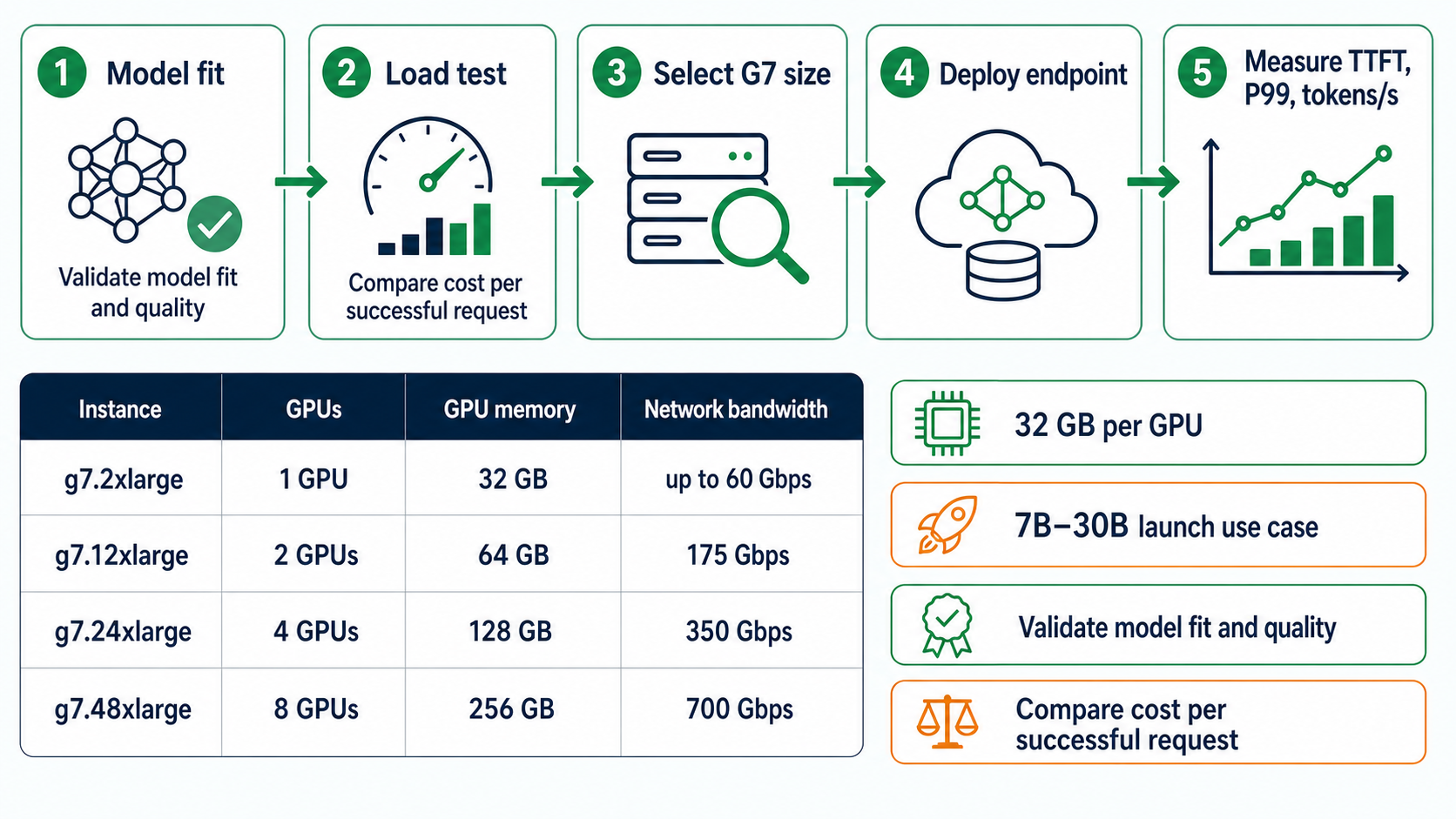
The workflow is deliberately circular. Instance choice is an experimental result, not a spreadsheet lookup.
- Confirm that the model, tokenizer, serving container, and maximum context fit.
- Load-test with realistic concurrency and input/output token distributions.
- Select the smallest G7 size that meets time to first token, inter-token latency, throughput, and error objectives.
- Deploy with autoscaling and a rollback-safe endpoint configuration.
- Measure production traffic and repeat when the model, prompt, or traffic mix changes.
SageMaker’s optimized generative AI inference recommendations can automate part of this search. You provide the model and workload profile, select an objective such as cost, latency, or throughput, and compare up to three instance types. The service returns measurements including time to first token, inter-token latency, P50/P90/P99 request latency, throughput, and cost. Use that as evidence, then validate with your own application path.
Package the model for a repeatable endpoint
A production endpoint needs an immutable model artifact or registry version, a pinned inference image, and explicit environment settings. latest is not a deployment strategy.
The following Boto3 skeleton creates a model, an endpoint configuration, and an endpoint. Replace the placeholders with a container that supports G7 and your chosen framework.
import boto3

sm = boto3.client("sagemaker", region_name="us-east-1")

model_name = "orders-assistant-13b-v17"
config_name = "orders-assistant-g7-canary-v17"
endpoint_name = "orders-assistant-prod"

sm.create_model(
    ModelName=model_name,
    ExecutionRoleArn="arn:aws:iam::123456789012:role/SageMakerInferenceRole",
    PrimaryContainer={
        "Image": "123456789012.dkr.ecr.us-east-1.amazonaws.com/lmi:PINNED_TAG",
        "ModelDataUrl": "s3://ml-artifacts-prod/orders-assistant/v17/model.tar.gz",
        "Environment": {
            "MODEL_REVISION": "v17",
            "MAX_MODEL_LEN": "16384",
            "MAX_CONCURRENCY": "12",
            "DTYPE": "bfloat16"
        },
    },
)

sm.create_endpoint_config(
    EndpointConfigName=config_name,
    ProductionVariants=[{
        "VariantName": "g7-canary",
        "ModelName": model_name,
        "InitialInstanceCount": 1,
        "InstanceType": "ml.g7.12xlarge",
        "InitialVariantWeight": 1.0,
        "ContainerStartupHealthCheckTimeoutInSeconds": 1800,
        "ModelDataDownloadTimeoutInSeconds": 1800,
    }],
    DataCaptureConfig={
        "EnableCapture": True,
        "InitialSamplingPercentage": 5,
        "DestinationS3Uri": "s3://ml-observability-prod/g7-capture/",
        "CaptureOptions": [{"CaptureMode": "Input"}, {"CaptureMode": "Output"}],
    },
)

sm.update_endpoint(
    EndpointName=endpoint_name,
    EndpointConfigName=config_name,
    RetainAllVariantProperties=False,
)
Review data capture with security and privacy owners before enabling it. Captured prompts and responses may contain customer data, source code, credentials accidentally pasted by a user, or regulated records. Encryption, bucket policy, retention, and access logging are part of the endpoint design.
If you need multi-GPU tensor parallelism, configure it in the serving container. SageMaker won’t split a model correctly merely because the instance has eight GPUs. The 2026 Large Model Inference container guidance is useful because it treats memory, KV cache, continuous batching, quantization, and model copies as connected decisions.
Measure what users experience
GPU utilization can look healthy while the service feels slow. Track the request path, not just the device.
I use this minimum scorecard:
| Metric | What it reveals | Common failure hidden by averages |
|---|---|---|
| TTFT P50/P95/P99 | Queueing and prefill delay | Long prompts blocking small requests |
| Inter-token latency | Decode experience | Slow streaming after a fast first token |
| Output tokens/second | Generation throughput | Low batch efficiency |
| Requests/second at target mix | Capacity | Benchmark traffic unlike production |
| GPU memory peak | Model and KV-cache headroom | OOM only at long context |
| GPU utilization | Compute saturation | CPU or network bottleneck despite idle GPU |
| Error and timeout rate | Reliability | Overload shedding too late |
| Cost per successful request | Economic result | Cheap instance with many retries |
Run warm and cold tests. A warmed model cache tells you steady-state performance. A replacement instance during scaling or recovery exposes model-download and startup time. Both matter.
Use at least three traffic profiles: ordinary, peak, and adversarial. Ordinary mirrors the median prompt and concurrency. Peak mirrors the busiest credible interval. Adversarial includes maximum supported context, large output caps, cancellations, malformed payloads, and bursts. Averages hide exactly the requests that page the on-call engineer.
Autoscaling without a thundering herd
For GPU inference, CPU utilization is often a poor scaling signal. Use an application metric such as concurrent requests, invocations per instance, or queue depth. Scale early enough to cover model startup time.
aws application-autoscaling register-scalable-target \
  --service-namespace sagemaker \
  --resource-id endpoint/orders-assistant-prod/variant/g7-canary \
  --scalable-dimension sagemaker:variant:DesiredInstanceCount \
  --min-capacity 1 \
  --max-capacity 8

aws application-autoscaling put-scaling-policy \
  --policy-name g7-invocations-target \
  --service-namespace sagemaker \
  --resource-id endpoint/orders-assistant-prod/variant/g7-canary \
  --scalable-dimension sagemaker:variant:DesiredInstanceCount \
  --policy-type TargetTrackingScaling \
  --target-tracking-scaling-policy-configuration '{
    "TargetValue": 8.0,
    "CustomizedMetricSpecification": {
      "MetricName": "ConcurrentRequestsPerModel",
      "Namespace": "AWS/SageMaker",
      "Dimensions": [
        {"Name": "EndpointName", "Value": "orders-assistant-prod"},
        {"Name": "VariantName", "Value": "g7-canary"}
      ],
      "Statistic": "Average"
    },
    "ScaleInCooldown": 600,
    "ScaleOutCooldown": 60
  }'
Metric names and supported dimensions vary by endpoint type and container. Verify the current CloudWatch metrics in your account instead of pasting the example unchanged.
Scale-in deserves as much attention as scale-out. A short cooldown can terminate expensive warmed capacity and force the next burst through another cold start. Watch cancellation and connection-draining behavior during updates. Streaming responses make abrupt scale-in especially visible.
The SageMaker capacity-aware inference guide covers the other half of availability: what to do when a desired accelerator is constrained and how to plan acceptable alternatives instead of retrying indefinitely.
Real-time, asynchronous, or multi-model
G7 can serve several inference patterns. Choose based on the request contract.
| Pattern | Use it when | Avoid it when |
|---|---|---|
| Real-time endpoint | Interactive latency and streaming matter | Traffic is rare and long-running |
| Asynchronous inference | Payloads or processing times are large and queueing is acceptable | User needs immediate streaming |
| Multi-model endpoint | Many related models share hardware and tolerate loading behavior | One latency-critical model consumes most memory |
| Batch transform | Offline jobs have defined inputs | Requests arrive continuously |
SageMaker asynchronous inference supports payloads up to 1 GB, processing times up to one hour, and scale-to-zero when idle. AWS also added inline payload support for requests up to 128,000 bytes in June 2026. Read the current asynchronous inference documentation before choosing it merely to save idle cost.
Multi-model endpoints can improve utilization, but they add cache misses and model-loading variability. With 32 GB per GPU, several quantized 7B models may fit while two BF16 models do not. Test eviction behavior and noisy-neighbor effects. The fastest single-model result does not predict multi-model tail latency.
Migrate from G6 without guessing
Use a blue/green endpoint configuration. Keep the G6 variant live, add G7 at zero or a small weight, replay traffic, then move weight gradually. Do not mutate the only production configuration in place.
Compare these dimensions:
- same model artifact and tokenizer;
- same serving-container revision;
- same precision and parallelism;
- same input/output distribution;
- same warm-up period;
- same error policy;
- same quality evaluation.
If you change quantization, container, and hardware together, you won’t know what produced the result. That might be acceptable for a final optimized system, but it is a poor migration experiment.
The up-to 4.6× claim is useful for deciding to test G7. It is not the success criterion. A migration succeeds when the endpoint meets the service objective at a lower cost per successful request, higher capacity at the same cost, or a materially better user experience.
Security and reliability boundaries
Run the endpoint in private subnets when the application doesn’t need a public path. Restrict the execution role to the exact model artifact, ECR repository, KMS keys, and logging destinations. Scan the image. Pin dependencies. Treat model artifacts as software supply-chain inputs.
Encrypt artifacts and captured data with customer-managed keys when required. Limit who can invoke the endpoint separately from who can update it. Put deployment changes through an approval path. A principal that can replace the model image effectively controls application behavior.
The AI on EKS GPU guide is a useful alternative when you need Kubernetes scheduling, custom operators, or a serving stack that SageMaker does not expose. The Trainium3 versus H100 analysis helps with another distinction: training economics and inference economics are different. G7 is an inference and graphics-oriented family; don’t select it from a training benchmark.
When G7 is the right choice
Choose G7 when the workload benefits from Blackwell inference, fits the 32 GB-per-GPU shape, needs managed SageMaker endpoints, and can use the family’s compute, NVMe, or network capacity. It is particularly compelling for medium LLMs, image/video generation, GPU-accelerated analytics, and multi-model serving that you have benchmarked.
Stay on G6 when it already meets the SLO and a measured G7 test does not improve unit economics enough to justify migration. Use G7e when a single GPU needs substantially more memory. Consider Inferentia when the model and framework are supported and price-performance wins. Use Bedrock when you want an API to a managed foundation model rather than responsibility for weights, containers, scaling, and patching. The SageMaker versus Bedrock inference guide turns that ownership distinction into a deployment decision, while the Bedrock, Azure AI Foundry, and Vertex AI comparison is useful when the platform choice is not limited to AWS.
The best G7 endpoint is rarely the largest one. It is the smallest repeatable configuration that survives your real context lengths, concurrency, failure modes, and quality gate with useful headroom.
Worked capacity-planning example
Suppose a support assistant uses a 13B model. The production sample shows a median input of 2,400 tokens, P95 input of 11,000 tokens, median output of 420 tokens, and a target of 20 concurrent requests. The product requires P95 time to first token below 2.5 seconds and P99 request latency below 30 seconds.
The FP16 weight estimate is about 26 GB. A one-GPU G7 size has 32 GB. That leaves less than 6 GB before framework allocations and KV cache, so “the weights fit” is not enough. The correct first experiment includes an INT8 or INT4 candidate and a two-GPU BF16 candidate. Quality evaluation decides whether quantization remains eligible.
Create three test configurations:
ml.g7.8xlarge, one GPU, INT4, because the extra host memory and 100 Gbps network may help loading and preprocessing even though GPU memory remains 32 GB;ml.g7.12xlarge, two GPUs, BF16 with tensor parallelism, for 64 GB aggregate GPU memory;ml.g7.12xlarge, two GPUs, INT8 with two model replicas if the serving stack supports that placement.
Run the same captured workload against each. Warm the model, then execute a 30-minute ordinary profile, a 15-minute peak profile, and a burst that reaches 40 concurrent requests. Measure TTFT, inter-token latency, tokens per second, GPU memory, GPU utilization, model-server queue time, error rate, and cost.
Assume the one-GPU INT4 endpoint meets latency but fails the quality gate on long document synthesis. It is out. The two-GPU BF16 endpoint meets quality and P99 latency but saturates at 18 concurrent requests. The two-replica INT8 configuration meets quality, sustains 25 concurrent requests, and has the lowest cost per successful request. That becomes the canary even if its hourly price is not the lowest.
Then test availability. Replace the endpoint configuration, trigger scale-out, and measure cold-start time from an empty node. If model download plus container startup takes 14 minutes, an autoscaling policy reacting at saturation cannot protect a two-minute burst. Keep more warm capacity, use scheduled scaling for known peaks, reduce model-loading time with the local NVMe path, or put a queue in front of non-interactive work.
This example shows why a fixed mapping such as “13B equals one GPU” is misleading. Precision, context, batch policy, runtime, and quality determine the answer together.
Operational acceptance for a G7 endpoint
Before production, prove that the endpoint survives a container crash, one unhealthy instance, scale-out, scale-in during streaming, an S3 artifact delay, a KMS denial, and a request at the maximum supported context. Verify alarms for model errors, invocation errors, latency, GPU memory, disk pressure, and capacity shortfall.
Record the exact image digest and model artifact checksum. Test rollback to the previous endpoint configuration without rebuilding it. Confirm that data capture can be disabled quickly if sensitive content appears. Finally, set a date to repeat the load test. A prompt change that doubles input length can invalidate the original sizing even when the model artifact is unchanged.
Keep the acceptance evidence with the release, not in an engineer’s terminal history. The evidence should include the workload sample, test duration, concurrency curve, precision, runtime flags, instance count, autoscaling limits, latency percentiles, quality result, and cost calculation. That record makes the next comparison reproducible and gives an incident responder a known-good baseline.
Also define a stop condition for the canary. For example, automatically restore the previous endpoint configuration when the new variant exceeds its error budget for two consecutive five-minute windows, loses the model-quality check, or increases cost per successful request beyond the approved margin. A canary that only measures HTTP 5xx responses can ship a model that is fast, available, and wrong. Treat response quality, saturation, and economics as release signals alongside availability.
Trusted resources
- SageMaker AI inference support for G7
- Amazon EC2 G7 product details and instance table
- EC2 accelerated-computing specifications
- Optimized generative AI inference recommendations
- SageMaker Large Model Inference container guidance
- SageMaker asynchronous inference
- SageMaker multi-model endpoint support
- Amazon SageMaker AI pricing
Explore more like this

Cloud IoT Security: Zero Trust, Identity, and Signed Updates
On September 11, 2026, the Cyber Resilience Act’s incident-reporting rules start applying in the European Union. That is 22 days after this article’s publication date. A manufacturer that learns of...

Bedrock Web Search: Grounding an Agent Without Building a Scraper
On August 4, 2026, AWS made Web Search on Amazon Bedrock generally available, and the entire integration surface is one JSON object: {"type": "web_search"}. That is the whole change from...

ECR Now Allows 200 GB Image Layers. Your Model Weights Still Do Not Belong There
On August 3, 2026, AWS raised the maximum Amazon ECR image layer size to 200 GB for images pushed with docker push. The announcement names the driver in the second...

Comments