
Database Systems

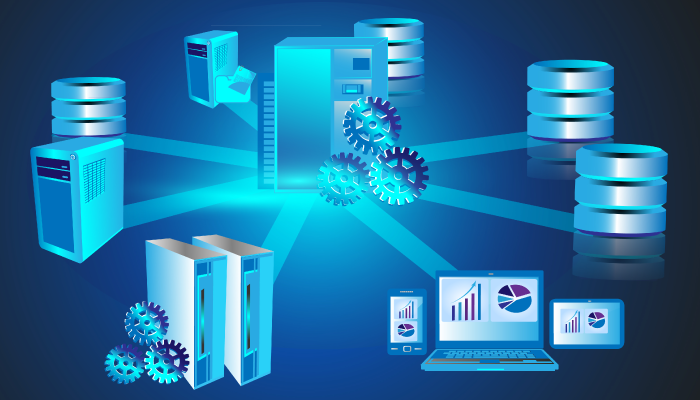
A database stores and organizes information so you can retrieve it later. If you have worked with dynamic websites – online stores, portals, anything running on a CMS like WordPress – you have already depended on one. Unlike static HTML pages, these sites pull their content from a database at request time.

Someone building that kind of site typically picks a server-side programming language to talk to the database. Most of us start out tracking data in a spreadsheet or even a plain text list. That works fine until the list gets long enough that inconsistencies creep in and finding anything becomes a chore. That is exactly the problem databases solve.
What is a DBMS?
A Database Management System (DBMS) is the software that sits between your data and the applications that use it. You can think of it as the librarian: it knows where everything is stored, who is allowed to see what, and how to handle two people requesting the same record at once.
When databases first became common in the 1960s and 70s, the software to manage them was custom-built for each project. That got expensive fast. Researchers started building generalized management tools, and that line of work grew into its own branch of computer science. Today there are hundreds of DBMS options – far more than the roughly twenty that existed on early personal computers.
What does a DBMS actually do?
Here are the core responsibilities most DBMS products handle:
- Querying – finding and returning the data you ask for
- Storage management – deciding how and where data lives on disk (or in memory)
- Concurrency control – making sure two users writing to the same row do not clobber each other
- Crash recovery – restoring the database to a consistent state after a power loss or hardware failure
- Security – enforcing access controls, encrypting data at rest, and auditing who did what
Most DBMS software also ships with graphical admin tools so you do not have to do everything from the command line. That said, plenty of engineers still prefer the console for day-to-day work.
On shared hosting, the DBMS usually runs on its own server. That setup gives you direct access, centralized request handling, and a higher level of reliability. The tradeoff is that the database server carries a heavier load.
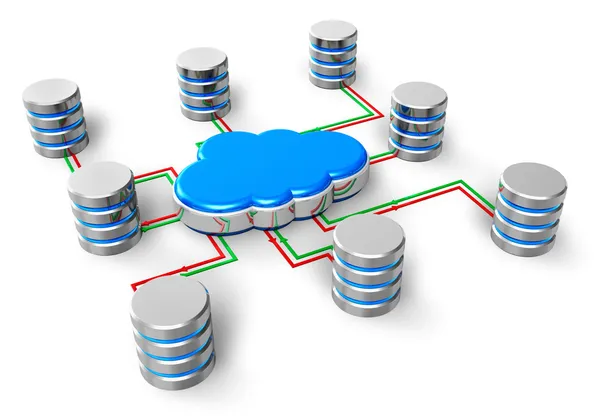
Data models
Databases organize information using different structural models. The ones you will encounter most often:
- Relational – data lives in tables with rows and columns, linked by keys. This is still the dominant model. MySQL, PostgreSQL, SQL Server, and Oracle all use it.
- Document – data is stored as flexible JSON-like documents. MongoDB is the best-known example.
- Key-value – simple pair lookups, extremely fast. Redis and DynamoDB fall here.
- Graph – designed for relationships between entities. Neo4j and Amazon Neptune use this model.
- Time-series – optimized for timestamped data like metrics and IoT readings. InfluxDB and TimescaleDB are popular choices.
- Hierarchical and network – older models that organize data in tree or graph structures. You will mainly run into these in legacy systems.
There is also a newer category worth knowing: vector databases. Tools like Pinecone, Weaviate, and PostgreSQL’s pgvector extension store mathematical representations of text and images, which is what powers the search behind modern AI applications.
Personal vs. enterprise DBMS
You can roughly split DBMS products into two camps:
- Personal or desktop databases – lightweight, single-user tools. Microsoft Access is the classic example, though Microsoft has been steering users toward Power Apps and Dataverse for new projects. Visual FoxPro, once popular in this category, reached end-of-life in 2015.
- Enterprise or server-based databases – designed for multiple concurrent users, often running on dedicated hardware or in the cloud. Oracle, SQL Server, PostgreSQL, and MySQL fit here.
What has changed since this post was first written
A few things worth noting if you are reading this in 2025 and beyond:
- PostgreSQL has continued its steady climb and now rivals or surpasses SQL Server in developer popularity surveys. Its extension ecosystem (PostGIS for geospatial, pgvector for AI workloads, TimescaleDB for time-series) is a big reason why.
- Cloud-native databases like AWS Aurora, Google Cloud Spanner, and Azure Cosmos DB have become standard choices for new projects. They handle replication, backups, and scaling for you.
- DuckDB, an embeddable analytical database, has gotten a lot of traction for data analysis work that used to require spinning up a separate columnar engine.
- SQLite is everywhere – mobile apps, browsers, edge devices – and is now one of the most widely deployed databases on the planet.
Data security
Data protection is not an afterthought with databases. Most DBMS products provide built-in encryption, role-based access control, and audit logging. The specifics vary by product, but the baseline expectation in 2025 is that your database encrypts data at rest and in transit, lets you define who can read or modify what, and keeps a record of changes.
You can read more about encryption approaches in our guide to server-side encryption on Amazon S3.
Bottom line
Databases are the storage layer behind almost every application you interact with. The DBMS is the software that makes that storage reliable, fast, and secure. Picking the right one comes down to understanding your data model, your read and write patterns, and how much operational overhead you want to take on. If you want to go deeper, our post on S3 Object Lock covers related concerns around data retention and immutability.
Explore more like this

Cloud IoT Security: Zero Trust, Identity, and Signed Updates
On September 11, 2026, the Cyber Resilience Act’s incident-reporting rules start applying in the European Union. That is 22 days after this article’s publication date. A manufacturer that learns of...

CloudWatch Managed Prometheus Collectors on EKS: Delete the Scraper, Keep the Metrics
On July 31, 2026, AWS shipped managed Prometheus collectors for Amazon CloudWatch. The pitch is short: you hand CloudWatch a scrape configuration and a VPC connection, and AWS provisions, scales,...

Amazon MSK Express to S3 and Iceberg: Native Kafka Data Delivery
Amazon MSK Express brokers can now deliver Kafka topics directly to two S3 destinations: objects in a general-purpose bucket, or managed Apache Iceberg tables in Amazon S3 Tables. Both paths...

Comments